 7:06
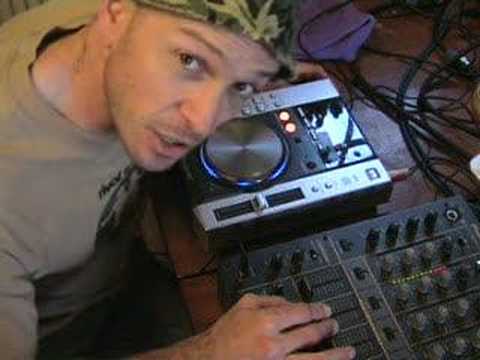
Video 2, on the Pioneer CDJ-200, starting it up.
Contents of the video
0:00 A few more bits and bobs on this guy here
Alright folks, Jonathan here. Right, a few more bits and bobs on this guy here. It's the CDJ-200. Right, now then, first of all, let's have a look at the back. OK, those plugs there, red and white, are your phono plugs. Now they will go from here, and that's what the lead looks like, into the back of the line input of your mixer. Now then also, there's one here. If you have a digital input, On the back of your mixer, then you'll just use that. This guy here has a small little plug there for a basic control lead. Now what that will do, on certain mixers you can go out of this CD player into the back of the mixer and what that does, what it means is that when this particular CD player is on pause, as soon as you lift the slider up on your mixer, the CD, the music will start.
Like I said in the last video, what I do like about this, it's got phones, which is your headphones input with a separate volume control. So, in essence, you do not have to have a separate mixer to listen to this CD player. You can just have this in the front room, plug it in, have a mess around. That's your start-stop button. Well, basically it turns it on. And that is your input for your power. Right, so what we'll do now is I'll plug it in and we'll start it up. Let's say all of a sudden we want to, you know, we desperately want to get a CD on. So press on, load the CD and we're not going to make it easy. We're going to go to track six. Right, okay, now then work that out, alright, because I wasn't counting. Maybe you can leave a comment and tell me exactly how long that was on for. Right, now like I said in the last video...
2:42 Search, track
I do like this feature, which is new enough with a lot of CDJs, but a lot more modern CDJs. The old sort of CD players, what you'd do is when you pressed, when it was actually cued up, there would be a slight delay in between you pressing the cue and the actual track coming in. With this one, it's bang, it's instantaneous. So what you can actually do, you can edit and mess around with the music. You can almost beat juggle if you have a listen. Short one here. Right, let's check it out. Alright, track search. And off we go. And then you've got the actual search of the particular tracks, so if you can see here, you've got four buttons, two at the top with track search which will basically go from track 1, 2, 3, 4, 5 up to however many tracks are on the specific CD you've got in there and then below that you've got search, so if you press one of those you will either search through the track
One way or search through the other way. Pretty straightforward I know, but then again you see what you have to consider is there could be one or two people watch this video, have never seen a CDJ before and basically want to know exactly what certain buttons, knobs and gizmos do on this little sucker here. The one thing that I'm always keen to use and to mess around with and to make sure it's perfect is the pitch control. That's very, very important, alright? Because at the end of the day, if you're a beatmixer, it's got to be perfect, okay? So what I'm going to do now, I'm going to pause this, get another track ready and we'll give it a go. Hold on. Alright, now then, we'll give it a go, okay? Now, it's probably a lot of you thinking, oh, he's already set the actual pitch controls. What I'll do is play this one.
4:13 We'll leave it about there, okay?
Alright, we'll leave it about there, okay? So that's that. And then this is this one. Okay. In the middle. Amazing. Right down. Right, let's cue back up again. We'll start it again now, right? Here we go. What can I say? It works. That's the main thing. It works. Now, again, people say, how do you beatmix? Well, it's all about practice. I've been doing this for a very long time. So sometimes I don't really need headphones because what happens... After a while, phone's going. You eventually just automatically listen to the beat and you can define one beat from the next. It's all about practice, right? This is video number two really with regards to the CDJ-200. I will be doing more tutorials and just explaining a bit more about that particular CD player. But anyway, what we looked at there, we looked at basically how to plug it in.
Start, stop, a little bit on the pitch control and basically what a couple of the very simple features do. Now bearing in mind you may be a very professional DJ and you may know CDJs like the back of your hand, that's fine. What you have to consider is there's quite possibly some people watching this video who haven't got the foggiest and that's what it's all about. Practice and enjoy.
This transcript was produced automatically from the audio of the video and may contain mistakes.





