 5:17
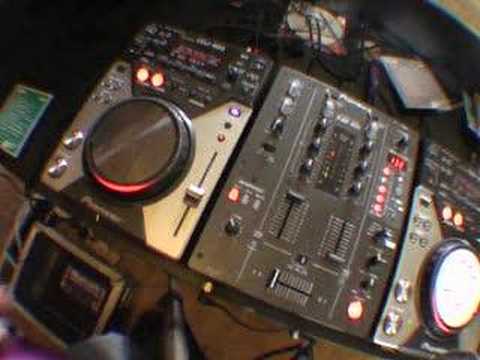
Video 4, The in loop samlper on the DJM-400 mixer.
Contents of the video
0:00 In-loop sampler
Alright folks, video number four for you in a selection I'm doing on this guy here. It's the DJM400 mixer. In this video we're going to have another look at the in-loop sampler. And what we're going to do, we're actually going to sample some music and then we're going to bring another track in over a sample that we took from the original piece of music you're going to listen to. So first of all let's play the tune. Look to the side of the video for the actual track names. Right, what I've got, I've got the level depth which is the first bar here set to 12 o'clock. Channel select set to one because that's the channel we're actually going to sample. The effect dial here is as far as it will go to the right hand side and it's set at the in-loop sampler. One, two, three, four, five banks and we can have five samples. So in time, in beat, I'm going to hit the first bank and we're going to sample a tiny bit of the music. One, two, three, four. Right, we've sampled that tiny bit.
1:41 All you need to do is set the channel select now to channel 2
Now what I'm going to do as well, because I was waffling, I want to actually sample some of the original beat with nothing else. So we'll just start it off again. 5, 6, 7, 8, 1. That's the second one. OK, so I've got some of the beat. Now I'm going to wang this forward a little bit. Right, we'll pause that. Now we've got some good samples. Now if I press this button here, we'll actually hear the last sample I sampled but we'll only hear it on channel 1. That's all well and good. But what we want to do, we want to move the sample from this side to this side so we can still play the original track. So all you need to do is set the channel select now to channel 2. Let's have a listen now, still with the crossfade on side 1. Nothing at all, let's move the crossfade over.
Now bearing in mind as well, I'm on the actual crossfade, the far right. If I go far right and the middle position, the crossfade is being used. If I put it to through, then the crossfade has been disengaged. So, now all of our samples that we've sampled are now on channel two. Okay, now then, this is what we're going to do now. I'm going to play this track here.
3:08 Another track now and I'm ready
And let's say for example now we're coming to the end of this track, so we'll wang it forward, well wang it forward, hang it to the end, hold tight, hold on. What I'm doing here, I'm pressing, where it says search, I'm pressing the right hand button and I'm moving the jog wheel at the same time, that'll take me through the track a lot quicker. Go back a bit, a bit too far. If you want to search slowly, Actual forward through the track or backwards. Make sure you're in vinyl mode and you can move the jog wheel. Okay, here we go. I'm on the beat. And... Okay, I've got my headphones on. What I'm going to do now, turn that off, I'm going to go to another track now and I'm ready to mix this one in. Here we go. So there you go. Basically what I've done, I've sampled a track from here, I've taken it from channel 1, thrown it into channel 2,
And then I've been able then to find another track on the original music source and I've been able to mix something in. So worst, worst case scenario, during the course of the night, if one of your music sources stops working, you could theoretically continue to do a mix by doing this sort of thing. Now the samples are actually still in this bank. Sorry, I forgot to press that. Here we go. Keep in mind this is just a demonstration. I'm no expert.
So, video four for you and in this video we're looking at the In-Loop Sampler. A few cool things you can do with it. Practice and enjoy. Can I go now?
This transcript was produced automatically from the audio of the video and may contain mistakes.





