 6:53
What can the SDJ1 from American Audio do?
Contents of the video
0:00 SDJ-1 from American Audio
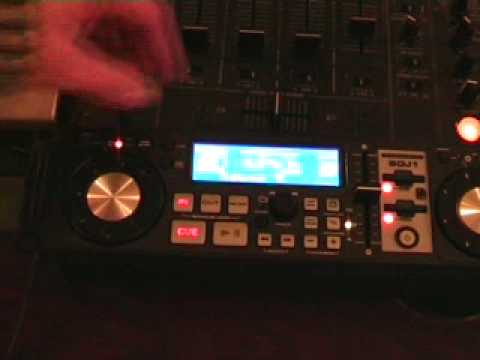
Alright folks, Jonathan here. We're going to take a look at the SDJ-1 from American Audio. First of all, it's not a CD player, it's not a vinyl turntable and it is definitely not an amphibious landing craft but it does play music. You've got one entity here and one entity here. In the middle you've got two slots where you will actually house the SD memory cards. Now each slot you can put a memory card up to a maximum Traktor Through this onto your SD card, you take the SD card out, you bung it in there and bingo, you've got all your music ready to rock and roll. So what I'll do, we'll pause the camera and we'll actually have a closer look at this particular unit. Then I'll do a little bit of a mix and then after that I'll tell you what I think. Hold tight. Alright, we'll have a sort of a general idea of what this guy is all about. Now we've got here, this is the jog wheel. Basically it works near enough exactly the same.
Here you can see card select. Now basically what that means is, for example, this card here say will work this side. If we press that button then that card will work that side and we can swap them over so you don't have to have that card on that side. This dial here is basically For track search and also folder search, you've got tap BPM. You've got here a button with ADV track. Now basically what that means is let's say for example you've got a track playing. What you can do, you can press that and you can search through the card. You can select the next track to play and then you can play it. You've got search forward or back, pitch bend which is exactly the same as a normal other CD player. That's your pitch adjustment.
2:29 Pitch control
You've got actual tempo lock and the pitch range is 16, 8 and 4. Now I say this when I can remember with virtually every single video when I look at the pitch control. If you are a keen mixing DJ for goodness sake don't go to plus or minus 16. The reason being you've got less control over that pitch. Put it this way. If you're on plus or minus 16, your movements are going to be really, really fine to try and get it perfectly in beat. If you're on plus or minus 4 or 8, then you've got more movement and you're in more control. Very, very important. Right, what I'll do now, I'll pause the camera and we'll just have a tiny bit of a mix. Hold tight. Alright, here we go. I'm just going to mix a couple of tracks. So if you want the actual track names, just look to the side of the video. And I'm not going to wear any headphones.
5:11 Competition page
So the whole idea is just so I can get an actual feel of what the pitch is like. So here we go. Well, the cue's quite responsive. You know, you press the cue and if the track you're playing starts off with that first beat, then it does come in. Let's get them all on! First of all, if you're watching this particular video around about February 2008, if you go to www.djtutor.com... One of these is up for grabs, just go to the competition page. Alright, what do I think of it? Alright, I like vinyl turntables, I like CDJs. It could take me a little bit of time to get actually used to this piece of kit, but it does serve a purpose. I mean, here's an example. Let's say you're a mobile DJ. And for example, you know, someone's booked you to do a wedding or someone's booked you to do a 21st birthday party. Now occasionally what they'll do is they'll email you a playlist of their favourite tracks. And if you're like me and you've just got a whole load of CDs, you're normally sifting through these CDs and you're writing down, you know, Now 27 track 3 or, you know, Tina Turner, Simply the Best, it's in that corner in that particular box. Well, you see what you could do?
You could basically get all of your tracks in a folder on your actual PC and then you could wang it onto a card, put your card in here or two cards and theoretically then the entire playlist they've asked you to play is in here. So admittedly you could still take your two CDJs or your vinyl turntables and something like that. So you've got all of the music that people have requested in the one little unit and you haven't got to worry about it. Plus the fact if you're concerned about people nicking your CDs, theoretically because you can get so many tracks onto this, there's no real need to take your CDs with you because everything is there on two small little cards. So there you go, a quick look at the SDJ-1 from American Audio. Practice and enjoy.
This transcript was produced automatically from the audio of the video and may contain mistakes.





