1:50
Pioneer DJ Opus Quad How to Set the Cross Fade Using the Touch Screen
Contents of the video
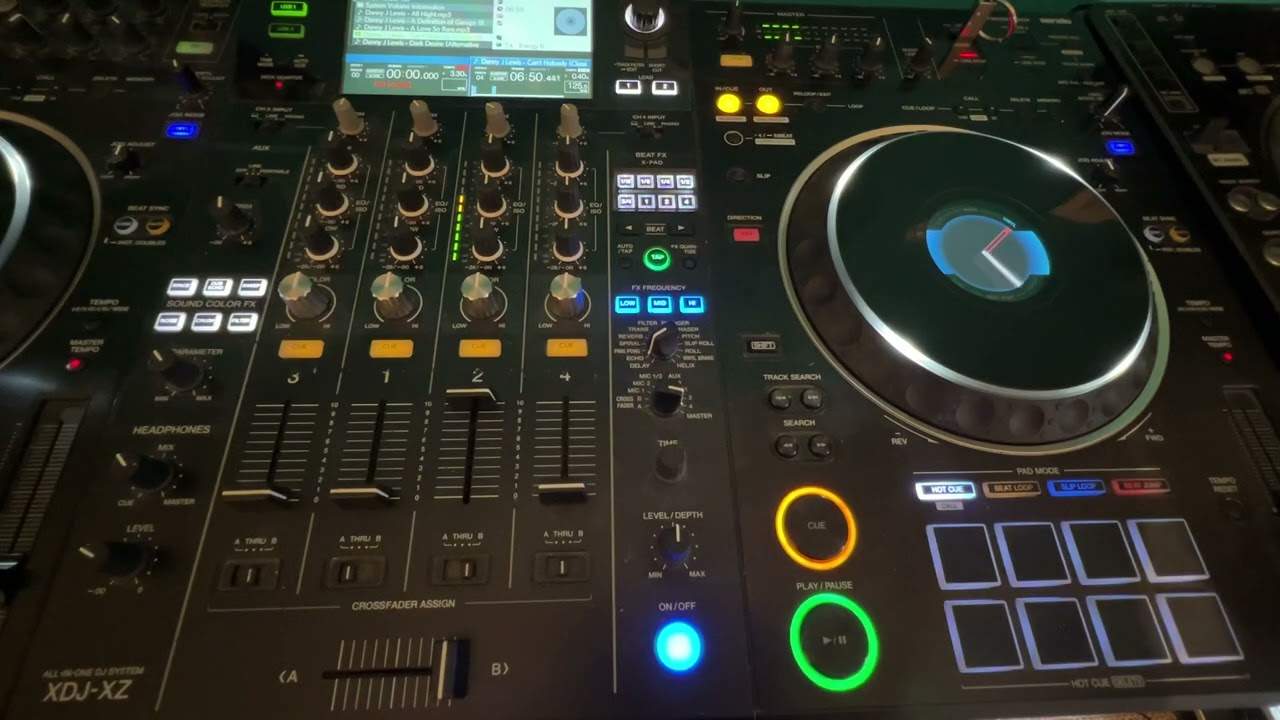
Pioneer DJ Opus Quad. You'll notice by the crossfade there are no switches how to set it according to how you like, whether it be through A or B. In this video I will explain how to do so. Channel 3, 1, 2 and 4. If we go to the screen we can see 3, 1, 2 and 4 directly above appropriate channels. What I can do now is press on deck 4 and I have the option of A through or B. You'll notice that the B is highlighted, there's a line underneath the B, that's because the crossfade is now set to side B, which is of course here. So generally what DJs do is they'll have the two right hand decks, or the two right hand channels sorry, on the right hand deck and of course the two on the left, on the left hand deck.
So we can see B on deck 2 and if I go to deck 4 we can see B. If I go to deck 1, A and deck 3 we'll go to A and that's it. It's as simple as that. Now if you do get confused and you're not quite sure, you should be able to see C, F, B, C, F, B, C, F, A, C, F, A. You should be able to see C, F, B, C, F, B, C, F, A, C, F, A. Channel A, channel A, B and B. Crossfade is basically a small way of showing you how the crossfade is set. And of course if you want to change it, just press on any highlighted deck and just by tapping the icon will give you the side that you want, A or B, or through. Hope that's a help. Practice and enjoy. Thank you.
This transcript was produced automatically from the audio of the video and may contain mistakes.
Related videos
-
Complete Beginner DJ Lessons Tags Key BPM Etc
A more advanced lesson folded in early, and worth doing once rather than putting off, because everything it sets up gets used for years…
-
Complete Beginner DJ Mixing Lessons Video 19 Getting Your Kit Ready for an Easy Mix
A whole lesson on getting ready, which is the right call - the exercise in the next video only teaches anything if the two decks are…
-
Complete Beginner DJ Lessons Video 9 Setting up a Cue Point and Using the Play Button
Short, and it covers a piece of behaviour that will confuse you exactly once if nobody explains it. The normal case Load a track and the…