 6:15
A DJ Mixer; video 3 , what is Gain? Vestax pmc-08pro,
Contents of the video
0:00 Bearing in mind this is for the total and utter beginner
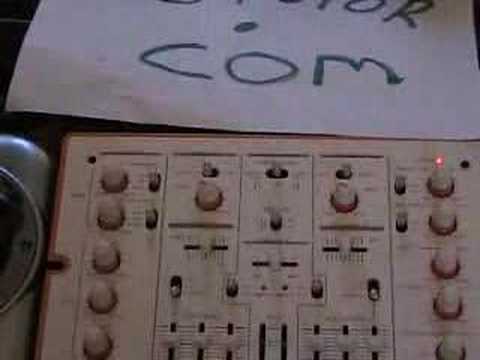
Alright folks, this is the third video in a selection of videos, a section should I say of videos, looking at a DJ mixer. Now bearing in mind this is for the total and utter beginner. In the first video we looked at the level controls and the crossfade. In the second video we looked at low, mid and high, the EQ or bass, mid and treble. In this video we're going to be looking at the gain controls and they're situated at the top of each individual channel, you can see them there. Now, there's a misconception that the gain controls are there to turn the music up. They're not. The volume controls or the levels are the dials used to turn the actual music up. The gain controls are there for one specific reason and that is to set the input signal from any source at a constant. What I mean by that is simply this. For example, let's say from a scale of 1 to 10
A CD player, the input signal coming into this mixer would say be at number 6. Let's say a 12 inch single on a turntable will be at number 7. Let's say an album on a turntable will be at number 4. Let's say a DVD player will be at number 5. Now then, with using the gain controls we can set the levels up or down to get... All the audio signal input at a constant, so instead of levels being 4, 5, 6, 7 we can set the gain controls to get everything at 7, 8, 3, 4, 2 depending on the mixer. Now then what I'll do, I'll show you exactly what I mean. I'm going to set the gains to zero. So even though now I'm going to turn this channel on here and on this side we've got A 12-inch single. And on this side here, we've got an album. Now you'll see exactly what I mean, and this is the reason we have gain controls, and if you use the gain controls like this, then you're using them correctly. Now then, if you notice here, there's no signal at all. We'll set the crossfade in the middle. Now then, on my left-hand side, I have the 12-inch single. If you notice the LED, as I increase the gain control...
2:51 Both gain controls are the same
We get signal. Put it all the way up and it's full on, but we don't want to do that. Now then, likewise with the album, if I increase the volume of the gain control, just the gain control, beg your pardon, we have a signal. Now then, to show you the difference and to show you the reason for the gain control, if I now zoom in and put both gain controls at say 9, just after 9 o'clock, say half past 9. So both gain controls are the same. Now if we zoom down now to the LEDs, you'll notice that the 12-inch single has a higher input signal than the album. Now like I said, the reason for the gain controls is to set the level coming into the mixer at a constant.
3:51 We need to increase the gain control to let it match the 12-inch singl
Now as you can see there, it's flashing green, yellow and then it's just tapping into the red. Now that's fine. That's OK. Now then, if you notice there on the gain controls, you can see that gain control for the 12-inch single is roughly at about 10 o'clock whereas the other one is just a tiny bit lower but the actual signal here coming in is very much lower. So we need to increase the gain control to let it match the 12-inch single. So we sweep over to here, if I zoom out so we can see both. Now I'm going to increase the gain control until the level on the LED matches the 12-inch single. About there. Now then, if we look now at the gain controls, you can see that the gain control for the album is nearly 12 o'clock.
But the gain control for the 12 inch is about 10 o'clock. Basically this is exactly what the gains are for. Now the levels are set perfectly, so now I know if I have the volume here at number 7 on the 12 inch single and the volume here at number 7 on the album, the volume output into the speakers will be exactly the same. We're going on to another channel, another mix there. There we go. So there you go. Whereas, let's say very quickly, if you can see the level there is at 10 and the level there is at 12, if I move that again back to the same position as the album, maybe a tiny bit higher, there we can see the level is completely different. Thank you for watching. If you enjoyed this video, please subscribe to our channel and give it a thumbs up.
This transcript was produced automatically from the audio of the video and may contain mistakes.
Related videos
-
Complete Beginner DJ Lessons Tags Key BPM Etc
A more advanced lesson folded in early, and worth doing once rather than putting off, because everything it sets up gets used for years…
-
Complete Beginner DJ Mixing Lessons Video 19 Getting Your Kit Ready for an Easy Mix
A whole lesson on getting ready, which is the right call - the exercise in the next video only teaches anything if the two decks are…











