 7:49
A New Way of Using Effects to Generate a Whole New Scope of Sounds DJ Demonstration Tutorial
Contents of the video
0:01 I hope you follow
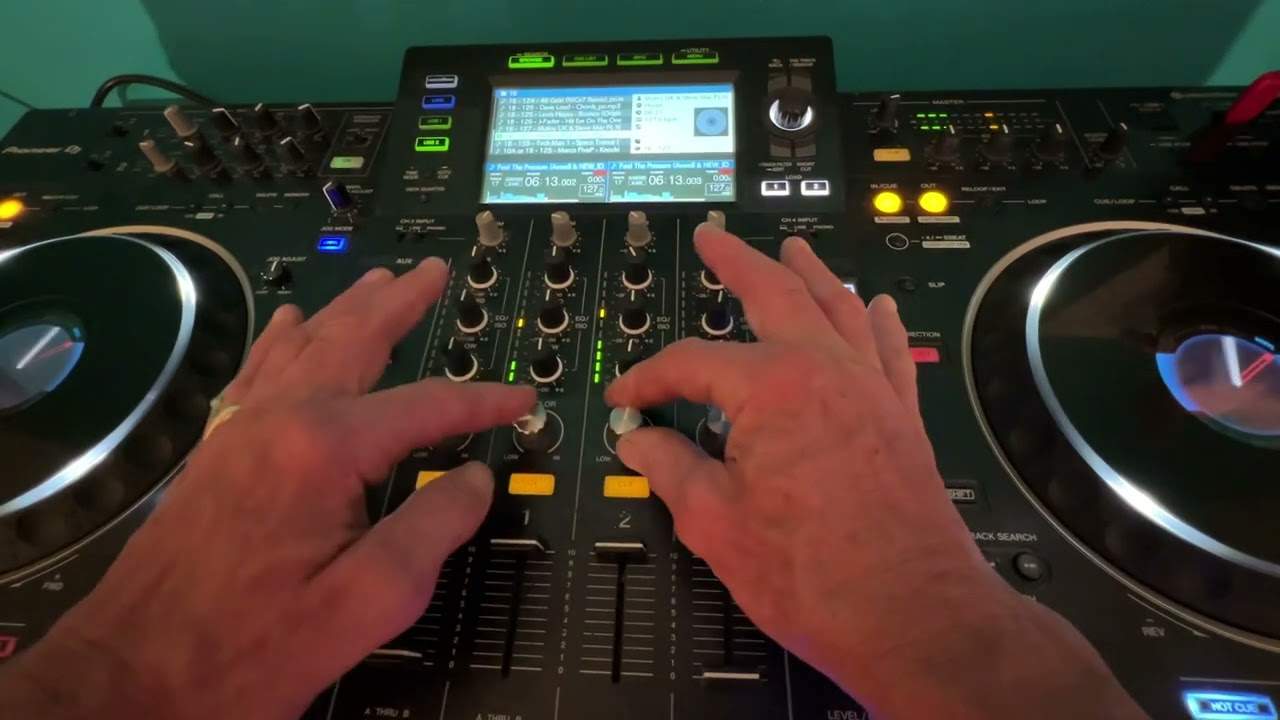
All right, ladies and gentlemen, so wouldn't it be great if you could use the same effect on the same track but the effect you're using on that track? You can not only say, for example, if you've got, well, the colour effect here. Normally, if you have a track playing and you turn the colour effect one way, you will get the effect. But you won't get the other effect at the same time if you move the colour dial the other way. I hope you follow. Using this technique, you very simply, simply can. It's not genius. Once I explain, it'll be like, duh. So first of all, let's just imagine hypothetically because what we've got to do, we've got to go back in time while you're in the mix. So you're playing a track on the right or the left deck, doesn't matter.
So you play one on the right deck, you bring in, say, the left, sorry, the right deck, left, yeah, we won't go there. I'm dyslexic. Which way? Left. No, you mean right. Anyway, so for example, you've played one and you started, you've done your mix and you now have a second track, a fifth, eighth, wherever you are in your set on the other side. But of course, you've... You've formed a transition, so that track's already playing. But what you have done is you set a hot cue, say eight bars or 16 bars in. Just think about this logically. Think now because you're going to be using the same file. What you will do is while the track is playing that you brought into the mix, you will now load that exact same track over to the other side.
2:22 You know, I mean, I like to use my ears
Now again, I think... I think with some players, if you double tap quickly, it will automatically jump to the position where the other side is. If it doesn't, then all you've got to do is wait for the correct position and guess what? Press your hot cue and there you are. So in other words, the hot cue on this side, say, is 16 bars in. You can see it's there. You can also see it on your weight. You can also see it on your body format, on the screen in front of you or on your laptop. And then as soon as you get to that position, you press the hot cue on your right deck and away you go. What you do have to do as well using this technique is just to make sure that both decks are exactly at the same speed.
That is quite important because you don't want to have any form of echo. You don't want to try mixing them in just... You know, I mean, I like to use my ears. But if I'm going to do something like this... I'm going to look at the screen and it just saves time. Okay, I don't abuse the screen. I actually use it now. So theoretically, at that point now you've got the same track playing on both sides. So if we do that... Now I can use the sweep. You can hear I can use the sweep on the right side any way I want. So again, for copyright reasons, let's just start the track at the beginning again. Both playing. Let's use the filter. So now what I'm doing, I'm able to use the right hand side in one direction or the left side.
Okay, now that's a bit bizarre and wacky. All right. So this will let you use the same effect but differently on both decks. Now, this is where we do get to the next level, and this is where it's slightly more interesting. But sadly, you would. Have to have the likes of CDJ or media players. Now, I have talked about this in the past and I've always gotten really good response from these videos. So again, you need to follow exactly what I'm saying. Now, this only now applies to people who have got external sources. Like I said, your media players, your CDJs and so on. So theoretically, what you do have in the back is you should have right and left either side. So if you think about it, you've got right, left, right, left in.
5:10 What you can do then is as you bring the other side up
So what you would do is you would form your mix. You would let the track play on the right hand side. Then what you can do then is as you bring the other side up. I know this sounds a bit awkward and whatnot, but there is meaning behind the madness here. What you do then is the right hand deck. You pull out the left hand plug from the back of your mixer. It's a bit faffing, but it does sound good. And then the left hand deck you pull the right hand out, but you've still got the two volumes playing. So now in essence, what you've got is you've got two volumes. The volume on the right playing the right hand speaker, the volume on the left playing the left hand speaker. And now what you can do if you use your effects, you're able to generate
An effect only on the right hand side by using the dial for the right hand deck. And you're able to generate an effect on the left hand side by just using the dial on the left hand side. So it is a little bit of faffing, but it's good fun. Now we could take it a step further where you don't even have to do that because a lot of media players have got digital input. So, for example, did you know you can go if you've got a four channel mixer right hand deck digital in on say channel four analog in on channel two for your right deck digital in on channel three on your left deck and analog in channel one on your left deck. So if you think about it, you could theoretically play along using digital, take out analog right and left.
And when you're ready, just move from digital to analog. And now you've got control over your effects for different sides of the PA. Now it may sound great in your bedroom or on a small sound system. But if you're in a nightclub and you've got a very, very big sound system in a big room, it's going to sound insane, absolutely insane. Because imagine just imagine this for a second generating an echo on channel two on your right side while the left side doesn't have an echo. All right, just take that on board. Just take this to the next level. Give me a thumbs up if you like it. Practice and enjoy. Thank you.
This transcript was produced automatically from the audio of the video and may contain mistakes.










