 6:58
Ableton Live Tutorial video 3 with Danny Lewis
Contents of the video
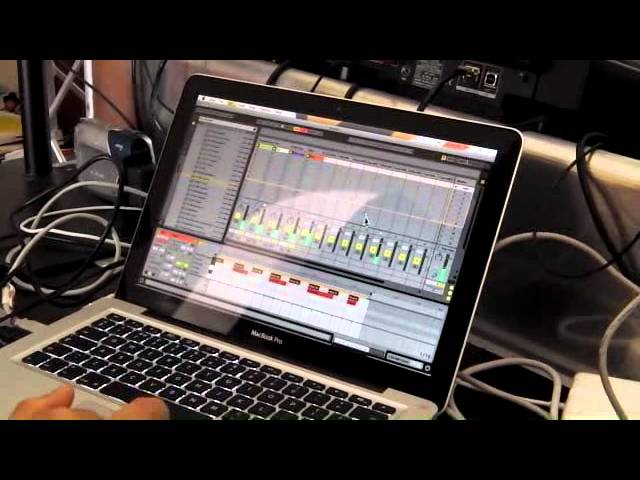
It's Danny Lewis from Point Blank Online again, so this is part three, so I'll play you what we've got so far. The first thing that I want to do is just focus on this pad because it's feeling like it's a little bit thick, so with the EQ we just want to reduce the bass on that and we can actually see what's happening with the sound. We can turn on the spectrum and this shows you frequencies from the lows to the highs, left to right, and I want to take away some of this area around here, so I can drop in an EQ and there's a really good EQ, the EQ3 which is like a DJ style EQ. I'm going to drag this to the left and turn off the lows here, so you can see we've got a nice space but I've taken away a little bit too much, I'm going to reduce the amount.
Can I just explain to some people what we've got is it's a bit like bass, mid and treble on your mixer. Absolutely yeah, I mean this is the lows on the left hand side, the mids in the middle, the highs on the right hand side. So all you've done there in a way is like on the mixer you've reduced the low or the bass, cut it away as you would do with the dial. These are like kill switches these here so I can bring it back
And we could do the same with the mids and with the highs as well, we can adjust the frequencies so it's yeah it's like a DJ style EQ. So it's audio and it's visual because we've got that visual description of... If you're learning you know these spectra analyzers can be really helpful if you want to learn how to use them. So they sort of visualize sound for you, so that's sounding better.
It means that I've got room for playing a bass line and other textures in there but what I'm going to do is I want to add a few more drum elements. I'm just going to fold down this percussion thing and we're going to go back up here and I'm going to go to another classic drum machine and we're going to go to the 808 you know this is the Roland 808 drum machine. This is a real popular drum machine today it's a classic it was used on a lot of hip-hop tunes, you know plenty of house tunes as well. Very very characteristic sounds I'm going to flip here on the launch pad I'm going to trigger the sounds I mean you'll recognize those so you've got the hi-hats these could be good textures to add the clap it's a real classic I mean something like that
Could be great with a lot of reverb on it so we'll look at effects on the next video but just for the moment I'm going to just put something down I'm going to see how... feel it's going to turn the volume down a little bit on the channel
So I think there's a starting point I'm going to layer that clap in there so just going to push record and what I've done there is I've just literally recorded it in and so onto the clip I can double click and we can have a look and yeah it's really flexible here you know we saw before I'm going to do command plus a and then command plus u to lock them into the grid and look what's happened is that when I pushed the record and then stopped it actually got to a different length to what I want it to be I actually want this to be nice and tidy so I'm going to bring this back over here so I'm just going to count there's going to be four another four so it's going to be a nice loop that's going to occur now
So it's all cycling nice and tidy so there's the clap I'm going to take the overdub off and then have a think about some other elements
How's good tune Danny Tanglia elements do you ever hear that one oh yeah yeah yeah very good so look I'll overdub this as well so that needs quantizing the levels are a little bit high so I'm just going to come over here you see we've got different drum sounds split out I need to go into my 808 here you can see the hi-hat there there's two of them so they're sounding better now taking the hats down and we can affect these and maybe one of these tom sounds could be quite good I'm going to take the overdub off just going to find where they are just going to push the overdub
Quantize it go find where they are you can see here they're out of time so we're building up these textures and in the mixer to find that so this one here we could apply some effects to that as well and give it a sense of space because at the moment they're all just kind of sitting there very dry just going to show you here we could also take elements away
So I've turned off the pad so we can listen to the drum elements that we've got so far
So that's got a really nice groove to it you know you can start to feel that we could get some structured stuff on the go and what I'll do just to give you a little idea of the potential with the launch padding structuring is that I could select everything we've got here hold down the alt key and then make copies so we're going to bring this down so we've now got these set up with another you know we've got this scene over here so we've got scene one and scene two and I could take away the pad on scene one and now on the launch pad
We're on scene one come to the next one so what happens is it's a more improvised approach to structuring you know you're pushing buttons it's got this kind of hardware brings in the live element as well yeah it does yeah and you know you'll get some really nice ideas for structuring so you know we'll look at that on another video but what we'll do is on the next one we'll start adding some effects to this okay so we're looking at video number three danny j lewis enzyme black from point blank in london you can also check them out on youtube we'll put a link underneath here point blank online practice and enjoy thank you very much
This transcript was produced automatically from the audio of the video and may contain mistakes.











