 9:28
Adding an Echo over Another Track in Time Using rekordbox DJ CD Pool Dance October 2019
Contents of the video
0:00 Got a bunch of tunes here from CDPool
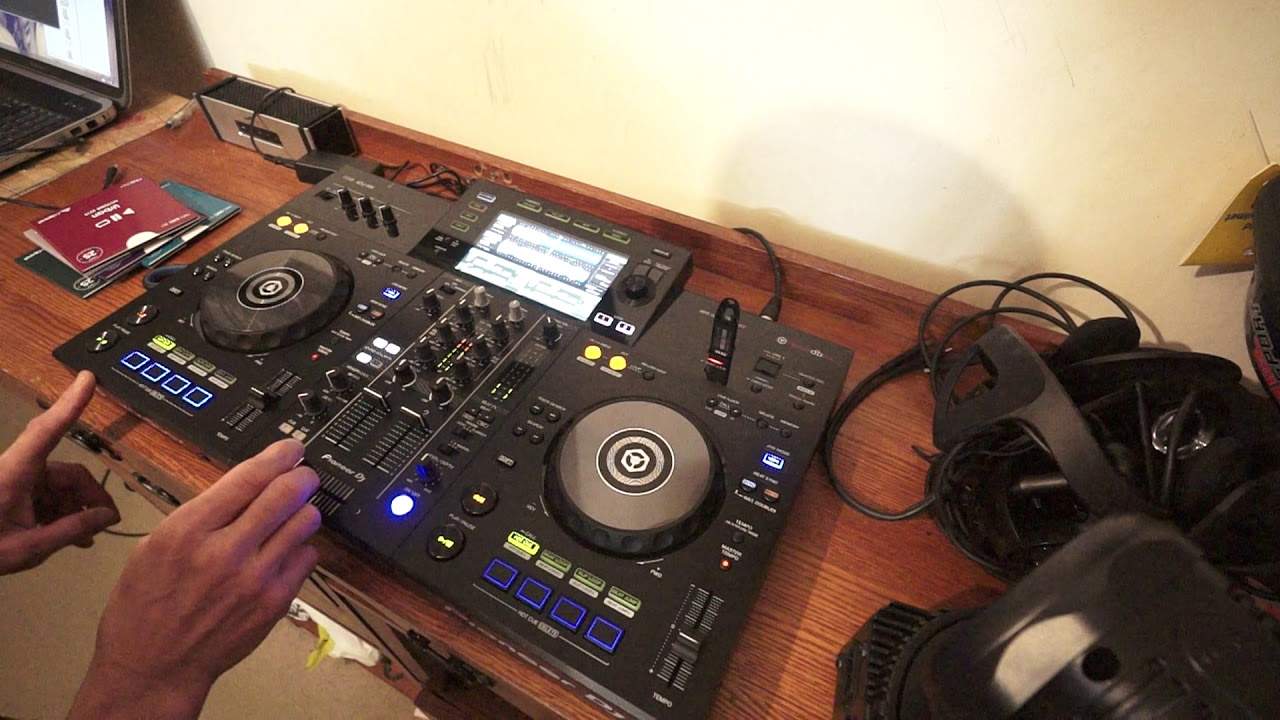
Alright guys, got a bunch of tunes here from CDPool. They're rekordboxed up and we're good to go. These are the dance releases for October 2019. They are a little bit more commercial, more sort of happy, easy-go-lucky, lots of euphoria in here, big room. There's again, lots of vocals, big breaks, big drops. The kind of tunes that you would expect, let's say, to hear. On daytime radio, the dancey kind of tracks, but these are more the extended versions. Again, you will get tracks on the dance releases that are the shorter versions. I couldn't say it's 50-50, but you will definitely get extended versions. Now, I'm using the XDJ-RR, I'm using rekordbox, these two tracks are harmonically matched. What I'm going to do now...
I'm going to show you how we can add a sample of one track over the other. So this one here is Illusion on the left hand side, on the right hand side we have Over You. So you can hear straight away that they're harmonically matched. They just sound as though they're complementing each other. Now this is very important when making a mix. That you want it to sound a natural kind of flow from one track to the other. What I'm going to do is engage the echo, I'm going to have the echo on the left hand side. I've set a hot cue, listen. Okay, so what was going on there? Now I have set some hot cues on the left hand side. So I've set hot cues with a track known as Illusion, again the extended mix. We have a listen.
2:22 Time, crossfade, quantize
But I just used the first hot cue. Now again, what I did first of all is if you want to make sure that the hot cue is snap bang in time with the track, engage quantize and that will, it's a bit of like a safety net, it'll make sure that if you're slightly before or after the time where you want the hot cue to start It will snap it in time, in beat for you. But if you want to start then pressing the hot key very quickly afterwards, make sure you disengage quantize so you can do something like this. Have a listen. With quantize engaged. Listen. Disengaged. Really important. Okay. And then all I did, I was overlapping that sample, overlapping the other tracks. So... Crossfade over on the right hand side. I now have the effect which is the echo engaged. Okay, so the move is I am moving the crossfade over in time, pressing that hot cue, letting the track play, moving the crossfade back over. So what's happening is as soon as the crossfade moves back over,
4:36 Of the echo playing
We hear remnants of that echo. Now, that's a simple thing to say but what we can do is elaborate on that by having the crossfade over on the left hand side for a short period of time or a longer period of time. When I say short or long, I'm not on about four minutes or ten minutes, I'm on about one second or two seconds. That means that during the time that the crossfade is over, we will hear that track. But when you bring the crossfade back over to the other side, you will only then, and of course then, you'll only have the last bit of the echo playing. Okay, so for example, if the track is saying 1, 2, 3, 4, and you bring it on the 4, you'll have 1, 2, 3, 4, 1, 2, 3, 4, 1, 2, 3, 4 is the echo. On the other hand...
If you have the crossfade over for the duration of 1-2 and bring it over, the echo will only be 1-2, 1-2, 1-2. I hope that makes sense. So, right, that's a bit of a demonstration stroke tutorial. Let's have a listen a little bit more to Illusion. Nice bit of a breakbeat kind of beat in the background there. Grimy sort of sound here. Over you. Okay, let's find something else. Again, I used the key matching there just for the demonstration. Alright, so let's go back using rekordbox. Now again if you're not familiar with rekordbox we can choose tracks by artist, track, key, album, playlist and history of course. History is quite important because let's say for example you played a bunch of these tracks in a mix previously two weeks ago.
You can go to history and you can find the mix that you did and play it again, so long as you've got the same USB with all of the tracks that you have played. Okay, so I'm just going to go to track, press down, and now we have all of the tracks in alphabetical order. Okay, this one here is Somebody Else, the extended mix. Just over, well six and a half minutes so again this is an extended. Rule of thumb really, anything around about three and a half to four minutes is more of a radio friendly kind of track whereas anything over five minutes and above that you're looking more into a club extended version and again the shorter versions you're going to have shorter phrasing maybe two, four bars. The longer version you're going to have should theoretically have longer phrasing of eight and sixteen bars.
7:34 Next one we're going to look at is Younger
Okay, next one we're going to look at is Younger. This is the club mix. There will be a link in the description to CDpool.com and if you are a DJ in and around Europe and you're interested in dipping your big toe into the CDpool club style, there's all different genres and styles of music and you want to maybe subscribe to their downloads. There is a code in the description of this video. First time user, take that code, go to the website and for your first download you'll get 50% off. So even if you get one compilation, you get 50% off. If you get five or six, you'll get 50% off the five or six. See with the dance releases they are a little bit more sort of... Fluffy, uplifting, a lot more vocals, a lot more energy and vibe to them. I'm not saying that any of the other releases haven't, but there's a different feel of vibe with these. Okay, we'll finish off last one, Torn. This is the dance mix. To get any more info on these, check out the link in the description to cdpool.com. Practice and enjoy. Thank you.
This transcript was produced automatically from the audio of the video and may contain mistakes.










