 5:40
Advanced DJ Lesson Add a Roll over a Mashup in the Mix
Contents of the video
0:00 We've got a bit of an advanced DJ lesson for you in this one
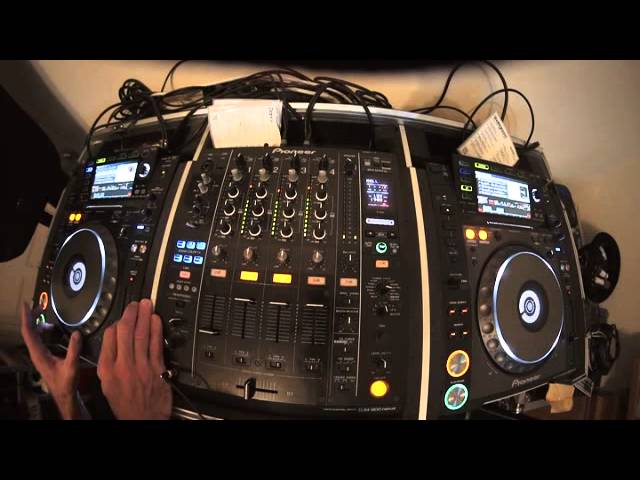
Alright guys, we've got a bit of an advanced DJ lesson for you in this one. What we're going to do is we're going to form a roll on the track that's playing. We're going to put that track or the roll onto another channel, but then we're going to bring two of the tracks into the roll, do a bit of a mashup of those two tracks, take the roll out and then add some effects to the two tracks playing. This is an advanced DJ lesson, so what I'm going to do now is set this dial to number three. Because we're on channel number three, I'm going to tap in time, hit the beat, dial to four over one, engage the roll and also bring up channel four, which is very important.
What happened there? I just flicked it straight over to master or mic. So what I should do with that is assume... As we've had one bar of the roll, flick it over to the other channel. We could if we wanted to put it to channel one, like so, but because channel four is next to channel three, it's very simple to go from three to four. There we go. Alright, so again, if you are an advanced DJ, you'll see that that can be done very simply on the fly, which now gives us the option now to bring in either one new track, but we don't want to do that. Because we're going to play a bit of a mashup of those two tracks. We might as well just have done a mix, so we can bring two tracks in. So I'm going to go to the two tracks I want to use.
I think I've got this one. I've now got to beatmatch these, so... But again, being a mashup, we want to sort of bring them in together into the mix.
1:52 You don't really want that roll lasting forever
And the key here is speed. You don't really want that roll lasting forever. Unless, of course, you've got maybe an MC who can talk over it.
Which is... Okay, here we go. It's our mashup. Break at the same time. As well, it works.
3:38 Try and get it so they all work together
8-bar break, 16-bar. Try and get it so they all work together. Okay, there you go. Hopefully that was very straightforward, and of course you would have paid slightly more attention than I did. Okay, so just to run over it again. What we had, we had a track playing over here. What we did, we had that track on channel 3. We waited until the latter part of the track. We made sure that the effect select was on roll. And below that, the dial was on number 3, which is, of course, the channel we wanted to roll. We tapped... We tapped in time, we pressed the beat button, sorry, the button next to the T on beat, which is, of course, DJM-900. So 4 over 1, one bar. As soon as we'd complete... And then we started, sorry, we pressed down on the effects.
As soon as we had one bar, flicked the switch over to channel 4, which then sent that roll from 3 to 4. That then gives us time or gives us the option then to do whatever we want with the two turntables. Which, of course, if you'd have thought in advance, you'd then make sure that everything's in time. Now again, of course, just thinking out loud, this track's playing even prior to getting the roll. That gives you the option then to get the next track ready here and beatmatch that one. Which means then, instead of, as I did earlier, beatmatch 2, all you've got to do then... Because that one would already have been beatmatched with the last track. Because the last track's playing, the roll should be the same time.
It's just beatmatched the last... The new track on here and then bring it into the mix. Now again, very, very basic and random demonstration. But I'm sure you can take it to the next level, practice and enjoy. Thank you very much.
This transcript was produced automatically from the audio of the video and may contain mistakes.










