 8:30
Can a DJ Become a Producer on the FLY in the Mix? Yes I Will Show You How
Contents of the video
0:00 We're using a tune here called Holler
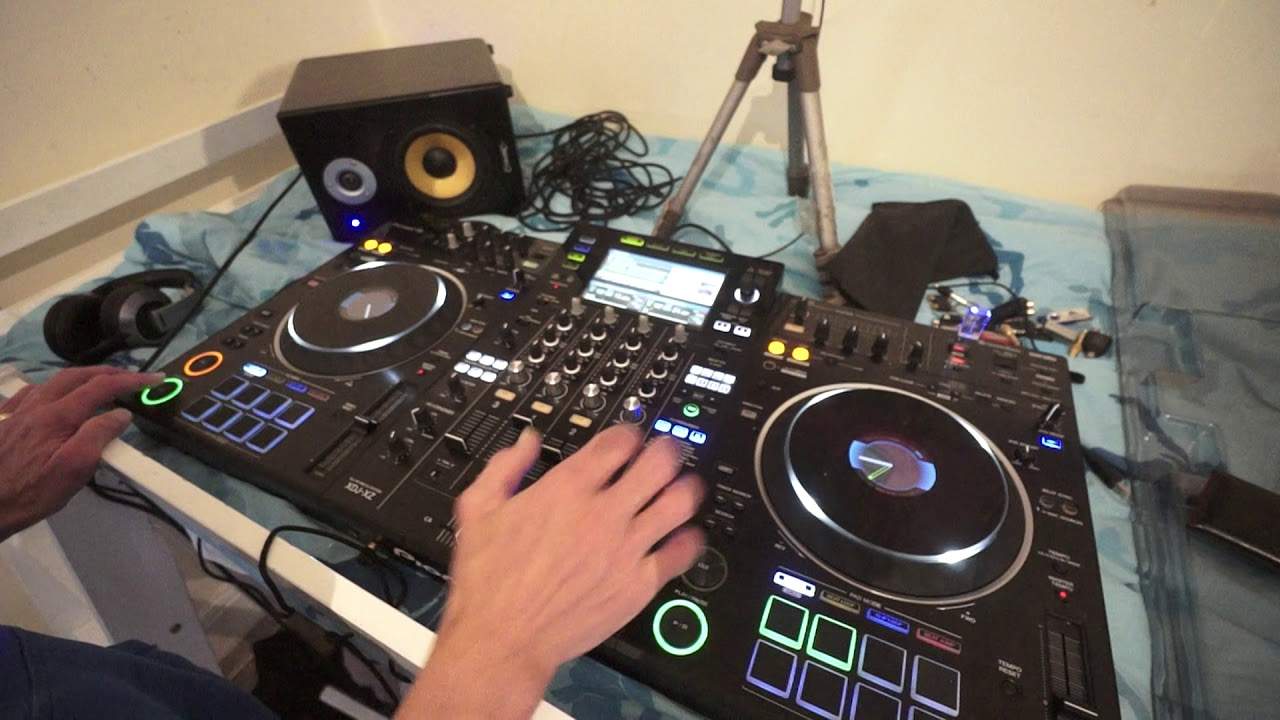
Alright guys, demonstration stroke tutorial. We're using a tune here called Holler. It's by Mr. Lenny Fontana featuring New York Thunder. It's from Karmic Power Records and if you want any info on this track or any of the tunes I use from Karmic Power Records there is a link in the description. Now this track here is reminiscent of that sort of 90s vibe house music. Loving it. So what we're going to do here with this sort of demo is a little bit of almost on the fly production. Now I've got on the right hand side the club mix, on the left side I've got the club instrumental mix. So if we listen, very similar. Now these are just the raw mp3 so I haven't put them through rekordbox. They should theoretically be the same BPM but even though the pitch is dead centre, you know the right side seem to be fluctuating 125.9, left side 126.
So again if you do want to use the full potential of your kit and you have Pioneer kit I highly recommend you use, you put your files through the rekordbox system. And again with the XZ along with the RX, the RX2 and the RR they are standalone units. So you can use those units with just basic mp3 files, download something, stick it on a thumb drive, stick drive, plug it in and away you go. Alternatively the best way of using your files of course, I should do it as well really but not in this video, is to use rekordbox which means then you have all of the features of the hardware in front of you. But because this is just a demo, it's a demo. Alright now what I've done here and what I want to show you is how as DJs now we can start to become producers as well at the same time.
2:22 At the moment, the sound is complete
So what I've done on the right hand side, I've taken just two hot cues. Here we go. So here, this is what I want to just use and also this. Okay that's it. Now with using the hot cue and the play pause, I can just have that sound. At the moment, the sound is complete. I've got the whole spectrum of the EQ. What I'm going to do, I'm going to turn the bass off. So now the bass is, I'm not sure on the settings inside there but... Yeah, I would have that now just to confirm. Yes okay. So what I've done in the settings. Is I've made sure that I have complete kill on low, mid and high. But if you want to in the settings on the screen. If you're using the likes of the XZ like myself. You can go to the settings and set it so you've just got minus 26 dB.
So that's entirely up to you. Minus 26 means you've got a little bit of the bass, little bit of mid, little bit of top. If you turn your dials all the way to the off position which is of course 7 o'clock. Alternatively like me. I've got them set to kill which means you turn them all the way to 7 o'clock. And that will indeed kill completely that frequency that you're turning down. Whether it be low, mid or high. So first of all let's... I'll give you kind of a rough demo of where we want to take this.
Okay so you get the idea but it's a bit too in your face. And also it's a bit too bland. So what I'm going to do, I'm going to put the volume down a bit. And I'm also going to engage the echo. So I'm just going to again, because I'm not using Rekordbox it's not quantized. I'm just going to tap in time. Now let's have a listen. That was much better. Now again I'm going to be completely critical with what I'm doing as well. This sample didn't work as well as that seemed to work so much better. Okay so let's take it to the next level. I'm going to add some filter. So I'm going to bring my filter up to the dial, the color dial to around about half past two. Let's just have a listen. Okay we can hear the echo is in time with the track.
5:40 One, two, three, four
One, two, three, four. But what I want to do, I want to elaborate. I want to make that echo double time. So now let's have a listen. That's better. There okay. Let's try the same thing again. Here we go. Okay so looks simple but there was still then a lot going on. So it's not just a question of pressing play or hitting the hot cue, letting the sample play and then pressing play pause. It's about how much you let the hot cue play before you press play pause and also where you press the hot cue in relation to the track. So for example, you can press it on the one. So for example here. Two, three, four. One, two, three, four. Sorry wrong one. Three, four. One, two, three, four. One, two, four. On the off beat. On the accent.
Now a lot of experimenting needs to be done here but what we're getting to here is a way of your own music production and this can be done on the fly. So for example, there you go. So just a bit of a demonstration for you. Thank you very much for watching. Don't forget to like and subscribe and also tell your friends and family about the new venture which I'm doing which is of course the video for children targeted for four years old and upwards. Very simple to follow, very easy videos, fun exciting for kids. Don't forget like and subscribe. Thank you for watching. Practice and enjoy.
This transcript was produced automatically from the audio of the video and may contain mistakes.










