 9:38
DDJ-200 with Wedj Using Setting the Sampler Pad FX Loops and Hot Cues
Contents of the video
0:00 You've got in front of you the DDJ-200
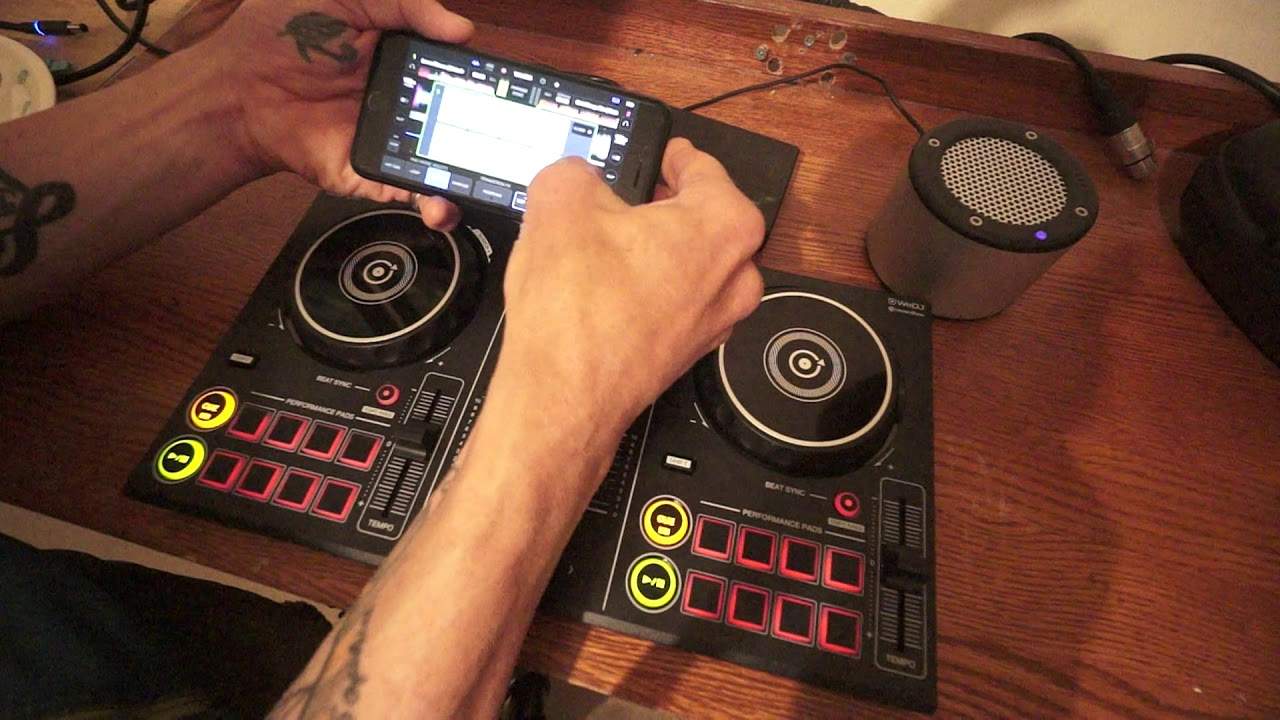
Alright guys, you've got in front of you the DDJ-200. This is my second video on this new piece of kit from Pioneer and before I start or continue, I'd like to apologise about my first video because in that I did say that Pioneer will be bringing out, well possibly, you never know, not that I do or don't, they may be bringing out a DDJ-100, 300, 400 and so on. But of course they already do have the DDJ-400, so my apologies. Alright, so in front of you, in that area, that is pretty much all you need now to DJ for a small kind of function. Now the DDJ-200 is not going to all of a sudden stop sales of the Nexus series. Definitely not. What it will do though is open up DJing to a lot of people who maybe would like to just dip their big toe into the water of music and DJing because it's relatively inexpensive. Now I have a mini rig there which is a powered speaker. At the moment that's just being charged by this battery pack but fully charged that should last a good weekend. Battery pack is there
Because it is powering up the DDJ-200, you can also, if you want to, use a basic laptop and rekordbox software. I have my iPhone here with WeDJ on and the DDJ-200 is connected via Bluetooth to the WeDJ app and also to the mini rig. So I could, if I wanted to, take away the cable From the mini rig, leaving just one cable from the DDJ-200 into the battery pack and that would be it. So in a way I have got a complete, absolute complete mobile setup here for a small... The DJ Tutor has a tiny function. In other words, if you're going camping, you're around the campfire and there's half a dozen of you, you know what? You don't need anything else. All right, so in this video, what I want to do is show you some of the features on the WeDJ app and how they're integrated into the DDJ-200. Now, I'm using a track called Love Disco from Karmic Power Records. There will be a link in the description. So press play.
2:29 At the moment now we're on hot cue
At the moment, on the app itself, hopefully you can see Sampler, Xpad, Loop and Hot Cue. Alright, so at the moment now we're on hot cue. So let's just put a hot cue there, one there, one there, and there and so on. Okay, so we can go back to those hot cues by pressing them again. If I want to remove those hot cues, press shift and now press the pads And now those hot cues have been deleted. I'm going to go to loop mode now. Okay, so we're on loop mode and now I can do a couple of things. One is I can press the icons on my phone. Alternatively, just press loop mode again and now I can press the pads. So 1-16, 8, half, 1, I think perhaps 1-2. And so on. So basically, from top left across to the right, you're going to increase that loop by, you're going to double it, okay? So eventually when you get to bottom right, that will be the longest loop that you can get. So if we start, so it's 1, 2, 3, 4, 5, 6, 7, 8. Two bars, okay.
4:34 In great detail how we can
Press it again and you get rid of that loop. So let's go to pad effects, so on pad effects we now have Roll, Sweep, Flanger, V-Break, Echo, Backspin, Trans and R-Echo. Now I have changed a couple of these and I'll show you exactly how you can change them. If you can't see this correctly on the video, I do apologise, I will explain in great detail. Once we've got to pad effects, we can press that again and now our pads are the effects. So if we listen. What I'll do now is try and explain in great detail how we can change the effects. So let's go back to pad effects again. Now on the icon now on the screen of the phone, bottom right hand corner I have edit. I'm going to press the edit button. Now on each of the small icons, there's a small arrow and I'm going to press for example on flanger and now we come to a new screen and this screen now is the pad effects. And I can choose what I want now on that pad. Vinyl break, release echo, backspin, snip loop, echo, spiral reverb and so on and so on.
It's highlighted here in blue flanger. Now that's telling me that that is the effect that's already on that pad. So of course I'll change that, perhaps we'll change that to roll. Once I've selected the effect, I've now got the option of changing the parameter of that roll. For example 1 16th, 1 8th, quarter, half and so on. So let's just do a quarter. And press pad effects to get rid of that icon. And now that effect should be on the corresponding pad here. So up, and there it is. Okay, so again with sampler, we have different sampling effects here on the icon on the phone. Now, again, we can edit those effects by pressing edit. Again, we get the arrows. Press edit again. And now we're back to the effects. On the far left, sorry, we have the volume control for the effects. So we can increase that or decrease that using our finger and again when we want to get rid of that icon press close or just press the sample icon again. Alright so there you go. Now with the DDJ-200 you do not have a trim, you just have high...
7:22 This is video number two on the DDJ-200
Mid and low. And your effects. Now it's not a complete kill on the volume, we can still hear it, but it's good enough to be quite honest. That's the filter on the channel effect. Alright, now this is video number two on the DDJ-200. Okay, so again, applications for this. Would you take this to a gig? Well, probably not. to a professional gig maybe as a backup something you know if you're limited for space you've only got a small car and you barely got enough room to get in it yourself then of course yes take it with you because it does work with rekordbox so you don't all of a sudden have to start changing your laptops and redesigning your entire setup just to fit this in this will work with rekordbox
But I wouldn't personally take this out to a professional gig by myself. It's pretty much bomb-proof, alright? Now, there will be information in the description on the DDJ-200. Again, a big thank you to Lenny Fontana for letting me use his tunes from Karmic Power Records. This one, of course, is entitled Love Disco. And also to Minirig for letting me use their system. Now that is just a wacky, wacky... Thank you very much.
This transcript was produced automatically from the audio of the video and may contain mistakes.










