 2:34
Denon DN-S1200 Firmware update.
Contents of the video
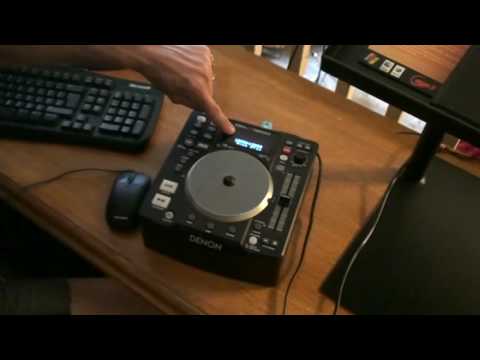
Alright folks, I'm going to give you a step-by-step guide on how to update the firmware on the Denon DNS 1200. You'll need one of these, a memory stick. Make sure there's absolutely nothing on it, it's completely clear. What you need to do is you can go to the Denon website and I will put a link in the description to take you to the Denon website where you can download the latest firmware for free. Once you've done that, you need to unzip the file and you need to find the file which is S1200FW.bin. It's roughly 2048 kilobytes. Alright, so what I'm going to do, if I read precisely what to do as well, go step by step. Now, what you need to do first of all is make sure the unit is turned off, no power on it at all. Then in the back you've got the USB port and I'm going to put...
All right, now what we need to do then is once we've inserted that, we've got two buttons here, source and back. What I'm going to do is I'm going to press those down and turn on like so. So once we've done that, we will see the up mode push cue. That's what you should have up there. You should have the up mode push cue. Now what I'm going to do now is press Q. And I've got 1000, two arrows to 2000. It says push play. So I'm now going to press play pause. Like so. It's updating now. It should take roughly about 30 seconds. Under no circumstances do anything at all with the unit. Leave it alone. Once it has updated... You should see, well in fact what it's got, yeah that's right, now updating, push the play button then display will indicate, sorry, now updating don't turn off. So at that point, sorry I beg your pardon, you don't do anything. Alright, something to get a bit confused there now. Alright, now you should see there complete please power off. So I'm going to turn it off and that's it. Take the memory stick out and turn it back on.
There you go. Now that should now be updated. I hope that's been a help. Practice and enjoy. Thank you very much.
This transcript was produced automatically from the audio of the video and may contain mistakes.











