 4:33
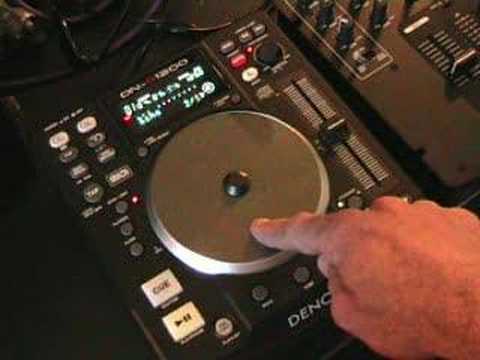
Denon DN-S1200 Tutorial on Using the Echo / Loop
Contents of the video
0:00 Echo loop effect which is
Alright folks, another demonstration strip tutorial for you on this guy here. It's from a company called Denon and it's known as the DNS-1200. In this video we're going to be looking at one of the effects. We're going to look at the echo loop effect which is this just here. So look to the side of the video for the actual track name. Let's play the music. Okay what we need to do first off is press the button just below where it says echo loop. Now the effect is ready to be used. We know that because we can see the light flashing. What we can do now is we can use the jog wheel to increase or decrease the actual depth of the effect. So if we move the jog wheel clockwise, we'll increase the actual effect. If we move it anti-clockwise, we'll decrease. So as follows. What we've got now, we have got an echo, but we've got a long echo of 8 beats. So in essence, it's actually a loop as well.
1:27 What I did, I pressed the echo loop button there
As follows, I'll count in time with the music. Here we go. One, two, three, four, five, six, seven, eight. One, two, three, four, five, six, seven, eight. Two, three, four, five, six, seven, eight. Okay, that's eight over one. What we can do now is we can move this dial parameters anti-clockwise and we'll go to one bar, which is four over one. If we press that again, we actually go back into the music. What I did, I pressed the echo loop button there. I'm going to press that again and now I'm going to move the jog wheel clockwise again and we're going to get the echo in one bar and we're also going to get it to loop. So, 1, 2, 3, 4. 1, 2, 3, 4. 1, 2, 3, 4. Okay, this time, press echo... And now we're going to go to 2 over 1. So now we're going to have an echo of two beats, but also we can move the jog wheel clockwise so we can get a loop. Now we've got a loop of two beats. Okay, press the echo loop again. Parameters. Make sure we've got that flashing. Move the parameters again. One click anti-clockwise.
2:37 We can echo that one beat as follows
And now we've got 1 over 1, which is basically one beat. So we can echo that one beat as follows. If we go all the way around, we can get a loop. Press that, we're back out again. Okay, we can do exactly the same. Echo to half a beat, quarter of a beat. There you go. Eighth of a beat. And also what you can do with this, if we go back to eighth over one, watch this.
We're now looping that part of the beat and now watch this, have a listen. What's actually happening is we've got that loop but it's echoing it so it's slowly starting to disappear in the background. I cued the track up, pressed play and we're right back to the beginning of the track. So in other words, we've looped a tiny amount, echoed it, that's fading away, we've come right back into the beginning of the track and we've brought that in over the original... Another bit of an insight into this guy here, DNS. Let's enjoy.
This transcript was produced automatically from the audio of the video and may contain mistakes.










