 3:16
Denon DN-S1200 Tutorial on Using the Flanger
Contents of the video
0:00 Another demonstration stroke tutorial for you on this guy here
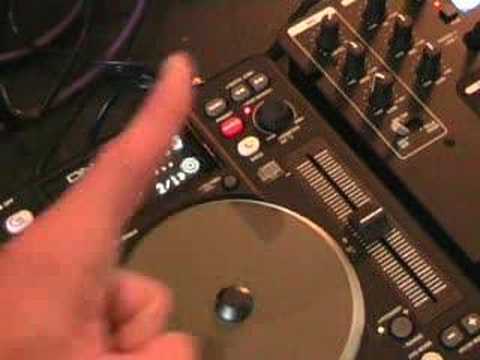
Alright folks, another demonstration stroke tutorial for you on this guy here. It's from a company called Denon and it's known as the DNS-1200. In this video we're going to be looking at one of the effects and that effect is the flanger effect here. Look to the side of the video for the actual track name. Let's play the music. Okay, to get the flanger effect you need to make sure you press the button where it says flanger just below where it says that. Press that and you'll now have the light flashing. At the moment now, we're on 16 over 1. If I just scroll a little bit closer, what does that actually mean? Well basically, if we counted 16 beats, 1, 2, 3, 4, 5, 6, 7, 8, 9, 10, 11, 12, 13, 14, 15, 16, what would happen is the effect would start here and you'd actually hear it flanging downwards for 8 beats and then flanging upwards.
0:59 It goes as follows
So it goes as follows. 1, 2, 3, 4, 5, 6, 7, 8. 1, 2, 3, 4, 5, 6, 7, 8. Okay, what we can do, we can change that by moving this guy here, the parameters. So if we move that across to 8 over 1... Now what will happen, we'll have that flanging effect go down 4 and up 4. So it can go 1, 2, 3, 4, 1, 2, 3, 4. If we move the parameters again to 4 over 1, now it'll go down 2 and up 2. Again, to 2 over 1, it'll go down 1 and up 1. Like so. And then we can do this again, 1 over 1, and again. As follows. Okay, also what we can do is we can change almost the depth of the effect by moving the actual jog wheel. If we have a look closer at this area here you can see this small icon, it's a circle. If I put my finger now on the jog wheel and move the jog wheel anti-clockwise we can see the icon here being less filled with these small orange lines.
2:17 The more we move it anti-clockwise, the less of an effect we'll get
If I move the jog wheel clockwise, we can see that filling up. In other words, the more we move it clockwise, the more of an effect we'll get. The more we move it anti-clockwise, the less of an effect we'll get. Now you can put your finger on the jog wheel anywhere. It doesn't matter. It doesn't have to be at 12 o'clock, 3, 6 o'clock, anywhere. And while we're doing this, you can also change the parameters as well. And at any time, if you want to get out on the flanger effect, just press the button flanger. There you go. Another look at this guy here, DNS 1200. Practice and enjoy.
This transcript was produced automatically from the audio of the video and may contain mistakes.










