 3:53
Direction/ reverse mode help in the mix video 1
Contents of the video
0:00 In this video we're looking at the direction function on this CD playe
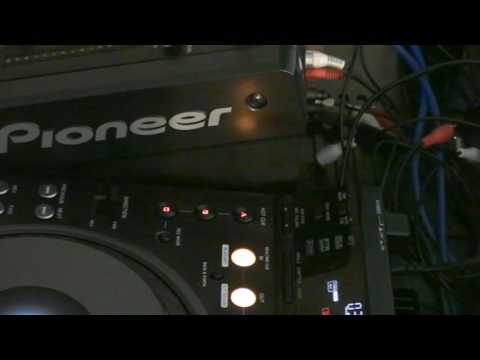
Right folks, in this video we're looking at the direction function on this CD player. Now basically what this will do, this will enable you to play the music backwards. Now when this switch here is facing that direction towards the back of the unit, the music will play forward. When you bring it towards you like that, and also you have a little red light showing there, a little red LED, it's in reverse mode. Now I'm going to give you a demonstration first. The track I'm using is Actio Age, a track entitled Everyone's a DJ. Let's have a listen first of all. Forward and then I'll flick it towards me and then in reverse mode. Okay right now here's the deal. This is the whole idea behind this particular demonstration stroke tutorial. Now what you do find is let's say for example you're in the mix. By the way this is video number one. Video number two I'll give you a demonstration using this technique.
1:27 Track, Act Your Age, a track entitled Everyone's a DJ
In the mix. Now let's say you're in the mix and all of a sudden you want to start playing this particular track in reverse mode and then you want to start playing it again in forward mode. Well quite often when you use this, it's very difficult, unless of course you're perfect at it, to keep it in beat. So in other words, flick it into reverse, keep it in beat, push it forward, back into beat so it stays in beat. Now, using this particular technique, it will help you to make sure you are always on time with the music. Now, first of all, I'll give you a demonstration and then I'll explain what's going on. Track, Act Your Age, a track entitled Everyone's a DJ. It's by Act Your Age, sorry. Right, let's have a go. OK, so what was going on? Now, first of all, what I did, I set a cue point. How I did that, I pressed this button here and you can see A, B and C.
2:19 Point, count
In red. What happens now is I can set a cue point and I set that cue point at A. Eh, should I say everyone's a DJ? That was at the count of one. So, I've set that here at A. Now basically what happened, as soon as I hit cue point A, I flick this down into reverse mode. So basically what's happening, because this is set at the count of one precisely, and I move this towards me at the same time, I'm going to hit that count of one exactly on the count of one. Have a listen. Now that's near enough precise as you can get it. Now also, and that's only the first part of it, the second part was, as soon as I wanted to get the music to go in forward motion again, I hit the cue point A again. So it took me right back to...
Everyone's a DJ again. So in other words, I went right back to the precise point where I started to go into reverse mode. Let's have a listen. Okay, video number one. In video number two, I'll put this to the test and I'm going to do a bit of a mix and use this technique. Practice and enjoy. Thank you very much.
This transcript was produced automatically from the audio of the video and may contain mistakes.










