 7:32
DJ Advise No need for headphones while mixing
Contents of the video
0:00 Using this particular technique, you don't have to do that
Right guys, this video is a bit of a tutorial, also demonstration, but mainly giving you some advice, some very, very useful advice. Now, first of all, there are definitely DJs out there that can only hear through one ear. So if you can, this could be for you. And I actually know a chap who has only got, well he can only hear through one ear. So logically when he mixes, what he has to try and do is have his headphones half over his ear so he's able to listen to the PA as well as what he's monitoring. Now using this particular technique, you don't have to do that. In fact, using this technique, you don't need any headphones at all. First of all though, I just want to show you a few bits and pieces that... Right, they're down here. Items that quite often are useful for DJs. In other words, what you should have is what's known as a bitbox or a botbix or a bit full of boxes and stuff, things, kind of stuff. That there is a mini jack.
To female RCA, that's the sort of thing that's ideal let's say on some mixers. You've got a tiny little input, RCA leads into I don't know something else or you could put that into your iPod, RCA out into the back of the mixer line in. That guy there is quite useful, that is a jack plug into two females so you could put that for example into the headphone socket of your mixer And you can start to teach someone how to beatmix because you can put two sets of headphones in. Think about it. Also that guy there is female RCA2, two RCAs, so you can go out of that guy into two other RCA leads. Spare one of those screwy-in bits for your headphones, another screwy-in bit for your headphone, a torch and a sock. I know what you're thinking, why do you need a torch? Right.
1:56 What I'm going to do now is take the wide angle lens off
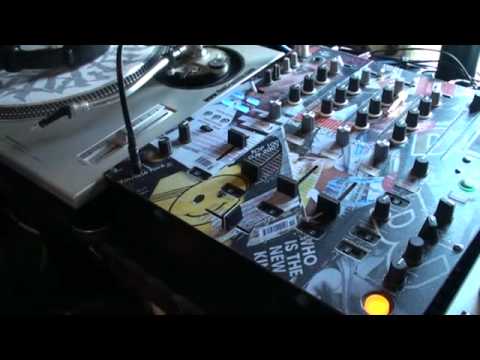
Job at hand. Okay, what I'm going to do now is take the wide angle lens off. It's going to go blurred, what the heck. Now we're going to have a look at a mixer. Right, stop it going blurred. Stop going blurred will you? Thank you. Okay. Right, mixer. Volume controls, headphone volume and that's it. Now what I've got is... You can hear that. Now that first of all is... I've got a powered speaker, which is the one. Up, where are we now? Up there. That is the powered speaker and that is going into the headphone socket. Now you may start to get where I'm going here. Now that one there is going from the main output. So, first of all, I'm going to press play on one of the tracks. So press play, headphone volume is down. Have a listen. So you can see as I bring this volume up and down...
I'm able to increase or decrease the sound, but in a sense that would be let's say going through the main PA system, even though it's going through just a tiny monitor at the moment. So there you go. Now check this out. I'm now going to press Q. We can't hear anything at all. But watch what happens and listen when I start to bring this headphone volume up. We've got sound, but we haven't got sound from that speaker. We've got sound from that one up there. So what have I done? Well, in essence, I have just literally taken the output from the headphone socket and gone into a powered speaker. So, turn that up. I'm now listening to my monitor which is actually a monitor. So in other words, instead of having headphones in, I've got that going into a powered speaker. Now have a listen again when I start to bring the volume up.
5:05 Let me just put the wide-angle lens back on and let it go blurred
You will hear the same track, but hopefully the sound will start to get louder. The reason it's getting louder is because not only are you able to hear it from the monitor, you're also able to hear it from the speaker that's there directly in front of you, that theoretically is, let's say, classed as the main PA. Right, I'm going to pause that. So why is this good? What's it all about? Well, let's take it to the next level. Let's go over to this guy here. And let's press play on the other CD player. What I'm going to do now is I'm going to press Q on there. I'm now going to hit the Q button on the first CD player and have a listen. Now, do you see what's happening? OK, so let me just put the wide-angle lens back on and let it go blurred. Bring that down. Alright, so why is this a good idea? Well, now, let's imagine, for example, you're back on the mixer and you're listening to this... Shut up.
You're listening to that tune there, and it's whacking through the PA system. And let's say hypothetically your headphones aren't loud enough. Well what you can do using this technique is you can hit the cue, you can turn the volume up, and you can have your small monitor PA or big one, doesn't matter. You could even have a thousand watt amplifier plugged in and have two huge speakers, and they theoretically could be the equivalent of your headphones. Now there are a lot of... Pro's to this, one is that you're actually getting the true sound of the track as it would be sounding let's say on the main PA not just through your headphones. The other one is quite often with some people this ear could hear slightly different frequencies to this one so for example you could have your headphones here you could be listening to the main PA there but
The sound coming into this ear could be slightly different to that one. Using this kind of technique, you'll listen to the sound as it is from the open as opposed to like that. Now what I want you to do is if you've got a powered monitor, to try it out, give it a go, see what you think. And of course, the fact is, is that without any headphones, you're able to listen to the sound a lot more clearer out there as opposed to here and out there. Practice and enjoy. Thank you.
This transcript was produced automatically from the audio of the video and may contain mistakes.
Related videos
-
Complete Beginner DJ Lessons Tags Key BPM Etc
A more advanced lesson folded in early, and worth doing once rather than putting off, because everything it sets up gets used for years…
-
Complete Beginner DJ Mixing Lessons Video 19 Getting Your Kit Ready for an Easy Mix
A whole lesson on getting ready, which is the right call - the exercise in the next video only teaches anything if the two decks are…











