 8:09
DJ Advise on Going in to the Red on a DJ Mixer
Contents of the video
0:00 First of all I'm going to give you a demonstration then an explanation
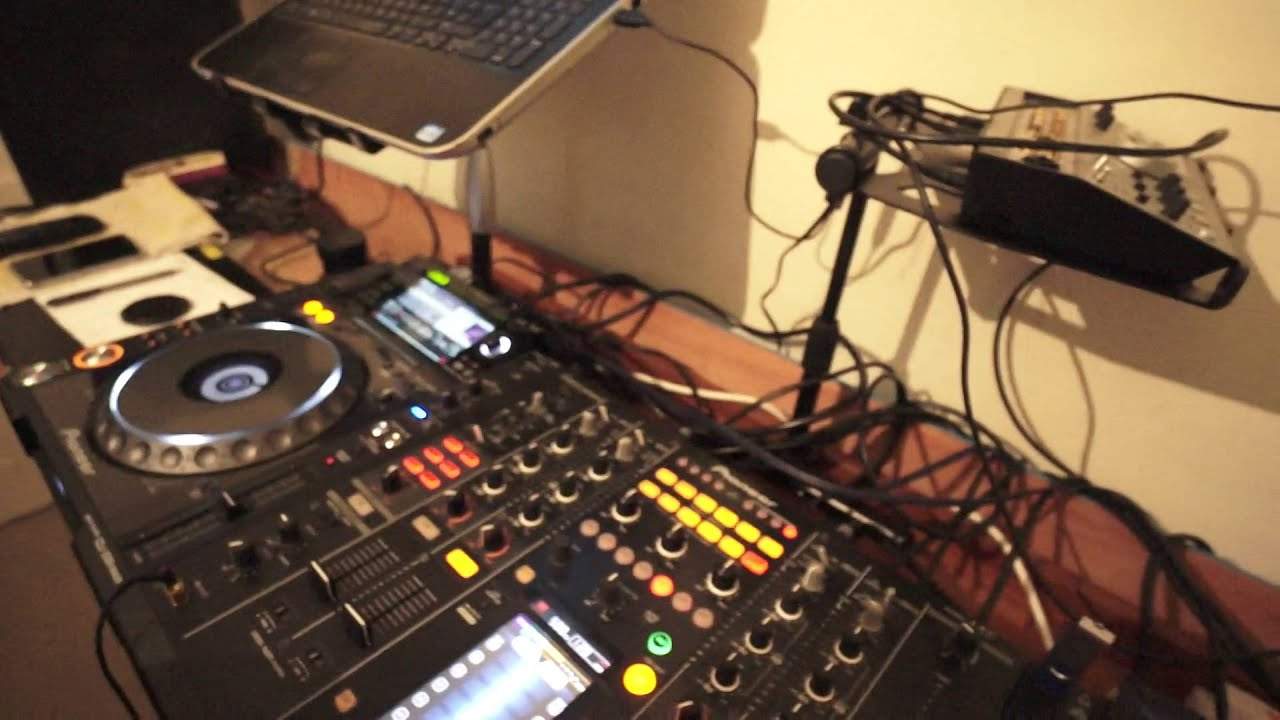
Alright ladies and gentlemen, first of all I'm going to give you a demonstration then an explanation. I've got two tracks playing, you're not going to hear the tracks, it's not what this video is about. What it is about is watching these LEDs. I have done a video similar in the past but this information desperately needs to get through to every DJ out there. So I'm going to press play, trims down. I'm now going to slowly turn the trims up and let's leave it like that. Look at that. We've got all the colours of a traffic light, green, amber and red. Imagine two traffic lights. Well, the cars wouldn't know whether to stop, get ready or go, or for that matter, crash in the middle. Is that good? It looks fantastic, doesn't it? Because we've got different disco lights and if you haven't got any disco lights in your roadshow or your nightclub then you could point the mixer to the crowd and they'd see a flash in which is not what you want to do really because you could get arrested. Alright so red lining or going into the red on a mixer. Is it good? No. Now you may think
That you're going to get a higher volume by tweaking it up so it goes into the red and for a small amount of time you possibly will indeed get a louder volume but i'll give you an analogy let's imagine a door there and i want to get out of that door i want to go from this room into the corridor out the back there if the door is fully open not only i could get through that door but someone else could get through with me if we let's say close that door no one can get through if we open it halfway i could get through but no one else could get through so what's happening is this as you start to turn the volume up and it goes into the red there is internal workings in here it's a little bit like a compressor that will squash that sound down it will start to
2:53 Powered speakers or an amplifier which in turn is attached to some pas
Close that door because you are putting, you're trying to put too much through the door. So instead of it going yeah open up and just chuck it all out we don't care, it's saying no hold on a minute no there's too much going through but why is it saying there's too much going through we need to close the door a little bit? That's because your mixer is attached to Powered speakers or an amplifier which in turn is attached to some passive speakers. Now if you start putting too much signal into your active speakers or your power amplifier, in turn there will be too much signal going to the speakers. Now that isn't correct because it does depend on of course how
Somehow, this kind of compressed distorted sound. Also, it won't be a good sound. Now, this is very true. By turning the mixer down and having it green and tapping into the amber, you will actually have a louder volume than someone who thinks turn it up into the red and let's go into the red. Because what will happen is as you start to reduce your signal going out of the mixer, the mixer will go, hold on a minute. I'm happy with this. I like this. I'm going to let more people go through the door. In other words, yeah, look at monsters and fairies. No one wants monsters through the door, but we like fairies. But we don't mind fairies. Oh God, it shows how random these videos are. Now then girls and boys, let's sit down and do some crowding.
4:56 Is very simple
So, I got this image now of fairies with headphones on. Alright, so what I'm trying to explain is very simple. Make sure on your mixer you try desperately not to go into the red. Now, I'm going to try and cover as many basses as possible. You may have vinyl, CD and MP3 and they're all going to be at different levels. Well it's very simple. This is what you do. Let me show you. Let's imagine this channel one is vinyl, two is CD, three is MP3. So the reason for the trim is very simple. These are not so much the volume controls but these are the controls letting... For each separate channel, the signal through each separate channel to be increased or decreased depending on the initial volume of the track. So for example, you may find with vinyl, you need to turn the trim down. You may find with CD, slightly higher. You may find with MP3, slightly higher again.
The LEDs peak will let you get some sort of equilibrium on each or all of the channels. So again, if I press play on both of these sides here, we can see now that the one on the right is slightly higher. So if I reduce the trim, I can now stop it going into the red. So that's tapping into sort of four to seven. This one here is tapping into 2 to 4, so two options. One, turn this one up or turn that one down. I'd be better off to turn that one down and then if the overall volume decreased, all I need to do is turn the master volume up. That is it. Because check this out as well. Watch. Turn that up. Turn that up, okay? So we can see they're both redlining. Now let's turn the master volume up and we can see the master volume isn't redlining. Why isn't it? That's because we haven't turned that up. Even though the master volume is not redlining, that doesn't mean to say that we won't get a distorted or a squashed sound going out of the mixer.
We will indeed because these channels are taking the information not directly out, they're taking the information through into the master and out. So it's paramount that you make sure you do not redline on the channels that you're working with and then increase the master volume. There you go. Hope that's been a help. Practice and enjoy. Thank you.
This transcript was produced automatically from the audio of the video and may contain mistakes.











