 5:59
DJ Demonstration Adding a Kick from the Pioneer RMX 500 over the Mix
Contents of the video
0:01 Track, number, disc
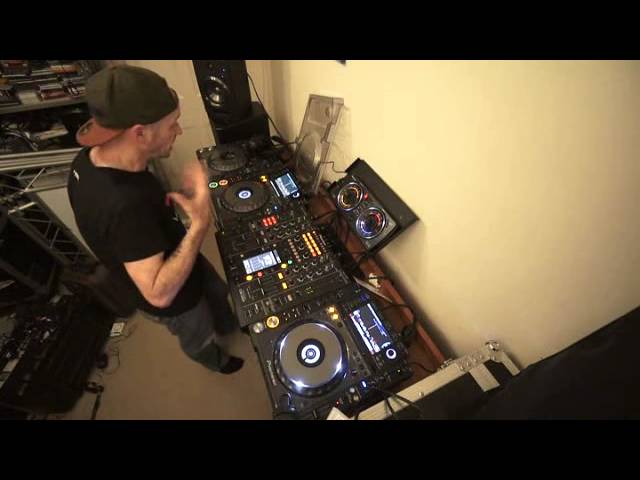
Alright guys, bit of a demonstration here, more of a tutorial, well it's not really a tutorial, it's just a demonstration. This video what we're going to do is we're going to have a house track, we're going to incorporate a kick from the RMX500, we're then going to bring in more of a breakbeaty track, so in a way the RMX500 using the kick is going to be a bit like adding the jam inside a sponge cake. You've got a nice sponge here, a nice sponge here, put them together and they'll never stick. Add some jam in the middle and hopefully they'll stick together and taste rather good. Two tracks I'm using is By Your Sunshine, Where Did The Love Go? and this is track 2 from disc number 1 from the Urban releases from October 2014 CDPool. This one here is track 11, Jofar Stuck Fix, which is taken from, let me just check to make sure we've got the right disc, it's taken from disc 1.
Disc 1 is track number 11, Underground April 2014 CDPool, go and check out the link in the description. So, RMX, we have kick function, to have a listen, that's going to be the gel, that's going to be my sort of nice gel that I'm going to have over the track. Let me just go on to track 3 there, let's have a look, let's just do that now, I'll tell you what, let's have it on number 4 there. I'm just going to put that into number 4. Turn that off, so, no actually I'm going to put it into number 1. Don't ask, just don't ask, well actually ask. I'll tell you why, because number 2 is this one here and I've actually got this deck in number 4 and number 3. Why? Just watch other videos, it's a lot of fun believe me. Without going into great detail, I now have control over bass, mid and treble and or effects on each side, not just.
Straight through, so in other words, low, right and left. I've now got low on right here and low on left, sorry I'm dyslexic, don't know where left and where right, terrible while I'm driving, just kidding. So, right, so, I'm going to play the latter part of this track, form a loop, I'm going to incorporate from the RMX 500 a kick and then I'm going to bring in this more breakbeaty track, have a listen to the breakbeaty track, here we go, ok hopefully you get the general idea.
2:35 Four, beat, send return
Of course, to make sure we can use the RMX I've got it through send and return, got send and return flashing, also got flat light flashing there which means we are good to go, so for example if I do this, bit of modulation, bit of echo, ok, so we'll leave that. Right, may have to beat match it a little bit but this is a demonstration, so we're balling it back a little bit, play the latter part of this tune here, what I'm going to do now is go into loop mode. Now I can get eighth, quarter, half, one, two, four, eight, sixteen, eighth is eighth of a beat, quarter is quarter of a beat, half is half a beat, one is one beat, two is two beats, four is one bar, eight is two bars, sixteen is four bars and now we're in four bars.
3:54 I hope that's been helpful, practice and enjoy
Ok so we've got four bar loop, turn this dial so we just get one kick, bang, bang, house sort of kick, house sound, let's engage it, slowly bring it in. Bring down this track, just put the volume down or you can just use maybe a low pass filter, high pass filter. One way when there are literally trillions and trillions of different ways of doing a mix, my advice is very simple, don't copy what I do or copy other people, do your own thing, be yourself but take advice from tutorials and demonstrations like this, take little bits from here and here and here and make it your own thing. Make it your own sort of style, that's what it's about. I hope that's been helpful, practice and enjoy. Thank you very much.
This transcript was produced automatically from the audio of the video and may contain mistakes.










