 4:30
DJ Demonstration New Ways of Plugging in Your Effects Unit
Contents of the video
0:00 For this demonstration I'm using the Pioneer RMX500 and I'm using the
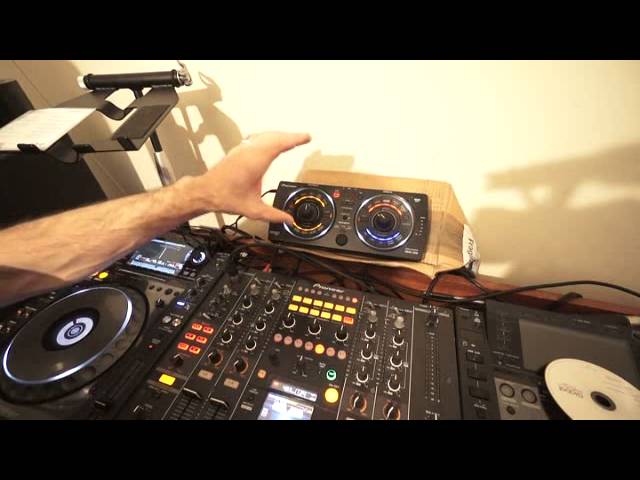
Alright ladies and gentlemen, this video is about different ways of plugging in an effects unit to your mixer. For this demonstration I'm using the Pioneer RMX500 and I'm using the DJM2000 mixer. You don't have to have this high end kit, just so long as you've got send and return on the mixer that you've got, you can plug in your effects unit using these three demonstrations, or these three separate ways. The first way is the normal way, which is via send and return. On the back of your mixer you should have send and return or out and in. If you've got out and in, you go from the out of the mixer to the input of your control, sorry I beg your pardon, your effects unit, then from the output of the effects unit to the in of the mixer.
1:27 The third way is a little bit more interesting
If you have send and return, you will go from the send of the mixer to the input of the mixer. Now that's one way, that's the standard way of using it. If you don't have send and return, but you still want to use the effects unit over any mix or any channel, then you can do it as follows. You will go from the record out or the master out of your mixer to the input of your effects unit, then from the output of the effects unit you will go to your amplifier or to your power supply. The third way is a little bit more interesting. What you can do is you could use this pretty much, not like a CD player, but you could plug it in as though you were plugging in a CD player. In other words, you won't use the input, you'll just use the output from the effects unit into one channel. And that's exactly what I've done now.
3:00 What's happening is we're adding effects over effects
So what I've got is I'm going from the RMX500 into channel 1. That is it. If I press play here, I've got a very basic beat going on. Okay, that's going quite fast. Let's speed that up and see if we can beat match that. There you go. Okay, easily done. So what I've got is I've got this effects unit now in channel 1. I've also got the deck as normal on channel 2 and a deck on channel 3. Alright, why is this interesting? What's so fantastic about this? Well, if we want to, we can use some of the drum patterns now on one channel. And we can add effects from here on the drum pattern. We can also add effects from the RMX as well. So what's happening is we're adding effects over effects. So, for example, if I just overdub and snare.
Hi-hat. Make sure we're on channel 1 because the effects unit is plugged into channel 1. Some echo. Going to roll. And so on. Echo. The mind boggles. So that's all about thinking outside the box, alright? Hope that's been a help. By the way, if you do want any lessons, my name is Jonathan DJ Chusa and I give online lessons via Skype 1 to 1. Every lesson's an hour. And if you are interested, check out the email in the description and give me a shout. Practice and enjoy. Thank you. That was quite a good sound there actually.
This transcript was produced automatically from the audio of the video and may contain mistakes.











