 6:44
DJ Demonstration Pioneer RMX 500 on How an off Beat Is Still on Beat
Contents of the video
0:00 We've got a demonstration here on the RMX500 from Pioneer
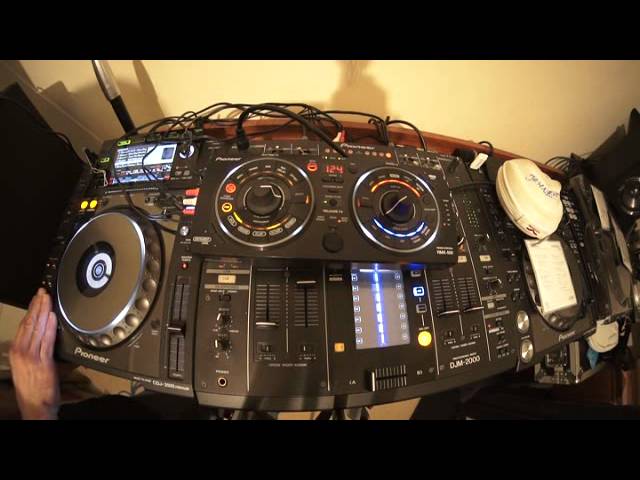
Alright ladies and gentlemen, we've got a demonstration here on the RMX500 from Pioneer. Also the tune you're listening to is by Slim L, it's a track entitled Just For You. If you want any info on the tune you're listening to or for that matter anything else from Slim L, check out the link in the description. Alright, this demonstration is showing you how when you make a beat on the RMX500, even if you're off time, you'll still be in time. What the RMX500 does is it will listen to the track, it will work out the exact BPM of that track, so when you do hit, or press should I say, you don't want to hit them because you'd break it, any of these pads here, kick, snare, clap, hi-hat or cymbal, it will automatically
Keep it in the exact same time signature when you pressed it. And that is of course at the exact same time signature represented by the BPM of the track that's playing. Now I'm going to give you a demonstration, what I'm going to do, I'm going to intentionally press some of these buttons, press some of these small pads here, out of time, but even though they will be out of time, they will sound as though they're in time because the out of time will always be in time. They won't be out of time and then go out of time more and more and more. They'll just keep in time, but they will be slightly out of time. Do you follow? I hope so. Right, press the overdub because what we want to do, we want to get a couple of the effects, not just one. So let's just start the tune again. So we'll do the kick, so you can hear. It's almost like we've got an accent on the first kick. Now that to me is kind of weird.
Jazzes it up big time. Let's add some roll to that, high-pass filter, bit of modulation spin back we'll get rid of everything we've done bang and away you go. Good use of the release effects is pretty much what he says it releases the effects so you can use vinyl break echo or backspin so if all of a sudden you want to get completely away from all the effects you've done press that and it gets rid of everything leaves the track to play by itself right this time I'm going to start the track again because I just want the kick and I'm gonna try hopefully to get the kick and everything in time so here we go. Now that's in time four to the floor but to me that's not as jazzy as having it out of time so in a way if you are slightly out of time it
5:00 Mixer, effects unit, output
Probably gonna sound better. Let's add some transfer bring the volume down low-pass filter that sounds good I like that you can also press exit and that will exit you out of the beats that you've made okay big shout out thank you very much to Slim L just for you that's a track you're listening to bit of a demo on the RMX 500 and if you want to make your set that little bit
Consider investing in an effects unit because what it lets you do it lets you become in a way like the producer of the mix you're doing so you're not just doing a transition from one side to the other they're also messing around with the track now this is plugged in using the in-out from the mixer so I've gone from the out of the mixer to the input of the RMX 500 I've gone from the output of the RMX 500 to the input of the mixer and that's how you get your set up. So if you do not have send or return again the send from the mixer is to the input of the RMX out of the RMX into the return of the mixer if you don't have that you can use an RMX or an effects unit like this on any mixer all you've got to do is use the from the output of your mixer so for
Example you would go from the master out into the RMX out of the RMX into the output of the mixer wherever it went you've just got to make sure that you're careful on audio level so I hope that's been a help practice and enjoy thank you very much
This transcript was produced automatically from the audio of the video and may contain mistakes.










