 6:23
DJ Lesson How to Form a Drum Pattern on the Pioneer RMX 500
Contents of the video
0:00 This is an intermediate DJ lesson
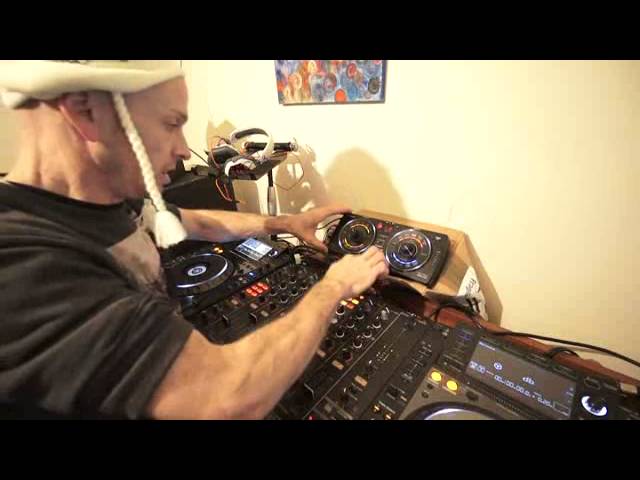
Alright ladies and gentlemen, this is an intermediate DJ lesson. What we're going to do is use the RMX500, we're going to form a drum loop over one track, let the drum loop carry on playing, and then we're going to bring another track in. Great way of having a transition, let's say if you've only got one CD player. Also it's a good way of adding another level, another sort of layer to the mix. If you've just got two decks, you've got some form of transition going on, well you can add a loop, a drum loop as well over that. So the RMX500, you know, you can do practically anything with it. Of course it won't make you a cup of tea or coffee or games. It's not going to get you out of bed in the morning, but it'll give you some rather good effects.
What we can do though is we can add kick, we can add snare, clap, hi-hat or cymbal. We can do that in two ways. One is we can just add kick, snare, clap, hi-hat or cymbal. The other one is we have this button here, overdub. By engaging that, we can overdub the effects. Now the way the RMX is made, it listens to the track that's playing and then it will copy the BPM of that track. What you have to do as well is go through send and return. Now you can go master out into, out of, into your amps, but I'm not going to cover that in this demonstration. I'm going to cover using the effects or sorry, using the drums over a track. So what we'll do, we just play. Bit of a track here. Okay, so what I'm going to do is the first thing is of course I need to make sure that the two talk to each other.
2:11 What's happening now is these two are able to talk to each other
I'm using the Pioneer DJM 2000. I have got it on send and return and I've engaged the effects unit on the RMX 2000, sorry, DJM 2000, beg your pardon. Now what's happening now is these two are able to talk to each other. What I'm going to do then is press the overdub on the RMX 500. What that will do, that will overdub the effects. So press again and we'll go there. I'm going to now hit the kick just once. That's slightly off. Do it again. But of course I need to press the overdub, sorry, I'm not going to edit this. Overdub first. Now I'm going to press the kick just once. Listen. There. I've got one kick. It's going to hit it, I only hit it once. Just going to bring the volume down. Increase the master volume.
4:16 A, bringing my other track
Volume down on the fader, master volume up so we can hear the kick. If I move now this dial, we can pretty much oscillate that one kick by pressing down. I've only hit it once. What I'm going to do now is hit it in time with the track so we get a house beat. There we go. Now I can overdub. Let's just add some hi-hat. Now I don't have to hit the hi-hat perfectly in time, quite often it's a good idea to just maybe go slightly off time so there's a human, it's sort of like human error, it's almost as though it's not a machine doing it, it's you, which actually is you anyway. So snare. Okay we've got our drum loop going. Now at this point when you want to start bringing the other track in you've got to make sure
That of course it's in the same time signature as the drum loop because the drum loop is in the same time signature as the track. Now again this is where you need to be very quick so I'm going to go to A, bringing my other track in. Operating the low pass filter to give it almost like an introduction, a sort of slow introduction. Bang. Let's oscillate it, add some modulation. Any time I want to get out of this drum effect or the drum loop I've got release effects. I've got three ways of getting out of it. Vinyl break which is here. Bop bop bop bop bop. Spin back, brilliant listen. Love it. Absolutely love it. Okay I hope you've got a bit of inside information onto the RMX 500. It's, I would say it's one of the best effects units I've ever used.
It's very intuitive, it's very simple to use and at the same time very portable and I'm not being paid to do this, I'm actually doing this video because I genuinely like the RMX 500. Okay if you want any more info chuck it in a comment down below. Practice and enjoy. Thank you. .
This transcript was produced automatically from the audio of the video and may contain mistakes.










