 2:43
DJ Lesson on How to Do a Spin Back and Add a Hot Cue on the KAM KCD 550USB CD Player
Contents of the video
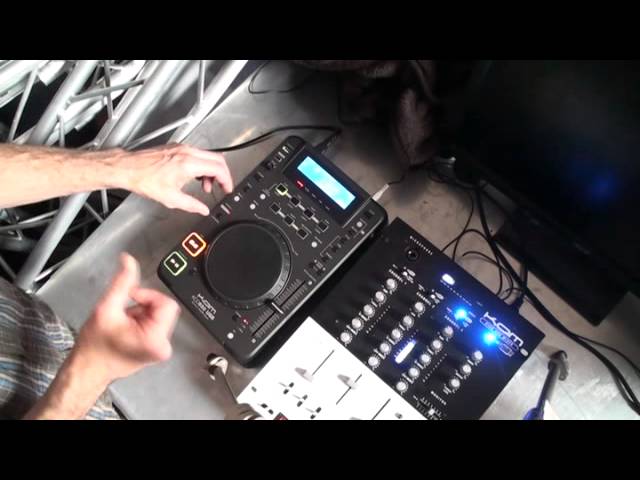
Alright ladies and gentlemen, a bit of a demonstration straight tutorial for you on the Cam KCD 550 USB. More importantly, it's a tutorial and a demonstration on how you can get a wicked spin back and keep it perfectly in time whilst using the cue functions of the 550 USB. First of all, you need to go to the scratch feature here and we press that, we get to that, sorry, by pressing the jog mode. We've got search, press it again and we see a small red LED next to scratch. We need to then press the memo loop. Now we can set a cue point. I'm going to set the cue point at the count of one in a bar. Four, one, two, three, four. That's gone from red to green.
Now I can do a spin back. And if I hit the cue point at the count of one again, the timing of the track will be perfect and the spin back will sound perfect because it will be in time. It'll be inside the count of four. I'll explain and I'll give you a demonstration. One, two, three, four. One, two, three, four. One, two, three, four. One, two, three, four. Two, three, four. One. Alright, it's not in the count of four but it is in the count of five. And we've got one bar. Now you can set a cue point anywhere inside the bar. You could set it at two, three, two and a half but the most important thing is to make sure that you hit the cue point at the time where you've started it. If you don't do that it will be out of time.
I'll give a demonstration of到. M emo loop again. So for example, one, two, three four. So three, four, one, two ,three, four one, two ,three, four One, two, three, four One, two, three, four two three four one two three four what i'm going to do now i'm going to do a spin back but bring that in on the count of one and it'll be out of time one two three four one two three four one two three four one two there you go perfect demonstration all right small tutorial there spin back on the 550 usb from cam this is a kcd 550 usb also to let you know as well you can do this four times so you could actually have four different cue points and it's a great way of chopping up the track you could have one at the beginning
Middle instrumental break right at the end so of course you can spin to your heart's content and chop and change through that track hope that's been a help practice and enjoy thank you
This transcript was produced automatically from the audio of the video and may contain mistakes.










