 10:27
DJ Lesson on Mixing House in to Drum and bass Not for the FAINT-HEARTED!
Contents of the video
0:00 In this video we're going to be mixing house into drum and bass
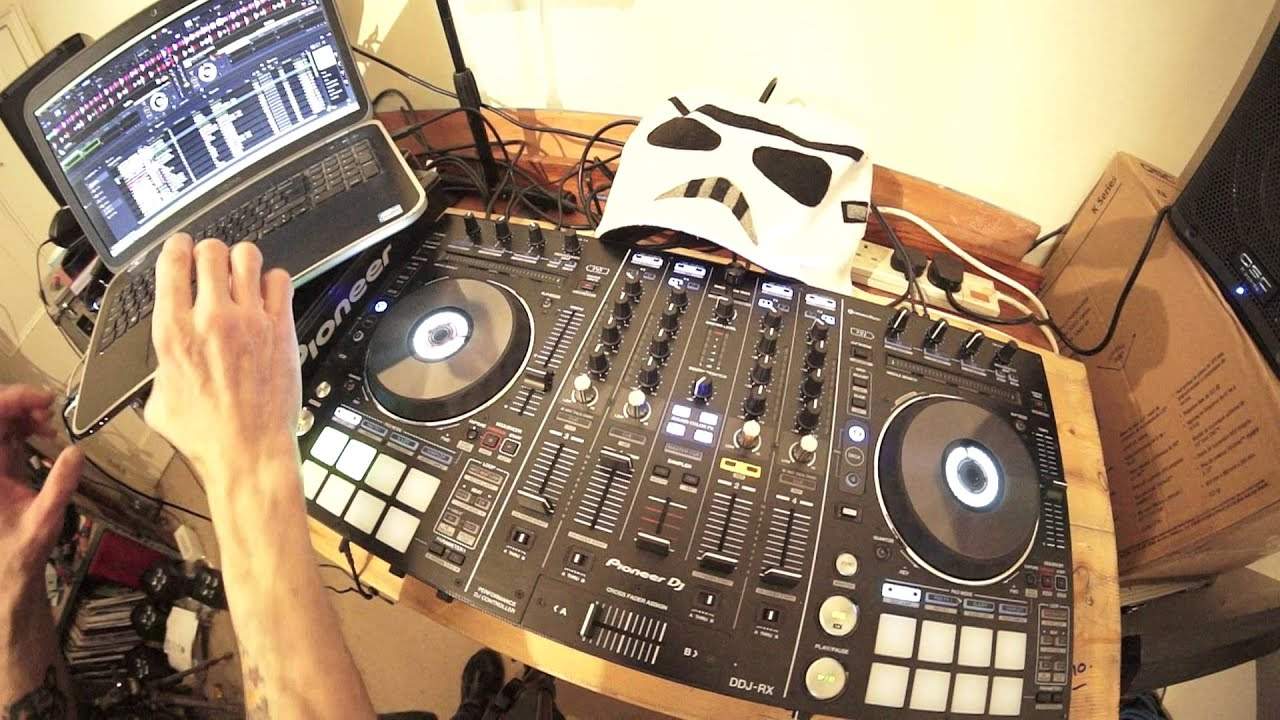
Alright guys, in this video we're going to be mixing house into drum and bass. It's pretty much one of the holy grails of mixing techniques. If you can do this then I would have thought you could pretty much mix a washing machine into dubstep. Okay so this tune here by the way is very slow at the moment. It's Rocket, the original mix from Karmic Power Records. Speed it up. That's the correct speed. We're gonna be mixing this Check out links to both tracks and also both websites in the description. So, let's have a listen to the Lobster tune. Press play, bring it over. I'm using the DDJ-RX by the way from Pioneer, also using Pioneer DJ software. You can see that on the screen. Alright, we've got one hell of a difference in BPM, different styles, genres, the list goes on.
Let's just try and mix these in now at their correct speeds. That is what we call in the industry as a complete train wreck. That isn't actually a train wreck, that is the whole of the train system in your country gone on strike and someone's ripped up all the lines. Okay so how can we make this sound a little bit better? Now first of all the BPM of drum and bass Can vary depending on how the software picks it up. At the moment, it's saying here it's 85 BPM. You could also look at it and say it's 170. 8 and 8 is 16, 5 and 5 is 10, put them together, 170, 170 BPM. The house track Rocket by Miscellany Fontana is at 120, that's 120 BPM. For all the newbies out there, what does 120 BPM mean? It means that for every minute...
2:31 House is bam, bam, bam, bam
In the track you will hear 120 beats, 120 kicks. Drum and bass, again there's a lot more going on, there's a lot more percussion so the track can be defined as being a lot faster. Alternatively it can be a lot slower. I'll give you a demonstration there and I'll count. I will count slow time and then fast time. Now I will be doing more videos on mixing the likes of drum and bass into dubstep and hip-hop but those two genres ideally are better, they're more suited for transitions because it's similar sort of style you've got a lot more percussion whereas house is four to the floor one two three For drum and bass, a lot more going on. Dubstep, hip hop. So house is bam, bam, bam, bam. All right, so what are we gonna do? How on earth are we going to do this? Right, now I'm looking at the screen on...
The Pioneer DJ software. And I've got on the drum and bass tune, the lobster tune, the pitch is set to plus or minus 16%. That means if I reduce it, it will be reduced by 16 of the overall percentage of the original speed of the track. If I increase it, it's now all the way to the top. It's now increased by 16%. So, for example, to make maths quite easy, if the original track was 100 BPM... I brought it all the way towards me. It would now be at 116. If I was to reduce it, it would be at 84. Plus the 6 is 90, plus the 10 is 100 BPM. So hopefully that will give you an idea. So what I'm going to do is I'm going to... Now let's imagine, alright, again without dragging this demonstration on too much. Let's imagine we start the lobster track, we've done our transition and we're sort of a third of the way through the track.
7:49 We're pretty much at the correct speed of the track
What I would be doing then, I'd be speeding this up very slightly, so we're maybe now at 97. Now if we have a listen to the difference from here, I'm slowly going to start to speed it up. Now you can hear a definite difference there, but if you did that over a period of time, you wouldn't hear as much of a difference. Slow it down. Okay, so I'm going to put it to 92. Now the original speed 85, put it to 92 which is 184-ish. Okay, so I'm going to cue that up. Now what I'm going to have to do with the house tune is put it to the wide feature. Now the wide feature is one of those features which is great for effects but if you're finding, now here's a tip here, if you're using the pitches and you're thinking it's just not going in, what's wrong? You know, I'm trying my best but the track seems to be like gliding all over the place as though you're skating on ice. It could possibly...
B because you have set the pitch to wide. Now, you can see on the controller there, or sorry not the controller, so I beg your pardon, on the software, what I'm doing, I'm going to this icon that says wide. I've got the key GM, G major there as well. Also we've got D major on the other side. Now what I'm doing is I'm just gonna go to the... It will stop because you're reducing it by 100%, so whatever it was, it doesn't matter if it's 5 million BPM, it's going to get a zero. If it was at 5 million BPM, you're going to increase it by 100%. You're on to 10 million BPM, which probably blew everything in the world. 240 down to zero. Okay, so what I'm going to do is let's imagine now, visualize that track's playing. We slowly increase the speed.
92, I'm now going to move the pitch down to 92. Now for the beginner, I would highly recommend you look at the monitor and make sure that you've got it exactly at 92 because your moves on the pitch are going to be minute in wide compared to if you're at plus or minus sort of 6, 10, 16. Now we're pretty much on 92 there. Okay, now these aren't necessarily the best tracks for transition purposes but again this is a demonstration. So what we're going to do is I'm going to move the crossfade over. I've set a couple of cue points to get me ready to bring in the Lenny Fontana track. So that's where I'm going to start to bring it in. There. But I'm going to start it there. Hold on, I need to cue this back up so I beg your pardon. Let me just bring that right back to the beginning again. Have a listen.
I'm going to cue that up once more. Okay, so we will press there, give myself a little bit of time to tap the track in. Now I'm going to start to bring it up, bring the speed up on the house tune. Parma Tunes Rocket is the original mix, but I don't want to do it too quickly. Okay, we're pretty much at the correct speed of the track. Now this is the important bit. Alright, it's all important. You now need to make sure that you click on back on the speed adjust and a little tip here. If one side's at 110, put the other side at 110. If the other side is at 10%, go to 10%. 6, go to 6. 16, 16. Always try and keep them the same because it means then that movements on the pitch will be identical as well. Alright, I hope that's been helpful. Don't forget to check out all the links in the description.
And also, if you're interested in getting some one-to-one Skype DJ lessons by myself, Jonathan, then check out the info in the description. And also, if you'd like me to come to your club venue anywhere around the world, I play all styles of house music and whatnot. I do a little bit of drum and bass, but I will leave that to the real drum and bass DJs. I'm more into sort of house style, so if you're interested in booking me, I'll bring my camera along. and do some filming. So it's not only me coming to your venue and playing, it's me filming at your venue as well and promoting your nightclub. So all of the video footage I take during my little stay before, during and after will be uploaded to Ellaskins and links and information on your venue will be put in the description. So it's a little bit of promotion as well. I'll finish off with thank you very much to Hospital Records and Mr Lenny Fontana, Karmic Power Records
Practice and enjoy, and this is called a talkover. Here we go. There'll be more about that in the future.
This transcript was produced automatically from the audio of the video and may contain mistakes.











