 4:36
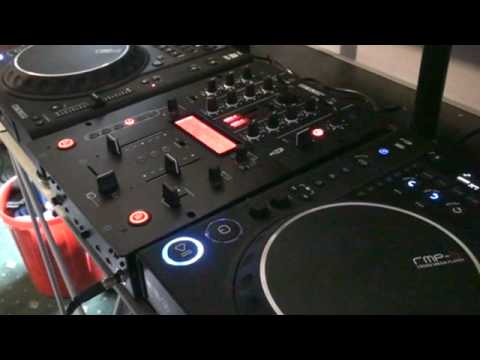
DJ Lesson on the Reloop IQ.2+ USB DJ Mixer FX's
Contents of the video
0:00 This mixer here is the IQ2 from Reloop
Hi guys, bit of a demo, also a tutorial on using some effects on a mixer. Now this mixer here is the IQ2 from Reloop. I'm going to be using the echo effect and what I'm going to be doing is using the echo effect three quarter timing. In other words we're not going to be using a whole beat, we're not going to be using half of one beat, we're going to be using three quarters of one beat. Also what I'm going to be doing is using this guy here. All the effects over the music that's playing. Also press this button here, that means effect is on and effect if you press it again is off. So in a sense there's quite a few things you could do here. One is you could have the effect on, parameter this volume depth all the way up so you've got 100% which you can see on the readout of the effect. Turn it off, you've got zero. So instead of bringing this down and going from 100 all the way through to zero, it's just 100
1:19 Left hand side I'll put in the description as well
If you want any info on the tracks, right hand side I'll put in the description. Left hand side I'll put in the description as well. And I'm going to be using, like I said, three quarter timing. I like that because it gives it a bit of a... It's not just one, two, three, four. You've got... Inside the beat. Right. Put that over there. That's the crossfade over to the left hand side. Slowly bring in the right hand side and use the echo effect. Alright, so here we go. Okay, it did go a little bit off, admittedly. But again, it's about practicing and having a bit of fun. So if I pause that again, now if we have a listen, for example, here we go. If I just use the cue button, now what I could do, if we go back to the original tune, if I just go, I'll have to go back a bit. Hold on, search back. Right. Again, we can take this to the next level. What I could do is instead of just pressing play and letting it mix, I could use this guy here. Have a listen now. There you go. So instead of...
Pressing play and slowly doing a beat mix in, press cue so you've got that da-da-da-da-da-da-da-da and then cue again. You're going right back to the beginning because don't forget with these players what happens is if you press cue and keep your finger on it, the track will play. As soon as you take your finger off and press cue again, it'll go right back to the beginning. So in a sense, you're editing the beginning of the track, alright? Now again, what I want you to do in a sense is take these videos and expand on them. Look at them. Don't just... Thank you very much.
This transcript was produced automatically from the audio of the video and may contain mistakes.










