 3:03
DJ Lesson on Using the Hot Cue Function Like a Drum Machine BY Ellaskins the DJ Tutor
Contents of the video
0:00 First of all I'm going to give you a demonstration
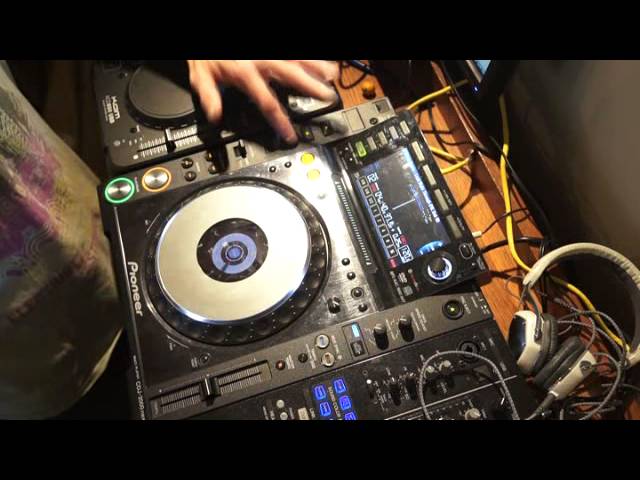
Alright ladies and gentlemen, a couple of people have said about my first video I did on using the loop function here on the CDJ-2000 Nexus. They said yeah it's all well and good if you've got one of these players but how can you do that if you haven't? Well you can if you have hot cues and most CD players now and most PC programs will have hot cues. Of course if you are using a PC program and a mouse it could be quite difficult to do this. You would need some form of hardware controller to enable you to do this kind of effect. So first of all I'm going to give you a demonstration.
Storm Queen, look right through, it's the MK Dub 3 mix. First of all I'm going to put the hot cues to record.
0:51 Green so we have
Set one cue there.
Same cue, same place.
2:05 Again not trying to contradict myself
And different cue again, sorry same cue. Three separate hot cues and I set the hot cues at exactly the same place on that track. Press it again they go to green so we have... Alright now if you think about it I've now started the track at one point. So if I hit C at that point it starts at that point. If I hit C again it goes back to that point. So if I do it in time this is what we... We get basically a loop, one beat so or two beats, one bar so there you go. So you've got one beat etc but how do we get half beats? How do we get quarter beats? Watch this.
All I'm doing is I'm tapping two or three of the cue points at the same... Or not at the same time but slightly after each other. You could do it with one as well but it's easier with two.
Again not trying to contradict myself. You probably could do this. You could do this with a mouse but you'd have to be very quick on the clicky-clicky. Alright I hope that's been a help, practice and enjoy.
This transcript was produced automatically from the audio of the video and may contain mistakes.










