 15:27
DJ Lesson Random Tutorial on Scratching over a Tune in the Mix
Contents of the video
0:01 We're going to be doing scratching on a turntabl
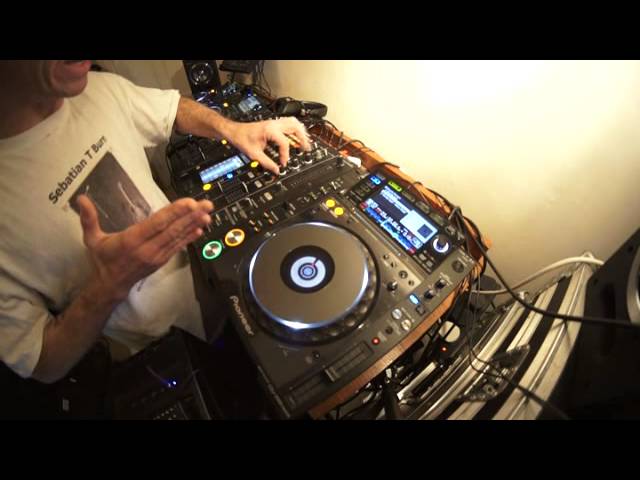
Right guys and girls, first of all I've got a couple of tunes here from a guy by the name of Ricardo Vasquez. Thank you very much for letting me use your tracks. I'll put links in the description to sites where you can get these tracks and others. In this video what we're going to do, concentrate on, is adding a little bit of a scratch into a mix. Also adding a scratch and then sort of chopping another track straight in. So a lot going to happen here. If you're not brilliant at scratching it doesn't matter because this is going to be scratching. We're going to be doing scratching on a turntable but it's not turntablism, it's not mad destruction where you're just multitasking and pressing buttons and doing stuff behind your back. It's just subtle little moves, okay? Right, two tracks is Candyman and Vertigo Spot. So we'll play Vertigo Spot here. Just wham it forward a little bit. Right, so I'll pause it. What I've done is I have set on, hold on, Vertigo Spot, we've got Candyman here, I beg your pardon, on this side. That is Vertigo Spot.
What I've set here on Candyman is three hot cues. Have a listen. That's actually the beginning of the track, okay? B, have a listen.
1:42 One, two, three, four
Now I've been quite clever there because I've set a hot cue just before the count of one. Here's the count of one. If we have a listen, that's the count of one there. One, two, three, four. One, two, three, four. Now the reason I've done that sound, and I want to try and scratch that particular part in before I cut into this track. The other one here on A is this point here. That is the count of one. Have a listen. One, two, three, four, five, six, seven, eight. One, two, three, four. One, two, three, four. Ten, fifteen, forty-two, half a dozen, depending on how you want to count it. All right. Now I'm going to try and give a demonstration, and I want you to imagine if you were using vinyl turntables as well. The difference is with vinyl turntables, you wouldn't be able to do hot cues. With a vinyl turntable, you're just going to have that one point. So you're going to have the needle on the record one point, but you can still drop the track in, scratch, and then drop it in. Okay, so first of all, let's go to point B.
Couple of moves here, and this is new. This is kind of like the baby scratch. Very quickly, there are actually three moves. Fader up, track forward, fader down, actually four, beg your pardon, and track back. So what you're doing is fader up, so of course we can hear the track. Bring the track forward, fader down, and then bring the track back. So we can't hear the back sound. Now, you can hear the back sound if you want to, which is really the baby scratch because it's forward, back, forward, back. Have a listen.
But it isn't the baby scratch because with the baby scratch what you're doing is you've always got your hand on the turntable so you are moving the sound. Have a listen. What we're doing here is we're letting the sound play.
I don't want to be in control of that sound. I want the sound to be in control of itself. Difference there. Listen. Instead of...
Okay, so what I'm going to do now is I'm just going to give that demonstration over a track first. So let's play Vertigo Spot.
We'll get to B.
5:01 What I'm doing is I'm bringing the volume up
Now this is where the scratch comes in. We've got an... So we've got a... What I'm doing is I'm bringing the volume up. I'm letting... I'm holding my hand on the turntable and I'm going forward and back. And then once I've gone forward and back, I'm then taking my hand off the platter and letting the track do the talking, not me manipulating the sound. Okay, so it's...
Forward, back, let go. Down with the volume and bring it back. So... Up volume, forward, back. Let it go. Down with the volume, bring it back. Now let's try that over the track. Here we go.
Try it again. Wrong one. Sorry, I hit the wrong one. I'm B. Sorry, B. Sorry. Apologise. It was Hot Cue Point B. Okay, slight difference there. We had a little bit more of a scratch. But what I did do is I did what's called a chop where we had a scratch and then we brought this track in and then we got rid of the first track. Very simple, it's just a bit... Down with the volume on the track that was playing and let this one continue. So I'll do that for you again. Here we go. Press play. Let's go to B again.
7:37 This could be feedback from the speakers
If you're going to be using, this is very important, vinyl turntables, you will find that you will get a bit of a rumbling sound. This could be feedback from the speakers. It is, of course, the needle touching the vinyl and rumbling. It's moving. As it moves, it causes a bit of a rumbling sound and you can actually get rid of that by reducing the EQ, the bass. When you're scratching there's no need to have much bass at all but of course if you are going to do something like this and bring the track in, you need to then... almost the split second you bring the track in, pull the bass up. Otherwise you're going to be left with this hollow sound with no boom. Alternatively, if you are very clever, you could slowly bring it in and pretend that's what you intended to do in the first place
Even though you made a mistake because you should have brought it in right at the beginning. And stuff. Sorry about that. Well no, you're the one who is sorry because you made a fool of yourself. It was... Right, so we've done that one. Let's have a look at C. This is the beginning. Let's imagine now we are playing this track over here and we want to add a bit of a scratch but we don't want to mix it in we just want to go icky-wicky, scratch-scratch and then drop this tune in. So let's go towards the latter part of Vertigo Spot. Here we go.
Now while it's playing this is a good way of mixing, dropping, cutting well it's not mixing, it's dropping or cutting another track in
Or a track into the track that's playing. Let's say for example if you're not good at beat matching and for example even if the track is completely a different beat here at the moment they are on 128 so I'm going to do... First of all I'm going to scratch, bring this track in let this track play over the top of that one in time, in beat, maybe have to move the pitch a little bit so you will see and hear that they are in beat. Just pause that and then what I'm going to do I'm going to move the pitch so they're completely off beat and I'm going to chop the tracks so you will be able to tell that they are completely off beat because once I've chopped them I'm then going to do that demonstration exactly the same
But I'm going to mix this track in let it play over that track and you'll see that they're completely off beat so the first demonstration they will be in beat but it will be a cut and should I say as though they're in beat even though they are off beat Am I confusing you? If you play that back it makes perfect sense Right, ok here we go
10:39 Oh, hold on, I was going to mix it in wasn't I?
What was I going to do now? Oh, hold on, I was going to mix it in wasn't I? Muppet Ok, actually what I'll do because I'm right I don't know there's something...
Let me go, I'm going to go
That's it I'm happy with that I'm going to mix this in So I was going to scratch it and then mix it in, sorry I don't know, go and watch telly
Don't forget as well, small tip You can always start when you're perfectly in beat because the actual beats start to phase They cancel each other out Ok so yeah, there we go We're in beat Now then, I will end That's the end of the track Right, that's the end of that one So we'll carry on We'll go back to these Where we were I'm going to pause that there Right, so pay attention to this I'm now going to move that a lot faster There you go So now what I'm going to do is try and mix them in You'll see they're completely off beat And then I'll go back to Yeah of course what I said I was going to do Which is chop it And even though this is off beat It will seem as though it's in beat Because I've gone straight from one to the other
But of course I've scratched it a little bit as well Which is very difficult to do
12:34 Cross fade, fade cross
Ok, you get the general idea
Now we'll do a scratch again And we'll just do a chop And again, very quickly as well What I haven't said or talked about here A very important cross fade You will notice or you may have noticed I'm just using the up faders You can maybe use a cross fade And for this demonstration If you're familiar and use the cross fade You will need to make sure you've got cross fader sign Right, right, left, left Or if you're doing chipmunk or hamster I don't know, Robin Hood Hmm? Never mind You will need to make sure that you know which side you're going to So of course if you're going to use the cross fade Make sure the cross fader is in the middle So you can hear both tracks And then when you're ready to cut, to drop You need to move the cross fade bang straight over
That was just like, I don't know Sort of paragraphs in there Right so we'll do the same thing But this time we will just drop this tune in After we've done a little bit of cutty scratchy icky wickies So that's our scratch point I don't know what's going on here Hold on a minute
Ah, that's right I didn't set the cue did I?
Oh, what a muppet See if I do that now It's alright I didn't set the cue point So I hope you saw that I'm not going to edit this Sod it, just let the bloody thing do it Faulty towers, you know Basil faulty Remember that one where he walks out in the car And branches, yeah Right okay here we go
Oh Fish Probably a lot of people are turning off now I don't blame you mate Okay
See if I was professional I'd go here, here This, this There you go thank you very much Right hope you got that I will do more videos like this Thank you very much and practice and enjoy Thank you
This transcript was produced automatically from the audio of the video and may contain mistakes.










