 2:36
DJ Mixing help, Use a stereo splitter for monitoring
Contents of the video
I did it last time. I, look, I did it, oh come on! Look, I'm busy. But, look, I did it last time. It's your turn this week. Twice the last time. There's no way I'm greasing the blinking sheep's bottom again today. Because last time I did it, the bloody thing bit me! No! Ah, hi, sorry about that. Right, now I did a video yesterday explaining how you could monitor using a powered speaker from your setup. Now of course this guy here, it's the 3600 from Gemini, has got two headphone outputs. So basically it will enable you to have one plug into your headphones and then the other one into a powered speaker or alternatively you can go from the headphone out into an external amplifier and then in turn into a non-powered speaker. Very important. But of course there's probably a lot of people who've got the mixers. You've only got one headphone output so what can you do?
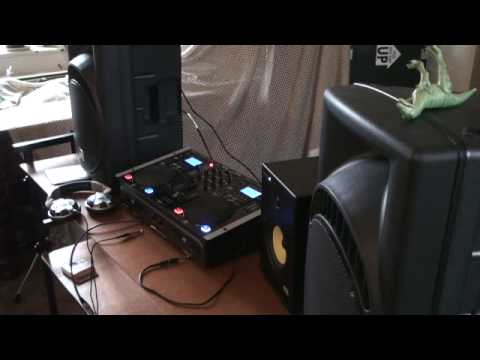
To make sense of this particular video, I'll link the other one underneath here. You can get one of these guys, alright? Now you can find them on the likes of eBay and whatnot. Basically, it's a stereo splitter. Stereo jack splitter. There it is, alright? So, how do you use it? Well, I'll show you. No, you don't. No, I'm not doing this! It's bottom! Sorry. Right, what you have to do is you put that in your headphone like that, and then one of these guys, now bear in mind that's stereo, okay? So again, we've got a little lead there, a small mini jack or a big jack. And Jill went up the hill. Okay, there you go. That on there and then that inside one of the sides and then the headphones in the other side. Like that. So there you go. And away we go. Let's have a look. Track four. Put that over there. At the moment I've got master volume down and cue volume down. Okay, so let's press play.
Absolutely nothing at all. Volume up, crossfade over, put the master volume up, these speakers, master volume down, that speaker, that's my monitor. So now if you think about it, and again like I said refer to the video I did yesterday which will be underneath here, you'll be able to monitor using either headphones or an external speaker. Practice and enjoy.
This transcript was produced automatically from the audio of the video and may contain mistakes.











