 8:17
DJ Mixing Lesson Using the Wide Feature CD Pool Urban December 2015
Contents of the video
0:00 To do first, then explain what
Alright guys, demonstration first, then the explanation after. You will see me messing around with the tune, but I'm going to show you what to do first, then explain what was happening and then run through it a third time explaining as we do the demonstration. We've got a tune here which is 112.1 BPM, we're going to mix a tune in that is or should be 92.4 BPM. So we've got to do a lot of changing with the speed of one or both of the tracks. Okay, so what was going on? We had two tracks here, they're both from the Urban releases from CDPool December 2015. We had from disc one track number two, a track by MAP. I'm dyslexic, I really do apologise. It's a track entitled What the Funk Anyway, and it is, let's have a look, track one.
2:19 Two similar styles but different BPMs
It's from the LP Seeds, Roots and Fruits, and it's out on the 26th of January next year. It's a really good cut. Brought in from disc number two, track number four, which is Allo Venucci featuring Boo, a track entitled All My Life. So, two similar styles but different BPMs. Now what I did is I waited till a certain point in the track and then I started to reduce the speed of the track that was playing. Also, what I did was because this one was a little bit faster than the previous one, it was a little bit slower than the previous one. This one here is at 92 roughly BPM, 92 BPM. The one that wasn't playing to begin with, because that wasn't playing I was able to speed that up without the audience or anyone knowing so I brought that up to sort of 95-ish.
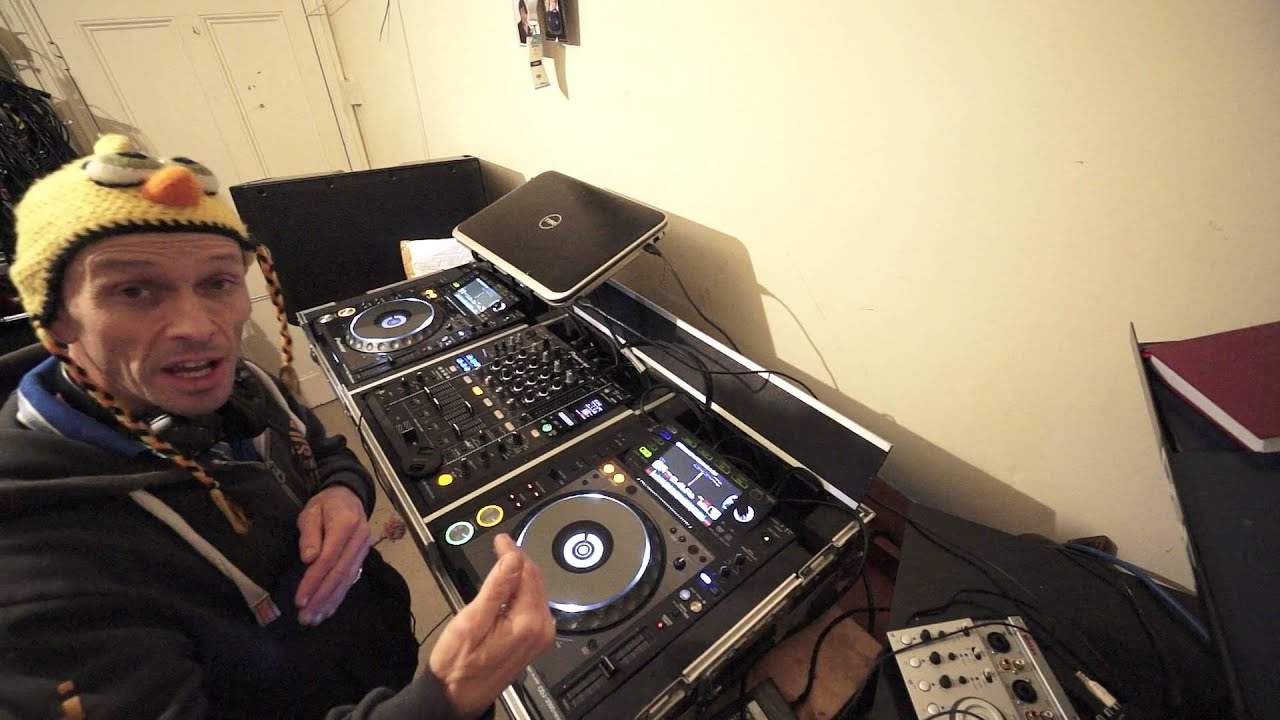
What I wanted to do, what I was doing was trying to find a good point where to start to slow the other track down. Now what I did is I slowed it down a little bit. What I did as well, I set the tempo select to wide. Now when you go to plus or minus six, you'll increase or decrease the track by 6% of the original BPM. To make that easy to understand, if you set it to 10%, you will increase or decrease the speed by 10%. So, of course, if the track is 100 BPM and you bring it all the way up to the top, you will increase it by 10%, which means it will go to 100 BPM. If you reduce it, it will go to 90 BPM. Hopefully that makes perfect sense. 100%, you will stop it if you take the pitch all the way as far as it will go to the minus position.
If you bring it all the way towards you, it will double in time. Now what this does, this gives you less control. This is the key. This is really important. It gives you much less control over keeping the tempo. You're stopping them in beat. What it will do, though, it will mean that you can increase or decrease the speed of a track a lot more. One important factor as well is to make sure that you have something called master tempo or key lock on. If that's disengaged, then not only will you slow or speed the track up, you'll also slow the sound, the key of the track down. The key will reduce if you slow it down or the keys will start to rise. If you speed it up, I'll give you a demo of that now. So here we go.
5:30 Maybe slightly off there a little bit
So this is now still at wide. OK, I'm going to put it at the correct speed, which is there. Slow it down to where I had it in about 95. This is with master tempo on. Now I'm going to disengage. Off. On. Off. On. All right, let's speed it up. That's on. OK. And I try to find a good point in the track. So again, let's do this again. Let's go. There you go. Maybe slightly off there a little bit. Now, very, very important as well. When you're doing a transition like this with one of the decks on wide and the other one which is here on plus or minus 10, 6 or 16, unless you are very advanced, only use the pitch on the one that is either plus or minus 6, 10 or 16 for mixing purposes. Do not try and beat match on the wide feature.
Why? Well, you have less control over the pitch. It can be done. I can do it. I'm sure a lot of other people can do it. But if you're a beginner, it is practically impossible because what you have to think of is the area here at plus or minus 6 will give you plus or minus or here will give you of course, plus or minus 6%. So it's a lot easier for mixing 10. It's slightly more difficult. 16 again, it's more difficult than 6 or 10 when you go to wide 100%. It is really difficult because a move say a 2 millimeter move in plus or minus 6 will maybe increase or decrease the speed by a quarter of a BPM. A two millimeter move in the wide feature could increase or decrease. The speed by four or five BPM. There is heck of a difference.
All right, I hope that's been a help. Check out the link in the description to cdpool.com practice and enjoy. Thank you.
This transcript was produced automatically from the audio of the video and may contain mistakes.










