 6:25
DJ Trick for Your Set Adding a Roll with Two Tunes in the Mix BY Ellaskins the DJ Tutor
Contents of the video
0:00 I'll say this only once
Alright guys, so at the DJ Academy here in Dubai. I'll say this only once. First of all, Afrojack, Take Control, The Acapella, have a listen. We have here Clark Davis, a track entitled Tretroller.
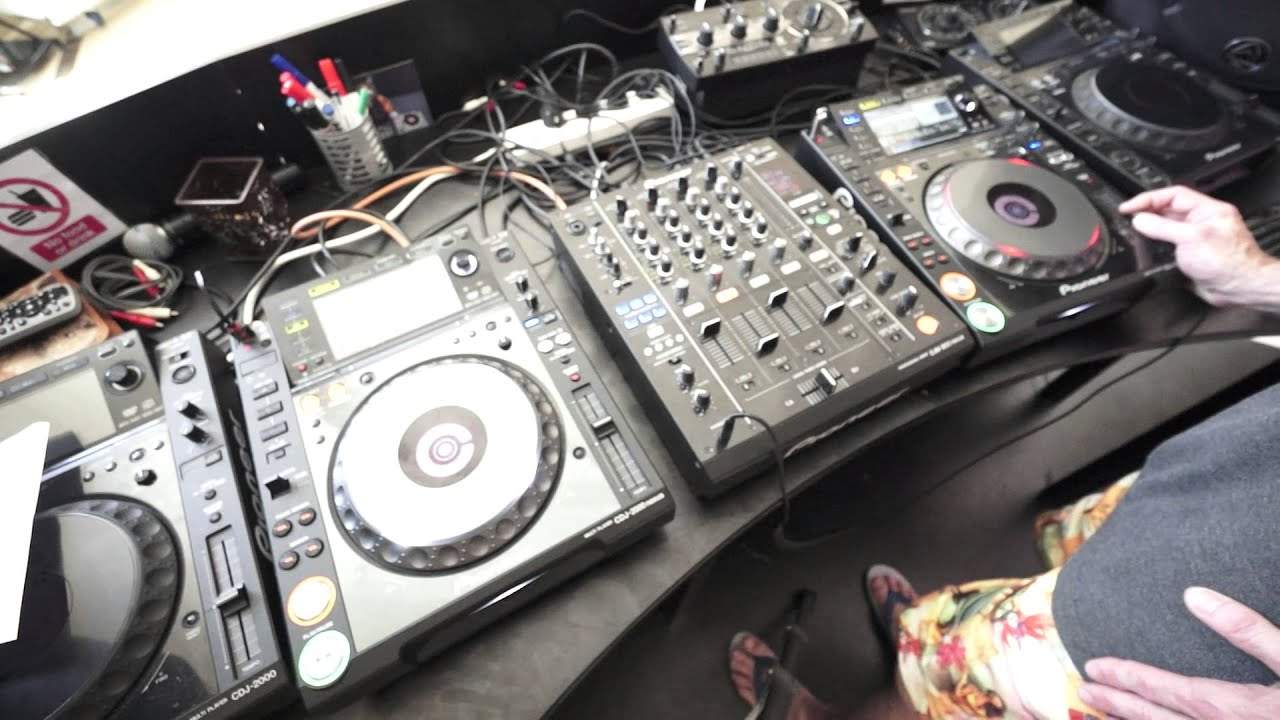
Tretroller. T-R-E-T-R-O-L-L-E-R. I'm dyslexic, so anyway, never mind. Okay, so what I'm going to do, I'm going to go into the roll feature of the DJM-900 Nexus. I'm going to roll these two tracks while they're playing. I'm going to then transfer that roll that I've recorded of the two tracks onto another channel and then add the two tracks again. So, in a way we'll have four tracks playing. So, first of all what you need to do is we have this dial here that will set the relevant effect to the channel you want the effect to be played to or played on. For this demonstration I'm going to go to CF-A because I want to form my roll on two channels. So, what I need to do then is set the crossfade to A. You can do it to BF.
If you want to, it's entirely up to you. And that means now that the roll feature, while I've got these two tracks playing in time and I engage the roll feature, then I will be able to roll both of the tracks. But more importantly then, when I do switch them to another channel, that means that the effect or the roll that I've recorded will go to another channel. But not just the one, like just the acapella or just the track. Both will go to the channel that I assign it to, which will be channel one. So first of all, so if we just go forward.
2:05 I want to record where it goes
So, that's what I want to record. I want to record where it goes. I want you to take into control. So, I'm just going to play this track here and make sure I've got it in time. Tap here, I'm going to go over to four over one. Play that. It feels the best.
4:20 Again, I'm going to go over step by step exactly what I did
Engage, got that roll, hit the beat again. What I did there very quickly, set that roll to channel one. And now, so what I can do now is I've got channel one on A, I can now switch over channel two and three to B. Check this out. Okay, so again, there was a lot going on there. But what I want you to do with a lot of the tutorial stroke demonstrations I do is look at what I do, don't copy it exactly, but maybe add it to your set. The whole idea of this demonstration is to show you what you could potentially do, what you can do. So again, I'm going to go over step by step exactly what I did. First of all, I made sure that the two channels I wanted to record were on B. The two channels I wanted to roll were either on A or B because the assign here,
You can assign your effect to channel one, two, three, four, mic CFA, which is channel crossfade A or CFB or master. Admittedly, I suppose I could have done it to master and then turned it over. But for this demonstration, I went to CFA. I made sure then that the two channels the tracks are playing on were set to A. I then tapped in time with the beat like so, and then I went to four over one. And then as soon as I was ready to start my roll, I pressed the on off button. I got the roll. I went to eight over one, which doubled the roll. Of course, then made sure that the channel I wanted to assign the roll to was up, which of course is channel one. Quickly switched that to channel one. That roll was set to B.
The roll that was on, that I recorded from two and three then went straight to one, which means now I could, which I did brought down the two channels, stop the two tracks that were playing. And that gave me the option of bringing them back in. Alternatively again, think again, I could have brought another track in so I could have had that roll of the two original tracks and brought in a new dimension, a new track, not just the ones I'm playing. Alternatively, what I could have done is I could have kept the acapella, brought another track in and then added a little bit of the original acapella, slowly brought the roll out and then have the new track with the original acapella, but in real time. All right, again, think about it.
There are so many different ways this tutorial can go, and it's up to you to take them in the right direction for your set. Practice and enjoy. Thank you.
This transcript was produced automatically from the audio of the video and may contain mistakes.










