 6:37
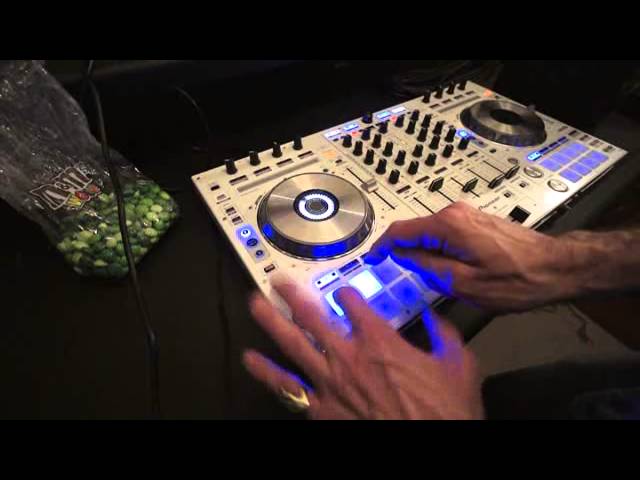
DJ Tutor takes a look at the Pioneer DDJ SX hot cue roll and slicer
Contents of the video
0:00 My first video on the Pioneer DDJ-SX
Alright guys, my first video on the Pioneer DDJ-SX. Now first and foremost, I'm quite sure that the SZ will not all of a sudden take over from the SX. The SX does have its place in the market. The difference is, or two major differences between the SX and the SZ, is the SZ is far bigger. The outlook, the look of the SC is similar to having two Pioneer CDJ-2000s and a DJM-900 mixer. So the platters are the same size and the general outlook of the mixer in the middle of the SZ is very similar to the 900. Also, what you can do with the SZ is you can plug in two laptops. So for example, if you are the DJ playing and all of a sudden the next DJ comes along with his or her program and another laptop, there's no chance of the music stopping or anything like that.
You can pretty much have a good glide from one tune to the other without having any drops in the music or leads being thrown about the place and managers panicking because there's no sound. So anyway, we're not going to talk about the SX. We're not really looking at the SZ. We're looking at the SX. So I've got a Bangor tune on at the moment and I'm just going to press that like that. We're going to look at the hot cues, the roll and the slicer. Now at the moment, I've got the track cued up.
And if I press cue, keep my finger on cue, track will play. As soon as I set my finger off cue, it'll go back to the cue point where it's set. I'm now going to set my first hot cue which is at the beginning of the track there. Now if I put my finger on the cue, it'll go back to the cue point where it's set. Now if I put my finger on the cue, the track will carry on playing until I take my finger off exactly the same as if I put my finger now on the first hot cue I've done.
Take my finger off, it stops. Why is it doing that? Because normally, as you would expect, if you hit a hot cue, the track will carry on playing. Well, that's of course because we're still in play pause mode. As soon as I press play pause, the track plays. Now listen. Now I can start doing my hot cues. Again, the difference is with the SX as opposed to the 2000, the CD players, is we've got 1, 2, 3, 4, 5, 6, 7, 8. We've got 8 hot cues. And I've just set a couple there by tapping them very slightly. Alright. Okay, hot cues. Going to roll.
3:03 There that should be apparent
So the first thing there that should be apparent is I'm on a hot cue. I've set 1, 2, 3, 4 hot cues. We're going to set another one over here.
5.
Go to roll. Go back to hot cue. The hot cues are still there.
Go to roll. What that'll do, it'll cut up the tune. It'll actually roll it.
4:23 I've got like a grid with blocks
Slicer.
The screen. I've got like a grid with blocks. And as those blocks move along... ...those blocks are associated with these blocks here. So, if I just... Actually what I'm going to do now is take the camera off the stand. So I'm going to be one handed. Now you should be able to see those blocks. Watch what happens.
So I'm able to almost chop up the tune while the tune is in motion. By the way, I'm using Serato DJ. Go back to roll. Have a look. Go back to hot cue. 1, 2, 3, 4, 5. Press shift. Press down. And we get rid of those hot cues and we can start all over again. Let's do it in proper time. I want to predominantly use this for video mixing. So, I've got to just do a bit more downloading of correct files. Got to get QuickTimer 7 and also Serato DJ Video. But you can expect a whole bunch more videos on this guy here. DDJ-SX from Pioneer. Thank you very much indeed. And I'll see you next time. Bye bye. Bye bye. Bye bye. Bye bye. Bye bye. Bye bye. Bye bye. Bye bye. Bye bye. Bye bye. Bye bye. Bye bye. Bye bye. Bye bye. Bye bye. Bye bye.
Practice and enjoy.
This transcript was produced automatically from the audio of the video and may contain mistakes.










