 5:05
DJ Tutorial. Demonstration on how to keep the same tune playing while taking out a complete section
Contents of the video
0:00 In other words, let's imagine we have our tune here
Alright guys, a bit of a demonstration, mainly a tutorial here on showing you how to do, not so much a pretty wicked trick, but let's say for example there is a part of a track you do not want to play. In other words, let's imagine we have our tune here. Let's say for example we're going to split this tune up into four bits. One, two, three, four. You love part one, you absolutely thoroughly enjoy part two. You can't stand part three because it's complete rubbish. Part four you like. Now, how can you play this particular track and keep the continuity going but get rid of part three? So in other words, part one, part two, straight to part four. I'll show you. Right, the tune I'm using here is, by the way, this is sort of a video response to a question I had. Someone sent me a...
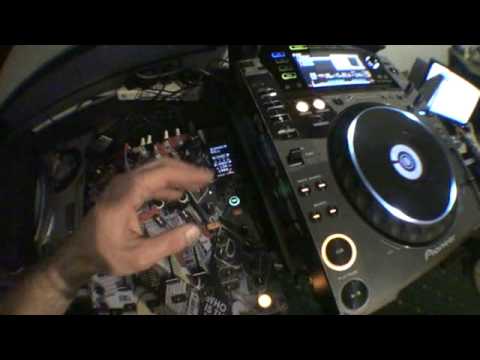
I'm using this guy here, Add SUV, bit of a banging tune. Now also you'll have to bear with me because this is a demonstration, so the beats could go off slightly but of course if you do it correctly it will be perfect, I promise you right. Let's listen to the tune. Now first of all you'll notice on the LEDs I've got this track on channel 2. The mixer is the DJM800 and this guy here is the CDJ2000. Let's just wang it forward a bit. Right now if we go back, I'm just going to get a cue point. Now let's say for example, I don't want to play this particular part. Take the fish off for a second, got a little bit blurry. Right, there's the cue point.
2:01 That point and set another cue
Right, for argument's sake, you can see that area in between that cue point and where it starts going a little bit lighter. Now that's a break. Now let's say I want to get rid of from there to there. I don't want that bit to be played. Now again, you wouldn't do this but I'm going to do this for this particular demonstration. I'm just going to go to that point and set another cue point. So if we press play, let's crank it forward a bit. Right, bit of a mess around there. Sorry, I want to get rid of that entire area. So how do we do it? Right, I'm going to put the fisheye back on the camera so we can have a look at the mixer and also the player as well. It's going to be a little bit blurry, do beg your pardon. OK, so what I've done is I have now set this guy here, this dial, set it to channel 2. I'm going to set this feature here to roll.
3:19 In time of the music
What I'm going to do now is, and again this can be done on the fly, so track's playing. All I'm going to do to make sure it's in time, I'm going to hit the tap button. In time of the music. Right, let's wang this forward a bit. What I'm going to do, when we get to the beat, I'm going to hit this button down here and get a sample. But before I do that, I want that 4 over 1. I want to get one bar sample. Got a sample. Right, now bearing in mind you would have done this very quickly. I'm talking so it may sound a little bit off, but as soon as you've got that loop, what you will do then is you will put another volume up. Ideally on the next channel, I'm going to do that on channel 3, and when that's up you're going to switch this over from 2 to 3. There you go. Now what I've done now, I've got that loop on channel 3. Guess what? I can stop that now. Have a listen.
Let's imagine now we didn't set a cue point, but now on your headphones you can find any point here and you could find this point over here. So let's have a listen. So there you go. I have taken a big section of that track and I've gone straight to another point, but I've kept the continuity of the music, but at the same time taking a big section from the track. I hope that's been a help. Practice and enjoy. Thank you very much.
This transcript was produced automatically from the audio of the video and may contain mistakes.










