 8:20
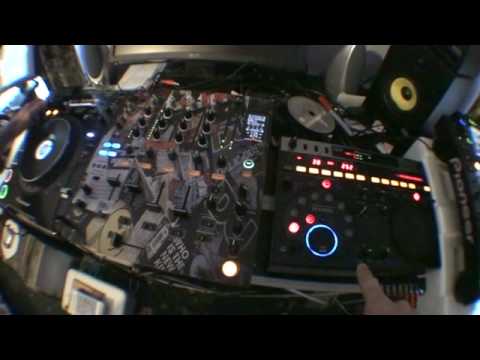
Dj tutorial/ demonstration on the EFX-1000, DJm-800 and CDJ-1000mk3
Contents of the video
0:01 Track I'm using is Express 2 featuring James Yulia, track entitled Tim
Right guys, a bit of a demonstration, also a tutorial on the 1800 and the EFX 1000 as well. Track I'm using is Express 2 featuring James Yulia, track entitled Time. It's the Fergan remix. Let's have a bit of a listen. Right, one of the first things I'm going to do, again you can do this on the fly, it's just a demonstration here, is let's say for example you're doing a bit of a mix and all of a sudden one of the tunes goes slightly off. What you can actually do... He's going to record mode here on the hot cues and if the beat itself starts right at the beginning, in other words the count of one in a bar, 1, 2, 3, 4, all you need to do is, and you can do this again on the headphones, is get it ready and on your headphones just hit A, B or C. Go off the chord mode so that guy at the top note is green. So for example, you're halfway through the track, going slightly off, 2, 3, 4.
Straight back into the beginning of the tune, that's quite important. Right, on the mixer, I'm going to set this guy here to channel 1, this is channel select simply because I'm going to be having an effect from channel 1. I'm going to set this to reverse roll and we're on 1 over 1 and I've got level depth set to 12 o'clock so let's play the track again. 1, 2, 3, 4, 1. Excuse me. Okay, so we've got that effect. On Channel 1. Now, I'm going to stop that. OK? That's stopped. But that's still in Channel 1. So we can't really do anything with that now because we've got the effect on Channel 1. We want to play music from this guy again but we still want to keep that effect so what do we do? All we need to do is put Channel 2 up. Make sure of course crossfader is in the relevant position. Maybe you want to be through or maybe you just want these two sides on A.
2:06 I've now got that effect on channel 2
And those two sides on B, so that's side A, and that would be side B. So what I'm going to do now is this guy just flick that over to 2, and guess what? I've now got that effect on channel 2. So, watch this. Right, let's have a look at the effects. 1 over 8 on delay. Notice low, mid and high. Let's just have the mid. Too much there, so I'm going to pause that a second, cue it up. Original and effect, we're going to go to maybe 11 o'clock.
Got the filter on. It's three quarters, not many people use it, but it's a very good sort of... Have a listen. Let's get another cue point. Another cue point, a little bit away from the track. Listen. I meant to do this as well. Listen. Listen to the effect again. We haven't got any use of these guys at all, but it doesn't really matter because we can just stop the effect. Thank you very much.
This transcript was produced automatically from the audio of the video and may contain mistakes.










