 7:32
DJ Tutorial Demonstration, Sample a beat and scratch, then over dub more scratching and the tune!
Contents of the video
0:02 I am going to record a roll but use two pieces of vinyl
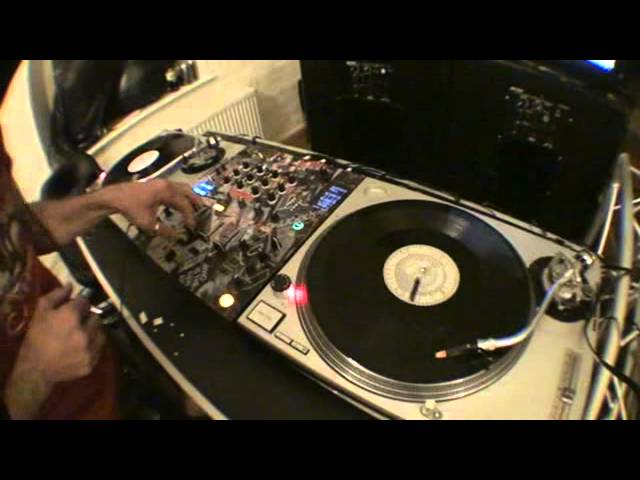
Alright guys, tis on. One of those crazy tutorials that on the odd occasion could go wrong but no mind. Alright, what are we going to do very quickly? DJM800, StyleFlip skin, Technics SL1200, pieces of vinyl, some headphones and an empty tin of Magnus. Right, so what am I going to do? I'll explain. I am going to record a roll but use two pieces of vinyl. Well that one is a beat, that one is a scratch. So I'm going to record the whole thing, bung it on another channel and then I'm going to scratch over it. Why are we doing this? Well, let's say you're by yourself and you want to scratch with someone else. In other words, there's only a scratch. Well, this way you can do it. Bear in mind what you need to do is elaborate on this particular sort of tutorial.
You might end up with a frying pan, a saucepan or maybe even, if you add a bit of milk, sugar, flour and water, a little bit of lemon and a bit of je ne sais quoi, you could have a pancake. So what are we going to do? First of all let's have a look at all the knobbly bits, see where they are. Level depth is set to 12 o'clock. I'm going to set this guy here over to master and we have this dial here set to roll. So, we have channel 2 with the beat and we have channel 3 with the scratch. Why have we got that set to master? Well, what I want to do is I want to record everything that's coming out of the mixer. As soon as I've got my roll, I will explain what we have to do up here, then I'm going to push that over to another channel which will be channel 1
Which will then mean I can bring these two volumes down and I've got free space to do whatever I want with even the beat and the scratch as well. Now it may go off a little bit, it may jump. But you know what, generally if you get the idea or if you get the general idea then we're sorted, aren't we?
Hold on, a bit too far. About there.
2:24 Channel 2 is the beat
Right, so we've got that guy there. Channel 2 is the beat.
Right, maybe you can, hopefully you can see where this is going. So, what I'm going to do first of all is hit the tap, hit that beat so we've got 8 over 1, two bars.
Here we go. And on time I'm going to hit this button here which will start the record of the roll.
Channel 1 up, there you go, we've got it on channel 1.
4:44 Exactly what I did again
To get the general idea, I will explain exactly what I did again in chronological order. Alright, so what we did, we have the beat ready over here and we have the sample ready on the other vinyl turntable. This was jumping around a little bit of course, so I do apologise. So, what did I do? We have the level depth set to 12 o'clock. Forget this guy here, time. We set this switch all the way over to master because we wanted to record the entire sound coming from the master. Bearing in mind you can do that, you don't just have to record one channel. I set this guy here to roll, played that track, tapped that in time so we got it in time. And then here we have a little word called beat. We love beat, don't we?
We had two little knobbly bit arrows, one facing that direction, the other one that direction. That one is actually facing to the toilet and that one is facing to the local curry house. What I did is I hit that so we ended up getting 8 over 1 which is 2 bars. And then as soon as I was ready, I made sure I had the beat up which is channel 2 and the scratchy up channel 3. Ooh, a bit too loud there. And then... As soon as I was ready to start the sample I hit this guy here and I made sure that I counted 2 bars. What I didn't do, I didn't fill those two bars with loads of scratching because I want to do... What I wanted to do was have a tiny bit of scratching in those two bars that were going to form a loop
Then that would enable me to scratch over and have a bit of a mess around. As soon as I'd done that, then I switched the master, I made sure channel 1 was up because I turned the master straight over to channel 1 You can do that on channel 4 if you want to, but then you've got to be very careful about flicking it to channel 4 because you could go 3-2. If you go wang straight over, then you know it's going to go directly to channel 1 because that's as far as it can go. When you switch it over to...
When you switch it over to channel 1, make sure you've got channel 1 up. Now at that point, guess what? What you've done is now on channel 1 which means you can start making chocolate ice creams with these and do whatever you want and you can sit around all day. And just put them up and down, just so long as those aren't playing, these will do nothing. Of course then what I did, I went back to this particular vinyl turntable Sorry, I scratched a little bit on this one over that sample that I'd done with the entire knobbly bits and stuff and then I brought that one in. Also when I was bringing this beat in, I was bringing the sample that I already made down bringing the beat up, up-down, up-down, a bit of a spin back that was absolutely awful
And there you go. Practice and enjoy. I hope you followed that, thank you.
This transcript was produced automatically from the audio of the video and may contain mistakes.










