 4:55
DJ Tutorial Go loopy in the MIX!
Contents of the video
0:01 A bit of a demonstration, also tutorial
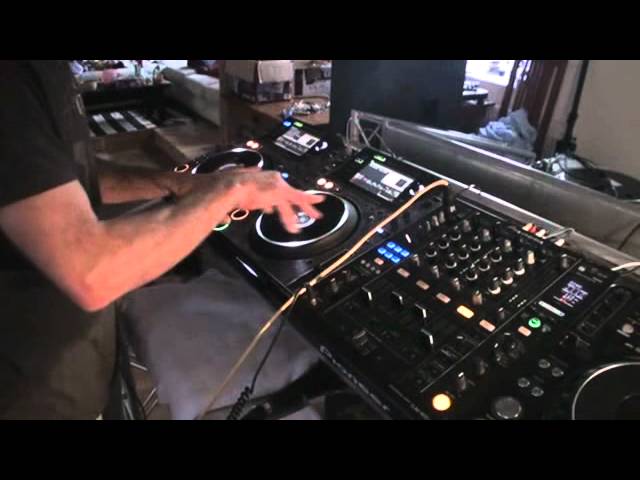
Right guys, a bit of a demonstration, also tutorial. You've got to follow me on this and this is one way of helping you out. This particular tutorial is about forming a loop in a tune which will enable you to do quite a few things. Again, this is one idea on how you can do this and this is one way of using this particular idea. If you broaden your mind and outlook on those two factors then you realise that it's entirely up to you where you want to take this. So imagine we have a track playing here. That particular track is playing at the moment, it's out on the speakers. What I'm about to do now, I'll be doing this let's say on the headphones in a real environment but at the moment because we're just here and there's no one around, nope, we'll have it out on the speakers.
1:44 Thinking loud, track
So we've got a tune playing, this one here is Florence and the Machine and the other one is the Barbra Streisand Sauce Duck Mix thing stuff, kind of thingy stuff. Kind of stuff. Thing...ish. Stuff. Thing, stuff, thing. Alright, we'll get rid of that. So again, we're on the headphones. I like that particular place, I like that area so what I'm going to do, I'm going to just form a one 4 bar loop and I can do that by hitting on this 2000 for 4 beat loop. What I'm going to do is I'm going to hit on this 2000 for 4 beat loop. So what I'm going to do is I've got the hot cues, I'm going to put those in the red so they're on record mode. Hit C and now I've got my loop there. Bearing in mind as well we're on the headphones so I can come out of that and anywhere now I can hit that and we're back into the loop.
Now another way or another idea of using this particular sort of mix as such or using a loop like this is let's say for example you've got something like this. You're coming to the end of the track and you think oh dear, not much time left. If you've got yourself a little loop somewhere during the course of that track and you've got it ready it means you can potentially use a little loop and incorporate that into the next track. Of course you could just use a cue point but then maybe again like I said earlier this is another way, another idea of incorporating something into your set. So let's go back to the other track.
You see now we're on 51 seconds. Right, I'm just thinking out loud here again. Can you hear my brain? You don't want to, it's a mess. Right so thinking out loud I'm going to go to and again this can be done in the mix and also this is where you see a good DJ from a bad DJ because... Alright there's no such thing as really a good or a bad DJ because some bad DJs out there to other DJs could be really good and some good ones could be bad because they're bad. They're better, follow? So what I'm going to do is we've got echo on and we're at this point here.
3:26 I had the echo bam, bam, bam, bam and then bang straight in
So if I do one over one you can hear that. So I had the echo bam, bam, bam, bam and then bang straight in. Now we're over here.
As simple as that. Bring in the next track.
Also... Just pause that. Also because we've got the beginning of the loop. On this hot cue here I can at any time bring it back in. So cross fade over.
Through on that side. So now that channel is on the right side. That channel is on the left. Got this one playing. Barbra Streisand.
Barbra Streisand. Back to Timmy Floyd.
This transcript was produced automatically from the audio of the video and may contain mistakes.










