 3:53
DJ tutorial, How to make a tune out of a toon!!
Contents of the video
0:00 How do you make a tune out of a tune?
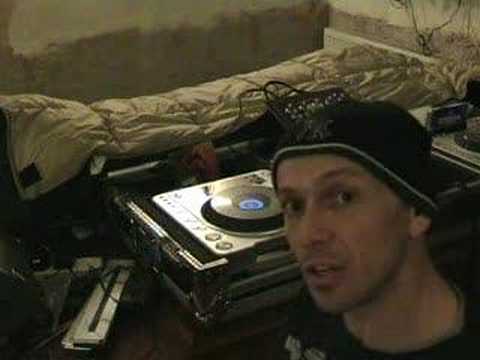
Alright folks, how do you make a tune out of a tune? I'll show you. First of all, this is what you need. You will need a CD player. You don't have to have one of those. You can have any CD player but it's got to have two major factors. First of all, it's got to have what is known as a pitch control. Now 99% of CDJ turntables or CD players used for DJ purposes will have a pitch control. The pitch control is there to increase or decrease the actual speed of the music. Secondly, and just as important, you will need a cue button. Now most CD plays have got this, but what happens is when you press the cue button, like so, I keep my finger on the cue button, the music will play. As soon as I take my finger off the cue button, it stops. But here's the deal, it will go back to its original position. So, as follows.
Now then, this is where it gets quite interesting. At the moment, the pitch control is dead centre and we get this sound. If, let's say, I move the pitch control to the minus position, any sort of area, it doesn't really matter at this point, have a listen. The main thing we want to hear is the sound and the difference in sound. Now, this is what happens, put it back to the centre position, this is what happens when I move the pitch control to the plus position.
1:29 Bearing in mind, the more practic
Now maybe you can see where this is actually going. Now initially this will involve quite a bit of practice and initially you need to just find a track, the beginning of the track, you need to find an initial sound. It's a good way of practicing as you start to get better at this and you're during the mix, you can basically find any track, find a certain segment of that track where you've got an initial sound that you like to use and you can do exactly the same thing prior What I'll do, I'll pause the camera and I'll give you a general idea of what you can do. Bearing in mind, the more practice you get, the better you'll be at it. Hold tight. Right here we go, now I'm no expert at this believe me. Now the initial video is this one and hopefully over the next week, couple of weeks just remind me because I've got a memory like a colander, spatula, saucepan, hollandaise sauce, banana, sieve, that's right I've got a memory like a sieve.
2:29 First of all now cue button
I will do other videos and what we'll do, we'll do this but we'll actually utilise this in a mix. So first of all now cue button. So what we can actually do, we can do two things. One, we can change the actual sound, we can change the key, the tone of the sound and at the same time we can do a bit of drumming. So have a listen to this. So you imagine doing something like that. The DJ Tutor is a good idea to find a track, the beginning of a track, just to practice. So hopefully over the next couple of weeks we'll get another video together whereby we'll have a track maybe here playing and we'll have a track over there and we'll do that kind of thing whilst this track is playing and then when we're ready we can then mix that track in.
Prior to being mixed in is like a keyboard. We're almost playing a keyboard. We're almost making our own tune out of a tune. I hope you get it. Thanks for watching. Practice and enjoy.
This transcript was produced automatically from the audio of the video and may contain mistakes.










