 2:45
DJ tutorial/ lessons. 1-2-1 on SKYPE How to set up kit.
Contents of the video
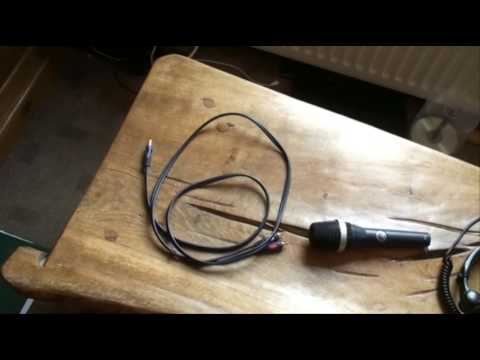
Alright guys, this is the video step-by-step instructions showing you how to set up your kit so you can have one-to-one lessons with either myself or DJ Shorty. Okay, first of all, quite logical, you'll need your decks, your mixer, maybe you have an effects unit plugged in as normal. So in other words, perhaps two CD players and a mixer. Two vinyl turntables and a mixer. Make sure as well if you're using an effects unit that you go into the mixer via the effects in and effects out. Other items you will need, you'll need a microphone so we can talk to each other. Also you'll need some headphones. Now this guy here, this cable you may need. There is RCA. The other end is a mini jack. Now the reason I say you may need these cables is quite simple. If let's say you're using the microphone pickup from your webcam, then you won't need this. So theoretically then I will be able to hear you from the microphone pickup from your webcam. Alternatively if you want to you can go from your mixer output
Ideally from the booth out using the RCA cable into the line in or more commonly known as the audio in onto your PC there. Now all this is going to be done through Skype so what you need to do when you log into Skype, you need to either click on the icon that will allow the webcam microphone to be used, alternatively if you've got that RCA lead If you're using an RCA to mini jack, then you need to click on the icon enabling you to have the audio from your mixer. I'll be doing exactly the same and that's why you'll need your microphone plugged into your mixer. Now again this part is just for demonstration purposes but imagine this okay here's the webcam and there's your gear ideally you want the webcam behind your gear facing down so i can see all of the items you're using
Possibly, hopefully you as well. So if you imagine webcam there over the gear like that. The last most important thing, in fact it's the vital part, and that is you'll need to email me first on practiceenjoyatdjtutor.com so we can then arrange a time that's convenient for the two of us. This is a one-to-one lesson. Practice and enjoy. Thank you.
This transcript was produced automatically from the audio of the video and may contain mistakes.
Related videos
-
Complete Beginner DJ Lessons Tags Key BPM Etc
A more advanced lesson folded in early, and worth doing once rather than putting off, because everything it sets up gets used for years…
-
Complete Beginner DJ Mixing Lessons Video 19 Getting Your Kit Ready for an Easy Mix
A whole lesson on getting ready, which is the right call - the exercise in the next video only teaches anything if the two decks are…











