 4:37
DJ Tutorial, Make a loop and FUNK IT UP!
Contents of the video
0:01 I'll explain why right now
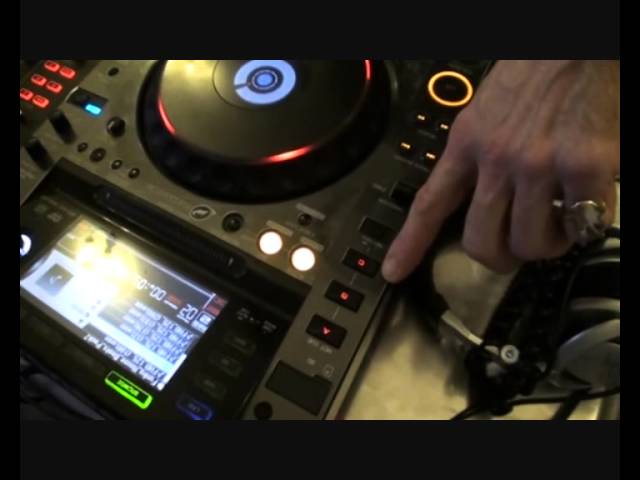
Alright guys, in this demonstration stroke tutorial what I'm going to do is form a loop from a funky house break. I'm then going to utilise the hot cues to change that sound and or to change the break, make it sound completely different. We're going to do that by using the hot cues and the loop in and out but I'm only going to use the out feature. I'll explain why right now. When you're going to form, or when you form a loop and you're using the beginning of the track then there is no need to hit the in. All you need to do is hit the out because what happens is inside the gubbins here all the workings and the brain that splurts everywhere if you smash it on the head, what will happen? It will say, ah guess what, where the track has started, that's the in and guess what, where the person hits the out button
1:17 Where the loop finishes
That's the out. So what happens? The track here and then straight to the start of the track again, here, start and here, start and here. The difference is let's say you're halfway through a track, you would have to press the in and then the out so it would go through the track and the guy here would think, oh my goodness you've started the loop halfway through the track, four or eight bars later you've finished the loop so it will go back to where you started. Like I said earlier, no need to hit the in because the beginning of the track is the in and where you press out is where... where the loop finishes. So let's have a listen to this particular break first. Right, just play that to you again. Right, what I'm going to do now is I'm going to form a loop and also we have the hot cues there in red.
Red is record mode. When you see one of these changing into amber, that means you have recorded a loop. When you see one of those changed into green, that means you have recorded a sample. Very different. Also very, very important, make sure when you start and stop the loop, you're on the count of one. Or alternatively, make sure you know where you've started that loop because if you do not start it at the count of one and you hit let's say the cue point at the count of one then it will be off beat. I will give you a demonstration of that very shortly as well. So let's press play. There's a slight fluctuation there in time. That's better. OK, what I'm going to do is hit C and we'll form the loop into one of the hot cues.
3:04 We've got a loop going and now we can mix another track in
Alright, what did I do there? What I did, I hit C. At the same time I hit C, I hit the reverse and then I hit C again when I put reverse forward. So we get cha-cha. A very subtle difference but it does make one hell of a difference. Practice. But notice the track has completely changed so we've gone from a very basic loop into something that's completely different and has got its own character. Bearing in mind how you do this, you will determine the character of the loop. We've got a loop going and now we can mix another track in. There's the loop. It's the track. The high pass. Practice.
This transcript was produced automatically from the audio of the video and may contain mistakes.










