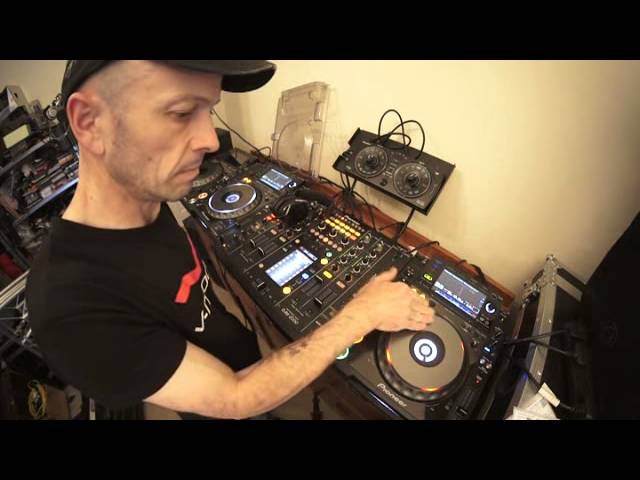
 8:04
DJ Tutorial on Finding Sounds to Add to the Mix
Contents of the video
0:00 I'm using some cuts from CDPool April 2014 from the Urban releases
Alright guys, this particular video is about finding sounds to add to your track or to your mix. Finding different sounds.
Ah, finding sounds. Now I'm using some cuts from CDPool April 2014 from the Urban releases. I've got track 2 here from disc 1. I've also got a couple of sounds from track number 3, disc 2 and track number 7, disc 2. So, what's happening here? Now I'm going to be adding tiny amounts, tiny amounts of two tracks into one. And at the moment again, I'm using two CDs so I'm limited to what I can use. But if you imagine, if you took time to find sounds that would work with the tracks that you're playing, you could have quite a library. So for example, your mix, let's say 20 tracks. So you have thumb drive SD card, maybe MP3 CDs with your 20 tracks that you're going to mix or you'd have two CDs of course, one to the other.
But ideally you would have, if you've got the likes of this setup, or even a PC program, you can do this because it's just a question of dragging and dropping the sounds at the right point. So for example, you're playing track 1 and you know that the sounds you're going to be using into track 1 are sound 1, 2, 3, 4. Track 7 is track, sorry, sound 21, 22, 23, 24 and so on. So again this is a demonstration showing exactly what I'm talking about but also a couple of key factors here. One, you've got to make sure that the sounds work well musically. If you're going to use a big part of that sound. If you're going to use a snippet, you could quite possibly get away with it. But if you're going to use quite a bit of that sound, it could sound awful.
So first of all have a listen to track, this is track 7, oh sorry, track 7.
Now this is wide set to wide so I'll explain in a little bit why I set the pitch to wide but you'll see, you'll understand. So this is track 7, disc number 2.
But all I'm using is that.
2:57 Track 7, track 3
That's why it sounded strange, I had the echo still on, sorry about that. There you go. Okay track 7, track 3. Okay so what I'm going to try and do is use those sounds into track number 2 here from disc 1 which is quite a nice vibey kind of feel. So again if you imagine that you're making your mix. You've worked it out at home and once you've got your mix together, you've designed your plan of your mix. Then maybe the option is or an option would be to add not effects but add tiny samples to the different tracks giving it another dimension. Making it feel slightly different so in other words again let's imagine you had 20 DJs. Every single DJ had the same tracks, they had to mix the tracks at the same time but they were given the option of doing something in the middle.
You do this it could be completely different alright instead of say the other DJs just adding effects or loops. So for example here we go.
Now you can hear that's really out of time.
This is why I had the pitch on wide earlier on. I mean this is pretty much a hip hop track. How can you mix hip hop into house? Speed it up. Now again if you're familiar with the pitch on most players, most PC programs you've got the option of plus or minus 6, 8, 16, 10, 50% or wide. The percentage is based on the speed of the track so if the track for example easy way of explaining this if the track is 100 BPM and your pitch is set to plus or minus 10%. You can increase it by 10% or decrease it by 10%. Simple.
Anyway I was never good at history. Right so let's have a listen again to this. So I need to go to wide, have a listen.
Okay so I'm able to get it a lot faster so let's play the track again or let it play. Here we go.
5:45 Instead of at it's original speed
Instead of at it's original speed. Both work in their own crazy way. Maybe if it was slower, if I'd have just had it used a tiny amount it would sound a little bit better. Okay so that's track 7 let's have a listen to the other one.
Now that's the sound I want that. Not the . I don't want the . So I'll show you the . There we go. Listen. Play.
I want that . That bit there.
Simple, simple but it's the time spent in finding the samples first. You could spend I don't know 20 seconds. That track goes with that perfect. Sort out the transition point another 20 seconds and then you can go and scratch your testicles for the rest of the night. Of course if you're a female it could be quite difficult.
Don't go there. Right but you could spend half an hour deciding what samples to put in there which could be a lot of fun. Including . Okay so just forget that bit.
Cut. Thank you. Thank you.
This transcript was produced automatically from the audio of the video and may contain mistakes.










