 6:24
DJ Tutorial on Mixing Acapelas video 2, Using hot cue's
Contents of the video
0:00 Another sort of demo straight tutorial on mixing acapellas
Alright folks, another sort of demo straight tutorial on mixing acapellas. The track I'm using is Paulo Alberti, a track entitled Reprise. So if you can see it there, that is it. Alright, and then also, I'm going to be using the acapella of Put Your Hands Up for Detroit. Alright, very simple. Now, I know loads of people have mashed this one up, but in a sense the whole idea of using this particular acapella is quite a few people know it. It's quite easy to follow as well. First of all, timing in acapellas. Now loads of people say it's really difficult because there's no beat. There's nothing. It's just basically some person talking or singing. So where is the beat? Now let's have a listen first of all. Here we go. Well, I'll pause the camera. I'll have a closer look. Well, also very quickly, people are always asking me where I can get acapellas and stuff like that from. But anyway, you know, let's not talk about acapellas. eBay's a great place for finding things. OK, right, now then. Let's press...
1:54 Put your hands up for Detroit
Let's play and let's have a listen to the track. Alright, now we've got no beat, nothing. We've just got put your hands up for Detroit and a gap. And then we've got that again, another gap, then we've got that again, gap and so on and so on. Where's the beat? What is happening? Now first of all, this guy here has sussed it out. It's 127 BPM. So there's got to be some relevance with timing there. Now let's have a listen to it again. Have a listen. Put your hands up for Detroit. Put your hands up for Detroit. Now all of a sudden what's happening, if we could imagine a metronome, tick, tick, tick, tick, we'd have something like this. Put your hands up for Detroit. Tick, tick, tick. Put your hands up for Detroit.
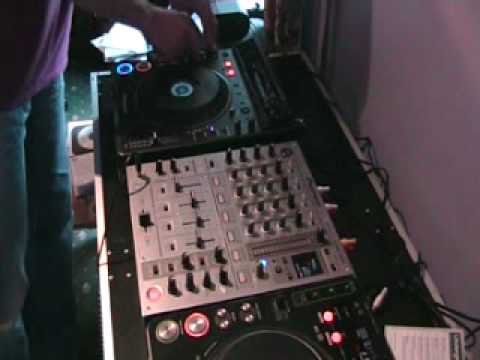
Put your hands up for Detroit. Put your hands up for Detroit. Put your hands up for Detroit. Put your hands up for Detroit. Put your hands up for Detroit. Right, now hopefully you'll get where we're going here. There's one cat fast asleep there. That's Jazz and that is M&M's who's a pain in the arse because he jumps over everything. He's a cat. Leave him to it, that's what I say. Right, what I'll do now is if I put that like that you can see what I'm doing. You need to concentrate on those hot cues there because what I've done, I've set points on the hot cues. If I just move that up like that, that's a bit better. Right, here we go. So, what I've done first of all, the first hot cue is put. Basically what I did there is I went to record mode and right at the beginning of the track it's put and I just pressed A.
3:56 Put your hands up for Detroit
And as soon as I press A, the track starts and that's the first point which I will get my hot cue as follows. So here we go, let's have a listen. Now again, bit of a mess around but you see what you can actually do is you can start to edit the track. Put your hands up for Detroit. So what I can do instead of just doing the normal put your hands up for Detroit we can have a really real big mess around and we can mash up that whole sample to make it sound not necessarily completely different but we can give it just that little extra twist. Now what I have done I've made sure that this track here is at the same BPM as that one. So let's have a listen to the track first of all. And again, with just having the cue, using the cue button, keeping my finger on it without pressing play pause, I can even edit the putt as follows. All the time as well, I'm listening to the bars and I'm counting. Now again, slightly before...
This transcript was produced automatically from the audio of the video and may contain mistakes.










