 4:34
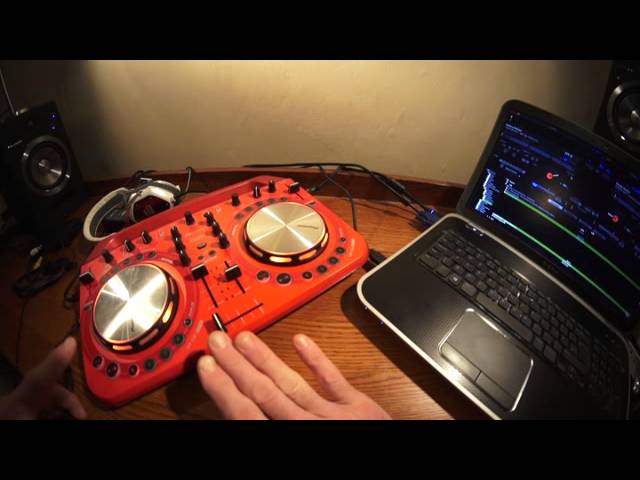
DJ Tutorial Pioneer WeGo2 make an effect with no effect, Confused? WATCH!
Contents of the video
0:01 Small tip and a trick here on the Pioneer WeGo 2
Alright ladies and gentlemen, small tip and a trick here on the Pioneer WeGo 2. The software I'm using is VirtualDJ Pro but you can do this with the normal VirtualDJ as well. The track I'm using is by Kenny Hectic, it's a track entitled Get Up. I'll put information in the video on how you can get hold of this track. Now this is a very simple effect without using an effect. Now a lot of people seem to think you need top of the range kit to form wonderful effects when you're doing a set. Well you don't have to. I'm going to be using the cue, a hot cue and the pitch. The first thing you need to do is you need to disengage the key lock on the program. You'll find the key lock icon above the pitch control and you'll see key lock and then you'll see an image of a lock.
It's a square with sort of a semi-circle over the top of it. And what you'll need to do is, pretty sure when you open the program that should be highlighted in yellow. You need to press on that to have it highlighted now, pretty much the same colour which should be sort of a grey colour. So once that's grey, the key lock is now disengaged. What that will do, what it will mean is that when you move the pitch not only will you slow or speed the track up depending on which way you move the pitch. You'll also increase or decrease the key, the sound of the track. So in the centre point, this is how the track should normally sound. The pitch is set to the centre position if we have a listen.
1:36 Move the jog wheel, have your fingers on the jog wheel and set cue
Take my finger off the cue and it goes back to the precise point where the cue started. Of course what you need to do if you're going to do this is make sure the cue point is at the beginning of the first beat of the count of one. And you can do that of course either, I mean hopefully your files will be perfect and be at the count of one anyway. If they're not then you'll need to... move the jog wheel, have your fingers on the jog wheel and set cue. You may have to do it once or twice but what you will find is on the program you have like an upside down pyramid facing down and you need to have that lined up with the first beat but you'll also be able to hear that because 1-2-3-4, 1-2-3-4, that's what you want.
2:57 Beat there but never mind
So the first trick, this is an effect without having to use any effects at all. So have a listen. OK. So what am I doing? 1-2-3-4, all the time I'm counting but I'm moving the pitch. So what's happening is admittedly the track is slowing down but you can't hear the fact it's slowing down because I'm only using a tiny part of the first beat of a bar. What I am doing also is because I'm slowing it down with key lock disengaged I'm also lowering the key so I'm able to use this almost as though it's a keyboard. Have a listen. OK. So if I want to let the track play while I've got my finger on cue, press play pause at the same time and now I can use some of the hot cues and record parts of the track. Here we go.
Beat there but never mind. Let me get rid of that one. OK. I'm going to do exactly the same thing but this time I'm going to use a hot cue. Have a listen. OK. The difference is with using the hot cue as opposed to the cue is if you use a cue the track stops. If you use a hot cue the track will carry on playing. Small tip. Have some fun and we'll finish off with a bit of Kenny Hectic track and title get up practice and enjoy. Thank you.
This transcript was produced automatically from the audio of the video and may contain mistakes.










