 4:01
DJ Tutorial, Take your 4 channel mixer to a new level.
Contents of the video
0:00 It's Coleon aka Curtis Blow Jr., track entitled Never Seen
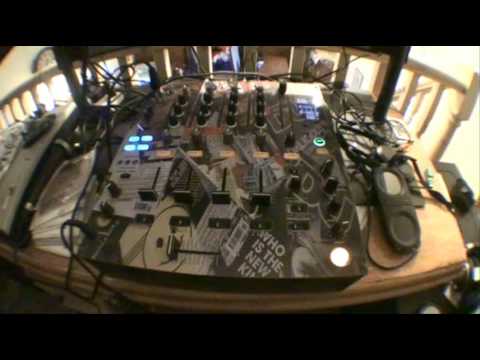
Alright guys, first off, if you want to know anything about this tune, it's on Dub Tone Records from Osaka, Japan. It's Coleon aka Curtis Blow Jr., track entitled Never Seen. Alright, what I want you to do is, and by the way, this is a bit of a demo on a little trick you can do, and all you need to have mainly is a 4 channel mixer. So, first of all, I want you to listen. While I mess around with the bass, mid and treble. And you'll notice something rather strange. Now first of all, you'll see I've got two sliders up. Just have a listen. Alright, you're probably wondering what the hell's going on here. I'll explain, I'll show you. Right, let's stop that. Now, first of all, you will need a four channel mixer. And in a second, what I'm going to do is stop this part of the video and show you the back of the mixer, how to wire it all up. Right, now first of all, if you have got crossfader sign...
1:27 Basically what we're doing here, we're taking let's say a four channel
All you need to do is to put the two right channels on the right side, two left channels on the left side and then you can as normal use a crossfade like that. So very simple and or alternatively you can set them to the through position, the centre position like so. This is of course if you've got crossfader side and then you know you can have that play in there and then you can slowly bring this channel in like so. Now possibly some of you out there are scratching your head thinking what the hell is he on about? Basically what we're doing here, we're taking let's say a four channel mixer even with no effects to the next level because now what you can do is you're now in control of the right hand channel on here for one deck, the left hand channel on there for the same deck and then the right hand channel for deck two, left hand channel for deck two. So what you can do in essence is you can mess around with the bass on each side left and right
2:55 You'll notice there we've got white and red
I'll pause the camera and show you exactly how to wire this up. It's very simple. Here we go, back of the mixer. Again, you can do this with vinyl turntables as well but you will need four phono inputs. Most mixers have got virtually every single input is definitely line CD. Line and CD are exactly the same. And quite often, like with the likes of this one here, you've got three phono inputs as well. So right, what are we doing? Right, you'll notice there we've got white and red. So all you'll do is on, for example, out of one deck, let's say you'll have the red here going to the right. And this now is from the same deck. I'm going to put this now into the left of line two, like that. So I'm going to do exactly the same now with the other side. I'm going to do this guy here, line 3, and this one here, 4 in the red.
Take it easy, practice and enjoy.
This transcript was produced automatically from the audio of the video and may contain mistakes.
Related videos
-
Complete Beginner DJ Lessons Tags Key BPM Etc
A more advanced lesson folded in early, and worth doing once rather than putting off, because everything it sets up gets used for years…
-
Complete Beginner DJ Mixing Lessons Video 19 Getting Your Kit Ready for an Easy Mix
A whole lesson on getting ready, which is the right call - the exercise in the next video only teaches anything if the two decks are…











