 2:50
DJ Tutorial. Using a loop, cue and slowing the toon down.
Contents of the video
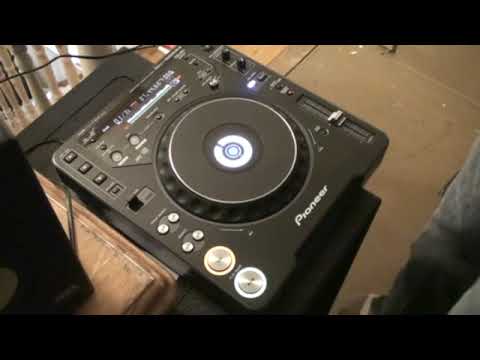
All right folks, a bit of a trick here using the loop feature on the CDJ-1000 Mark III. Now first of all I'll give you a demo then I'll explain how to do it and what to do. The track I'm using is by Enzyme Black, a track entitled Take It. So let's first of all give it a demo. Okay, first of all this is what you need to do. Top right hand corner we have this dial here which is touch break. You need to turn that so it's roughly at about five o'clock. The reason being, what happens is, let's say for example we play the track. Sorry. Press, play, pause. Have a listen. It's slowing down. It's slowing. It's almost exactly the same as turning the off dial on a vinyl turntable. So you're cutting the power. Needle's stolen the record. It's just going like that. What I've done as well, I've set a loop in one of the hot cues. So let's just have a listen to that loop.
Now this is quite important, this part is quite important. As soon as I hit the cue, the hot cue, after just a split second after I hit it, I press play pause. So in other words, we're back into the loop, straight away hit play pause and then it goes, it slows down. That's the first important thing. Just as important is for you to keep timing. In other words, one, two, three, four.
Alright, takes a bit of getting used to, but bearing in mind if you're doing this over a beat, theoretically you should be able to listen to the beat playing and that should give you good timing. So that's the first part, have a listen. The second part is you need to press play pause again. As soon as you press that, hit the hot cue again. Slightly off there a little bit, but it's all about practice, having a bit of fun and enjoying it at the same time. Practice and enjoy.
This transcript was produced automatically from the audio of the video and may contain mistakes.










