 2:46
Dj Tutorial, Video 5, The loop function of a Pioneer CDJ-800 turntable
Contents of the video
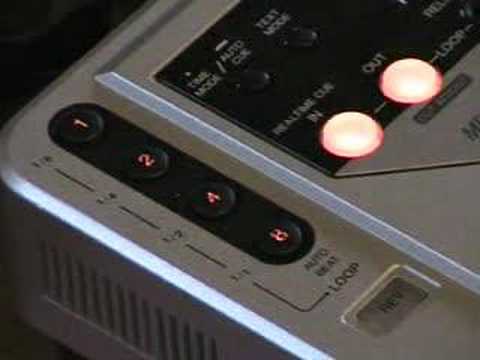
Alright folks, Jonathan here. This is video number 5 in a selection I'm doing on the CDJ turntable for the DJ. Now in this one here we're going to be looking at the CDJ-800 Mark II, which is this guy. Now there's four buttons here. Now then, apart from a few other things, what they can do as well is during playback, while the actual track is playing, if you press one of those buttons it will actually sample a particular part of that track. Of course when you press the button it will sample. From the second you press that button, it will sample according to which one you press a certain amount. For example, if you hit number 8, it will sample 8 beats and then it will loop that 8 beats so you'll have a loop. If you press number 4, it will loop 4 beats. Press number 2, it will loop 2 beats. Press number 1, it will loop 1 beat based on the BPM of that particular track. Now then, I'll give you a sort of demonstration. I'm not brilliant at this.
But bearing in mind, with a bit of practice, etc., anyone can get better at it. OK, so what we'll do is just put the actual camera a bit closer to the actual buttons and you can see exactly what I'm doing. Here we go. The track I'm going to be using is Colonel Abraham's I'm Not Gonna Let You. It's a bit of an old classic. Just press it once. There you go. Now that's actually sampled eight beats. One, two, three, four, five, six, seven, eight. One, two... Okay, we'll just pause that. But basically by messing around with these particular buttons you can have a bit of fun and you can actually remix and re-edit the track live in the mix. Don't forget when you're at home practice having a go at this and then once you've perfected it take it out on the street, take it into clubs and you can have a good... well I mean at the end of the day you're basically going to remix a track in front of people's eyes and they'll probably come up to you and say like
Where'd you get that track from? Where'd you get the remix from? And you can say, well, it's mine. Alright, nice one. Thanks for watching and as usual, please practice and enjoy.
This transcript was produced automatically from the audio of the video and may contain mistakes.










