 7:02
DJ Using Visual with audio on svm-1000
Contents of the video
0:00 What you've got here is you've got a bit of
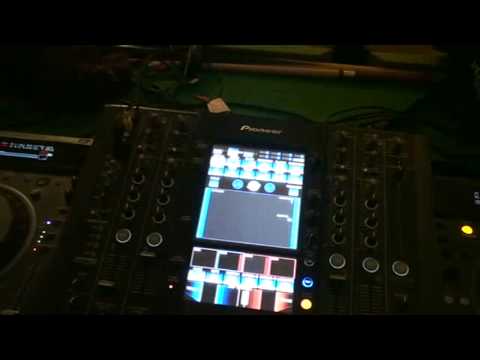
Alright folks, excuse the blurriness and of course the camera running all over the place, but this is Punk TV. Right, tune over that side I'm going to use is Capella, a track entitled You've Gotta Let The Music, and over that side we have got this guy here from Mixmash, it's known as Retro Chic. What we've got over here is mainly visuals, 99.999% recurring visuals, you've got a little bit of a click in the background that you can... If you want to use to sync the video with the audio, or when I say the video with the audio, sorry, I beg your pardon. What you've got here is you've got a bit of a click with the video on this guy that you can sync the click here with the music on the other player. So for example, let's have a listen. All right, so what I've done, set it there on that particular track, which is track number 45.
Bugger, I want track number 46, sorry. See, punk TV, so what I'm going to do, forget the editing, we'll just go straight to 46. Right, let's turn that up right there. So what I've done now, I've set a cue point. Go into, well, click record mode. If you look there, from red, which is record, into green, which is play, now have a listen. And if you take a look at the centre screen, The A on hot cue. Okay, I'm just going to cue that up. So we've got a cue point on that first particular track. When I say track, of course the visual. Right, let's go to say number 47. Right, let's just wait for that to cue up. And bearing in mind, you know, they do take a while to cue up, but what you have to consider...
2:10 Audio and visual cueing up
Audio and visual cueing up. Sorry. Go forward. I'm going to choose anything, so I'm going to go to number 68. Wait for it to cue up. And that there is number 68. Camera's going all over the place. And again, what I'm going to do is I'm going to wang on the old hot cue there. When they're in red, they're in record mode. So, two, three, four. Okay. Press record mode. They're in green. Now, if we have a look in the centre. Okay, I'm going to press A, now I'm going to press B, now I'm going to press C. I'm going to do A, 2, 3, 4, B, 2, 3, 4, C, 2, 3, 4, A, 2, B, 2, 3, 4, C, 2, 3, 4. And again, A, 2, 3, 4, B, 2, 3, 4, C, 2, 3, 4. Right, I hope you get a general idea. Alright, so if I pan out, here we go, volume up. So first of all really in a sense I want to beatmatch it, don't I? So I can use the click to beatmatch. I pause that, let's have a look. What I'm going to do now, and again you can do this on the fly, I am going to get rid of audio. I don't need the audio, I don't want that click. Here we go, go to A, C, A, A.
5:02 Video trim off track
B, B, C, C, A, A, A. Video trim off track. A, A, A, B, B, B, C, C, C and back in with the track. Take away visuals from the mix mash, bring up video trim, take off video trim from the track that's playing Get ready and here we go. A, A, A, A, B, B, C, C, A, A, B, A, C, A, C, C. Back in. And then you go back in with that. All right? Now again, use your imagination. It's just having a bit of fun, having a mess around. At the end of the day it's up to you In a sense to how far you want to take it. Practice and enjoy.
This transcript was produced automatically from the audio of the video and may contain mistakes.











