 4:16
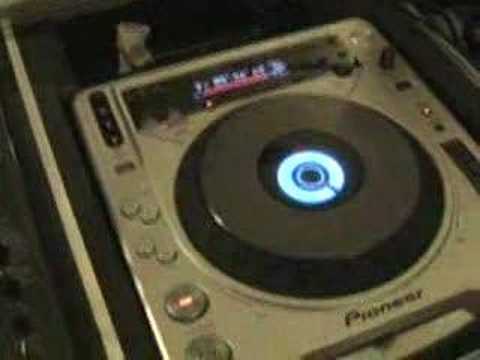
DJM-800 & CDJ-800, How to change the tone, FX video 3.
Contents of the video
0:00 Check out video number 1 and 2 first and then maybe watch this one
Folks, first of all you have to bear with me because I've got hay fever, it's a pain in the arse. Now if you followed video 1 and video 2 on this guy here, the CDJ-800 and some of the features, then you'll know where I'm coming from. So check out video number 1 and 2 first and then maybe watch this one. Right, okay, pause the camera and we'll have a look at the mixer. Right, what I've done, I've got a tiny amount of the track and I've got it now till we're getting... A fraction of it. In other words, we've messed around up here like we did in video number one and two, so we've got this sound. Have a listen. Have a listen now when we move the pitch. Master tempo's off and we're on wide, so we go plus or minus 100. Right, by the way, look to the side of the video for the names of the tracks, or at least that one anyway, because it's highly unlikely you'll probably be able to hear this one. Right.
1:25 We can change the sound
Just cue that so we're ready anyway. Or we can press play, like so. Right, this is where it gets rather interesting now. Let's just play the track over here. Now in music or in tracks we've got, you know, a key, we've got a sound and if we want to get a good mix, apart from it being beatmatch, you've got to get it sounding right. Now with this mixer here, what we can do, we can change, almost change the sound of the track. If I press the harmonics button here, now all these buttons are operational and any song on each individual channel can be changed. We can change the sound. You can see the red light there. Have a listen. Anti-clockwise will almost lower the tone. Clockwise will increase it, make it brighter, make it a bit more lively.
3:06 Press cue, move the camera back a bit
Alright, if we go to this one over here now. Let's press play. Now check this out. Have a listen. Put the volume down a bit. Go over here. Press play. I'm going to wang this one forward a bit. Hold on. Now just have a listen to the two tracks together or the sound from this side and the tune. Sounds a bit rough but have a listen when I start to mess around with this Higa. Just have a listen. Can you hear that now? Alright, check this out. Here we go. Press cue, move the camera back a bit. I bet you need a bit more skill and I'm getting to try and work this out myself as well. Now we can go to the pitch. Oh my god! Alright, bit of an insight for you there. It's a bit of fun, that's what it's all about. It's all about having fun, practice and enjoy. You take it easy.
This transcript was produced automatically from the audio of the video and may contain mistakes.










