 8:12
DJM2000 & CDJ2000 Record mode, cutting, looping and FX.
Contents of the video
0:00 Random demonstration of the 2000 series
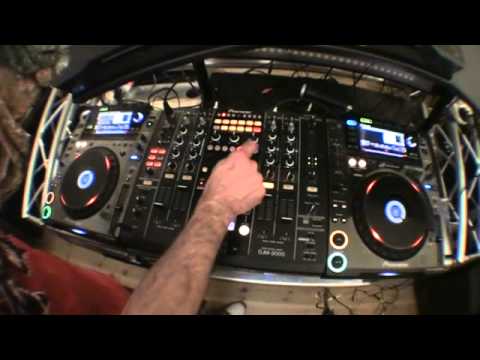
Alright guys, random demonstration of the 2000 series. What I'm going to do in this video is we're going to record a part of the track from here. We're going to take that recording and play it on the other CD player. Then we're going to add some effects and then we're just going to do a bit of cutting and a bit of a mash-up. So again, don't take this as blood, this is just a basic demonstration. You know, you look at it and go, maybe this, maybe that, or maybe take it to the next level, or maybe say, you know, the guy's talking a load of doodah. Right, here we go. Tune. Sorry, I've got the effects still on. Take that off. Right, first things first, in the centre point there, we have got the guy set...
Two live sampler. Now you'll notice we've got MIC, which is short for mic. Perhaps you can or can't see that, I do apologise, but I've got the wide angle lens on so maybe you can't see that. But if I highlight that, we have the mic. So in other words, if I use a microphone, I can sample myself on the mic, go over to master and I will now be able to sample the tune. Now as the tune plays, you'll notice a small little graph come across here. That's the readout of the track. Now at any point I can hit the centre square there, which has got a red dot and record underneath, which means to record. So what I'm going to do is I'm going to start recording the track, say one bar in. So here we go, 2, 3, 4, 1, 2, 3, 4, 5, 6, 7, 8, 1, 2, 3, 4, 5, 6, 7, 8, 1.
2:26 In beat, slightly off beat, even more off beat, and then half beat
Now then, do I want to go over the last track? This file is being accessed by the player. Previous playback will stop. So in other words, anything called there will stop. If I go yes, what's happened now? I don't know if you noticed up there, but the flashing stopped. Now what I need to do now is just to make sure I'm on browse, click down once and now we've got that sample over here. Have a listen. This is where we can have a bit of fun because we could do a couple of things and again all of this can be done on the fly. We can do a bit of what I would class with CDJs, the beat juggling. In beat, slightly off beat, even more off beat, and then half beat. Now bearing in mind that one, stop. So what we can do if we want to, we can set four beat loop to have a loop of the beat but I don't want to do that. What I want to do
4:29 This time I'm going to quadruple tap
The DJ Tutor tutorial by Ellaskins, If I go to 3 over 4, have a listen. That's quite a nice effect, but what happens if we double tap? Let me show you. Okay, take that off. 1 over 1, press play. Tap, tap, tap, tap, tap, tap. I'm going to go tap, tap, tap, tap, tap, tap, tap, tap, tap, tap, tap. Now have a listen. What happens though if we go ta-ta-ta-ta-ta-ta-ta-ta-ta-ta-ta-ta-ta-ta-ta? Ta-ta! Right. Okay, so this time I'm going to quadruple tap. Very difficult but, well, put it this way, if you're nervous, oh my god, you'll do it. Right, here we go, let's play the music. I think I just about got it, three over four, have a listen now. Okay, this is where the fun begins. Crossfade. Okay, let's just use mid. Filter. If it starts going off, pause again. Remember, when you've got your finger on pause and you don't take your finger off pause,
As soon as you take the finger off the pause, the track will start from the beginning again. If, on the other hand, you press play pause to get it right back to the beginning, double tap on pause and away you go, as follows. If you do double tap, first tap has to be before the count of one, otherwise this happens. And again. And again, sorry. Actually didn't do it then. Alright, just ignore that bit. Right, here we go. So, that's just with mid. I love confusing people. Just got the bass on now.
Beautiful sound there. It's almost as though you're in a really, really big plastic container and someone's banging on the outside of it. By the way, the tune is the verve Love Is Noise, not Arf. Once again, a bit of a mess around. Practice and enjoy. Have some fun.
This transcript was produced automatically from the audio of the video and may contain mistakes.










