 8:04
DMX for the Newb
Contents of the video
0:00 Not really setting it up, but how relatively simple it can be
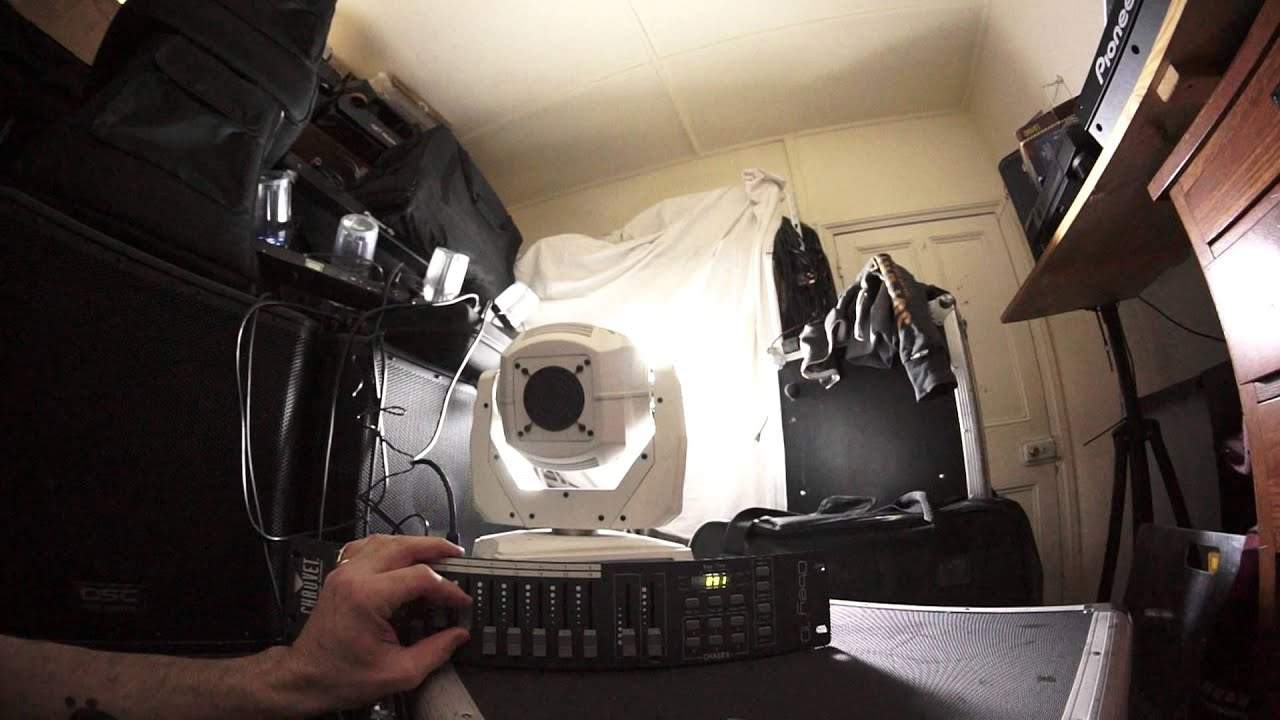
Alright guys, so in my last video I explained about setting up DMX. Well, not really setting it up, but how relatively simple it can be. Another way of looking at it is you can make it simple if you want to make it simple. Alternatively, you can go into forming shows and scenes. Now, with a controller like this, this is the OB-10 from Chauvet, it can be very simple. It's not a question of just plug and play. It isn't as simple as that. You do have to do a little bit of research, which is what I'm doing at the moment. But once you follow a few very simple steps, you can start to get the controller to talk to the lighting fixture. Now, when we have the likes of a DMX controller, the lights are no longer the SZR1 or the F523. They are known as fixtures. Very simple.
Now, with the OB-10, as I'm pretty sure I said in video 1, we can have 16 fixtures. Now, this bank here on the left hand side, sorry it's a bit dark, but I've turned the light off so we can actually see the light.
The piece of kit I've got here is the Spot LED 350 Intimidator. So, it's a correct name, Chauvet Intimidator Spot LED 350. There you go. Okay, so left hand side of the OB-10, we have from 1 to 8 and that's the amount of fixtures we can have in page A. And then if we go to page and press select. We go to B, then we've got another 8 so you can have 16 fixtures. Now, each fixture will have a certain amount of channels that it will need. Some may be very few. The likes of say the 4-plate won't have as many as for example the Intimidator 350. So, if we look here now, if I just turn that off there or turn all of the channels down. I'm going to start moving one of them and we can see that on one of the channels we have the fixture moving 360.
So, I'm just going to fit that and leave it there. The next one, we can have it moving from right to left.
2:49 We can see the gobos moving
A bit about there. Let's have a look. A bit there. The next one, colour. So, there you go. And the next one. We have the gobos. Now, it's a little bit blurred simply because the fixture is shining on the ceiling which is only about sort of 2 metres away so you're not going to get the proper effect. The next one we can see the gobos moving.
So, I'll just leave that moving like that and then the next one we bring in the prism.
Now, we've got the prism moving. So, this is why having DMX will bring your lighting to life. Oh, there we go. Fantastic. The last one is the zoom on the lens getting it into focus. Now, how brilliant is that? Alright. Need I say any more really? I mean, I did say in my first video I uploaded yesterday. I am a complete noob to DMX controllers. I am absolute... I am shapeless with them but with just, you know, I myself watch videos on YouTube. If you think I'm an all-seeing eye then you're bloody stupid. I am not. I myself, on the odd occasion, I'll even look at my own bloody videos just to remind myself about stuff I taught people. Ten years ago. So, there you go. And get that to spin. Now, that is fantastic.
5:19 To make sure that the fixture
So now I have complete control of this fixture. I can make it do what I want to make it do instead of sound to light where it'll just go through the motions. Master-slave where it will still just go through the motions. Now, this is the easy part of a DMX controller. What's slightly more difficult is to build your own shows and you can do that on the right-hand side. So in a very simple kind of way, you plug in... It's almost three steps. The first step, of course, is to plug in the fixture. The next step is to make sure that the fixture is talking correctly to the controller. Now, if you wanted to, what we could do is we could just make sure we know what page and what number the fixture is on. We can then move these sliders, get it to do a nice kind of effect and leave it.
And that's it. But then you don't really want to be doing that all night. You want it to be moving around. So the next stage, then, is to start forming up shows and you can do that on the right-hand side. Now, that's where it does... It definitely does get a bit more technical but once you've put your shows into the controller then you can pretty much leave it alone. Now, this controller as well, I believe, does have a microphone in it so it will pick up the audio as well. But, I mean, what a great way... I mean, look at that now. Just going to get that to move slowly. Now that... You imagine something like that now in your event.
There you go. So you've got two of those now on the dance floor while people are coming into the room instead of just flying all over the place into people's eyes. Now that, to me, is how lighting should be. Alright, so this is video number two. The kit that you're looking at at the moment... This is, like I said, it's the Intimidate Spot LED 350. We've got the foreplay over there which is flashing and we have the OB10 from Chauvet as well. There'll be links in the description to the Chauvet website and also, I am going to make a point of learning more on the DMX side of lighting. One reason is because during the course of the summer there is a very big festival that I'll be attending and a lot of friends of mine call Lake Fest
And that's happening in July of this year. I'll also put a link in the description there and just to let you know as well we have the Mobile Beat Show taking place in Las Vegas, in the Tropicana. That's in March. I will be there and I'll be representing V-Moda so by all means come along if you're interested in any V-Moda products or you're after another set of headphones come and say hello and maybe we can do a deal. I will finish off with... Get DMXing, practice and enjoy. Thank you.
This transcript was produced automatically from the audio of the video and may contain mistakes.











