 11:20
Drum and bass Loops Effects Filter and Change from One Channel to the Other in the Mix with Ease
Contents of the video
0:01 Great features on the RR as
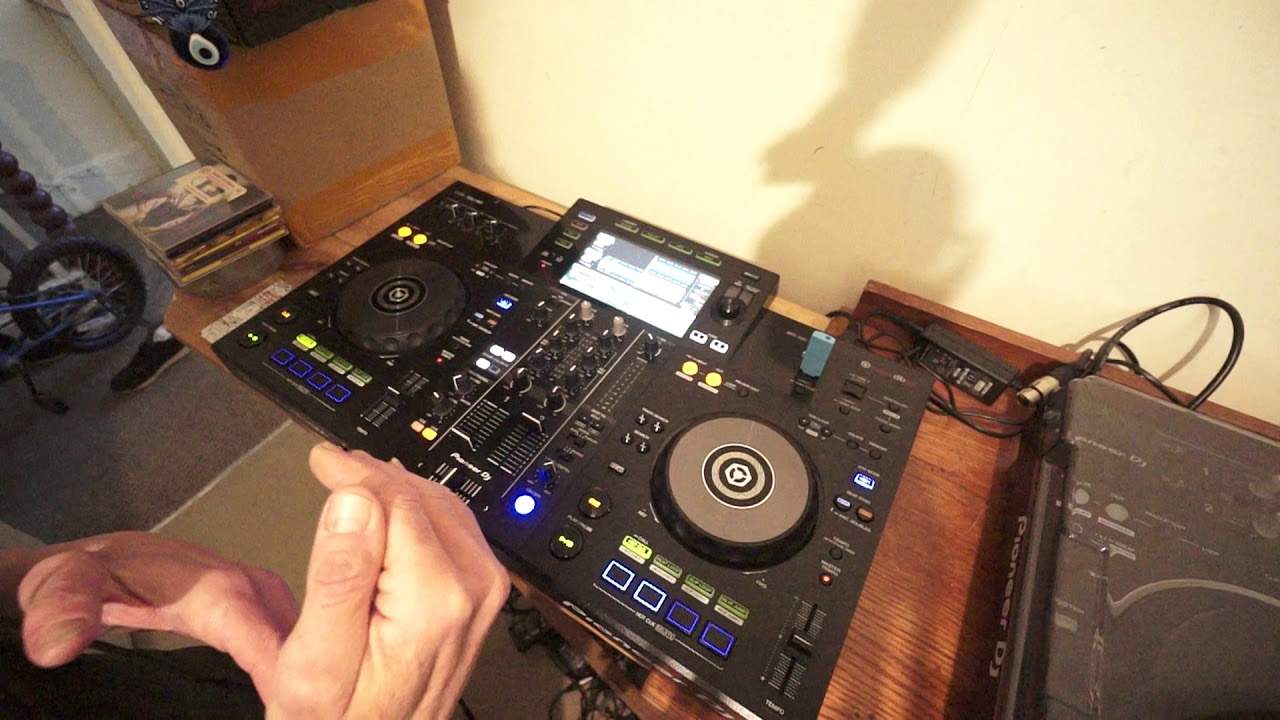
Okay, got a bunch of tunes here from Hospital Records, DMV styley. I'm using the XDJ-RR and in this video not only am I going to, you know, a few tips and tricks, show you some great features on the RR as well. First of all what I want to do really is explain about this track. I like this tune, it's called Close To You by Whiny and... It's like, it's almost like an old school sort of concerto from years gone by because the tune itself takes you on a journey. And if this was an object, it would be a diamond with one facet that hasn't been cleaned and made to look like some perfect stone in a ring. So normally if you look at a real diamond... And you look at it closely, the top is flat and you've got all of these nice symmetrical sides. So every single facet, every single part that diamond catches the light. But I think what the producer's done with this tune is they've left one side raw and uncut. Exactly how it came out from out of the ground. So it's got its raw feel to it.
1:59 Side something, left, first side
The producer has tweaked everything else but thought, you know what, I like that roughness of a bass line. Let's just leave the bloody thing there. Alright, okay. So, close to you now. On the other side we've got Kings of the Rollers, Somebody. Okay, so I've got a loop going there. So what I'm going to do is show you a couple of tips on the RR, how you can just have a sort of mess around with it. And instead of trying to go back, back, back to find the same track to put on the other side, how you can, with the press of a couple of buttons, have the same tune on the other side playing at the same position, which means you can go back to the first side and do something else. So, but why would you want to do that? I'll explain. Let's imagine you're playing a track on the left
And you want to start doing some scratching or turntablism on the left hand side, but as some people, you know they're very good at say scratching on the right but not on the left, or the left and not on the right. So how do you do that? Well I'll show you very shortly how you can have the same track playing on the other side and go back to your first side and do something completely different. Confused? Don't worry about it, I'll explain in great detail shortly. Okay, so we'll let that play, just go back a little bit. What I'm going to show you now is the loop I made. Also in this video, I'm going to show you the difference between a bad loop, a good loop and a frigging awesome loop, okay? Again, I'm using rekordbox, so all I'm going to do is I've got that loop ready on a hot cue. So that's ready, same BPM and let's press it.
4:36 Three, filter, nothing wrong
Has my phone just gone? Have I got a message? Hold on. Yeah. Oh well, never mind. Couldn't hear the phone. Okay, so what I'm going to do now is start my loop in time. Three, two, one, and... Okay, so what I was doing there... This is something that I find is not only very interesting, it saves you a lot of fumbling around, which is just using the filter. What was happening is I was slowly bringing all, well actually not slowly quite fast, bringing the filter in on the King of the Rollers, taking the filter out on the whiny close to you. So really what's happening, instead of me taking the bass away in the middle and pissing around with all the bloody EQs, I'm just using the filter dial. And I personally feel, tell me if I'm right or wrong here, but again, everyone's entitled to their own opinions, that I felt that was A, a lot easier and sounded better because there was a natural fade in and fade out of one of the tracks into the other. Now let's talk a little bit about the loops. Okay, so I have made a loop here in The King of the Rollers. Listen to it. One, two, three, four. One, two, three, four.
Okay, two bars. Okay, so let's come out of that loop. Let's go back to the beginning. So let's just make a hot cue there now. So we know now I've got a loop and I've got a hot cue. Let's listen to the structure of the tune. Time signature, does it repeat itself? Here we go. So one, one, two, three, two, one, two, three, three, one, two, three, four, one, two, three, one, one, two. Okay, right, so did you hear that you had the melody of the bass line start and it went through a couple of notes and then it stopped and it repeated itself? So this is what I was on about earlier on, about having a good loop and a great loop. So first of all, let's just do a good loop. Here we go. Now, there's nothing wrong in that, okay? There is nothing wrong in that at all, but if I was to play that...
6:53 Loop longer
Too many times, over and over again. It would definitely get very repetitive and the people on the dance floor would be looking at you as though you're a frigging idiot. So we don't want to do that. Now there's two things we can do here. One is we can come out of that loop, make another one, just stick it on another hot cue which means we've got the loop we made and we've got a longer loop in the next hot cue but we don't need to do that. We can just press the call loop Press the times two and now, all being well... Hold on. While it's playing, I beg your pardon. There. Better. Why? Because my loop now is the same structure of the musical notes that the producer has made in the first place. So I could get away with playing that loop far longer than the first or second one. Because if you listen...
8:43 In the first place, so here we go
So let's come out of that loop alright and let's play the tune and what you'll be able to hear is as soon as my finger gets to the point where the loop earlier on came out of that loop then you'll hear that the overall melody repeats itself which is how the producer made it. In the first place, so here we go. So again what I could have done maybe is form two loops because there you've got the first loop with the melody just going through its own correct cycle and then the second loop you've got that slight subtle, well it's not subtle, you've got that difference with the female vocals coming in. Okay so Again, I explained about and let's go to, for example, let's choose another random tune, okay? So I'm going to choose that. This is Earthwood, Nowhere To Go. Okay, so what we want is we want that tune on that side. There we go, I've done it. End off. Very simple. All I did was while the track was playing on the one side...
I double tapped the load button on the opposite side. It automatically not only loaded the track onto the other side, but the track started playing from the same position where the track was playing on the other side. So I'll just repeat that process again. So I'll go back, take a random track, load that now onto the left-hand side. And to prove a point... There's the beginning. This one here is Natus' Kind Words. All of these tunes are from Hospital Records, by the way, and as I said, there'll be a link to Hospital Records for you drum and bass heads in the description. So, put it forward. Now, if you notice there, if I just go a little bit closer, we've got the Earthwood still there on the right-hand side. I'm going to pause, stop that now, okay? Bring the volume up.
Crossfade in the middle, watch, double tap, and there you go. The same track now is on the other side, meaning now I can go back to my first side and start to do my bit of turntabling. Alright, I hope that's been a help. Thank you very much for watching. Practice and enjoy.
This transcript was produced automatically from the audio of the video and may contain mistakes.
Related videos
-
Complete Beginner DJ Lessons Tags Key BPM Etc
A more advanced lesson folded in early, and worth doing once rather than putting off, because everything it sets up gets used for years…
-
Complete Beginner DJ Mixing Lessons Video 19 Getting Your Kit Ready for an Easy Mix
A whole lesson on getting ready, which is the right call - the exercise in the next video only teaches anything if the two decks are…











