 4:00
EFX-1000, video 2, Setting the levels.
Contents of the video
0:00 Actually plugging this guy in, it's
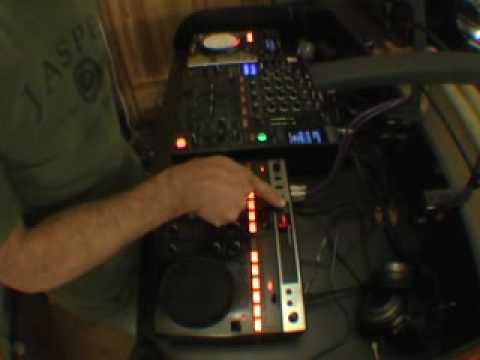
Alright folks, first of all this video is going out to Bretz, that's how you pronounce it I do believe, a YouTube user. Okay, what we're going to do is we're going to look at actually plugging this guy in, it's the EFX1000. Now Bretz did say something very important and that is if you're going to go from the master out of a mixer you must be very careful about setting levels here because you don't want to start knackering speaker systems. But if you set levels correctly here then theoretically you shouldn't have... Any problems at all? OK, what I've done is I've basically got a track playing on here now and as you can see I've got here on this mixer, it's sort of tapping very slightly into the amber. We have green, amber and then if we go up like so, you can see it'll actually start going into the red. We don't want that at all. Basically red is dead. In other words, you'll have a horrible sound and you could possibly knacker everything else.
1:16 The input level will actually almost level the sound
All the way along the line, your speakers, your amps, goodness knows what, so don't go there. Okay, so this is what I've done. We've set that roughly, we're ticking over slightly into the amber and we can do exactly the same with the master volume if we want to. Now what we've got here, we've got input level on the left hand side of the effects. And here we have effects out level. So what we've got initially, if you think about it, we've got the sound coming in and we've got the sound going out. So the input level will actually almost level the sound. It will actually get the sound higher or lower, the actual input. It will make the input sound higher or lower.
Then here we have the effect out. This will actually... Minus 15, minus 10, minus 7, minus 5, minus 3, 2, 1 and 0. The 0 is basically 0 dB. That's near enough where you want to be. If you start going 1, 2, 3, 4 up to over here and to over, there is a very good chance that you can start to ruin speakers and amplifiers. So ideally you need to keep it at 0. That now is your input. Coming into this unit, now what we need to do is exactly the same with the output. So this dial here will start to increase this. The track you're listening to is Fragment 7. I think it's called Fragment 7. I've heard it that many times. Hold on. Where are we now?
Yeah, it's Kenneth Badger featuring Julie Cruz, Fragment 7. I'll put the description in the... Sorry, I'll put the title in the description. OK, here we go. There you go.
And if you can see that now, but I've got them both exactly the same near enough. Now that's how you want it. Pause that. Put it in vinyl mode, pause it. Okay, also what you can do with a lot of mixers, like with this guy here, you will actually have effects out and effects in. So you will go out of the effects, out to the input in the effects unit. Then you will go out of the effects unit, out into the input of the mixer. Like so. You can just about see my hand under this guy here. So there you go. I hope that's been a help. This is video number two and we're looking at the basis of starting to almost set up and get this guy going. It's the FX1000. Practice and enjoy. And by the way, thanks Brett.
This transcript was produced automatically from the audio of the video and may contain mistakes.











