 11:15
How to Become the DJ Re Mixer of Tunes on the FLY
Contents of the video
0:00 You want to somehow do a remix on the fly
Alright, so you want to do some production. You want to be a producer. You want to somehow do a remix on the fly. Let's go back to the 80s, when dance music started to just tweak its way into the top 40, proper dance music. You had a producer and you had a DJ. And it was very rare to see the producer be a DJ or the DJ be a producer, because they were different people. The producer was a producer because he or she had a studio and had all the kit. Imagine going back and having a look at one of the original computers. It would fill this entire room and... It wouldn't be as powerful as an iPhone, the original iPhone. Seriously! So it was the same with a producer. You had to have big reel-to-reels, you had to have the studio, you had to have just loads of kit all over the place, whereas the DJ, a couple of turntables and a mixer.
Now, the DJ then could get a couple of records, the same record, and go from one side to the other, but there was a lot of work involved. Now, with the technology we've got now...
We have keyboards, we have samplers, we have effects units. The DJ now is pretty much or can be the producer. And the producer is also a DJ now, or a lot of them are. And again, a small tip here. If you want to start earning a great deal of money in your DJing life, then start music production. Because that's one way how you can get gigs in big nightclubs. Because management, they want someone who has their own tracks. In other words, you walk in with a thumb drive and you go, see these tunes? These are mine. No-one else has got them. Management are going to love that shit because no-one else has heard it. So, how can you become a producer while you're DJing? Well, it's very simple. Just do remixes of tracks.
2:25 The track I'm using is by Flushing
Now, I am very much against... Master and Slave and Sync and whatnot. But sometimes it's worth doing. Why? Well, alright... Yeah, I know. You said why. It's because when you have Master and Sync engaged, you're guaranteed that the two tracks or track you're playing is going to be in time. Which means more of your thought process and energy can be involved in your effects instead of trying to beat match something. Okay? Now, the track I'm using is by Flushing. It's...I think that's... Flushing? Flushing. Flushing. Flushing. Or F-L-A-U-S-H-I-G. S...F-L-A-U-S-C-H-I-G. Dyslexic. Sometimes you just look at the word and you go... All words jumble around. It's terrible. It's a track entitled Loving You. So what I've got...
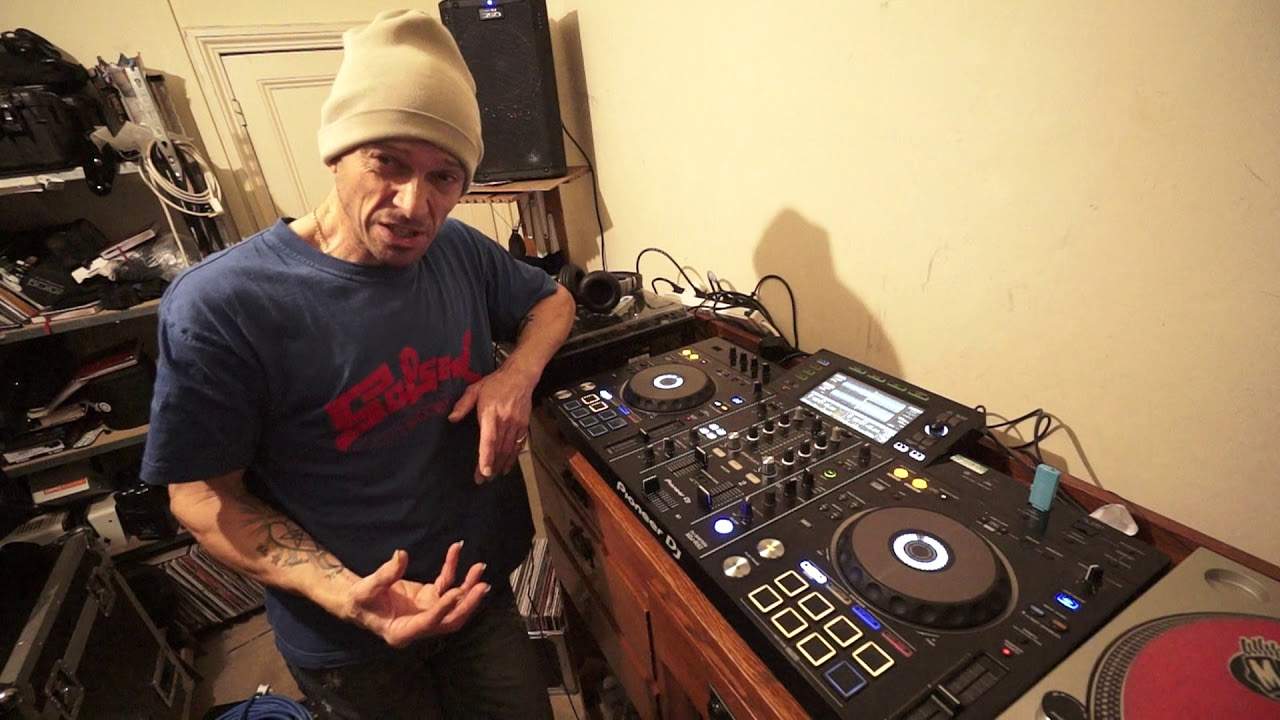
I've got the XDJ-RX2. I've got a bunch of loops on the right. I've got one on the left. Now, I'm using Rekordbox and I've got Quantize engaged. Quantize is engaged simply because when I press the in and I press the out, Quantize will go... Hold on a minute. You were a millisecond too soon on the in and you were a millisecond too late on the out. So we're going to just make sure it's in perfect time for you. That's why Quantize is great, snaps it in time for you. So here I've got a bunch of loops on one over this side. Okay, so let's just get out of that loop. So again, once I have formed the loop, I have set that in one of the hot cues. Now, you should see a load of amber squares there on the hot cues. That's telling me that all of those now are...
5:06 One, two, three, four
Are loops. Whereas if I don't do a loop, I just press that there. It's green and that's the hot cue. I just put that anywhere. Press shift, press it again. It's now deleted. Okay. Okay, so we're on a loop here that I made earlier. Let's just do another loop now on the left-hand side. Let's maybe go to the drop. Go back a bit. Two, three, four. One, two, three, four. One, two, three, four. One, two, three. I'm just going to do a bit longer loop. Two, three, four. Two, three, four. There you go. Put that there. Okay, so we want to make a remix. Now again, the demonstration is one thing but it's about you listening and working it out for yourself. Now, I have made one, two, three, four, five, six, seven, seven loops on the right-hand side.
And I've made those in order based on how the track is flowing. Number one is the beginning of the track, two is further on from one, three and so on four to the seventh loop which is sort of towards the end of the track. It's actually not towards the end. It's about the middle. This is the radio version and I've got an extended on this side. So what I'm going to do is and again without headphones because I want to sort of talk while I'm doing this is, you know, I'm going to play a loop on this side and maybe add some effects and then start a loop on that side and then slowly mix that in and then come to another loop on this side. So potentially what I'm doing is I will be remixing the track. Now if you think about it
8:51 Bang straight in with the break
The first loop on the top left-hand hot cue button or loop button is the beginning. The next one is further on third and so on and so on. That's what I did say earlier. But I don't have to play that one first then that one second and that one third because it was first, second or third. I could play the third one first or the seventh one second or the fourth one third. Do you get it? You see this is remixing on the fly. So bring the volume down. Here we go. Now just leave it. Just leave it roll. White to red and the brown to the purple and yellow. Here we go. A, B, C, D. A, B, C, D. Okay. Bang straight in with the break. Do you see what I mean? Okay. Now I'm not using headphones alright. So if I wanted to snap this bang in time
Headphones on hit that hot cue make sure it's in time use the jog wheel a bit bring it in add some effects say no more.
Bass out on this side. God! It looks difficult but it's not. It's so simple. It's so simple. But let's take this to another level. Let's just take this to new heights. I'm using the same track alright. Radio extended. Just think what it would be like if you used different tracks. If you used a track and an acapella. If you used two acapellas four decks same track on two a different track on the other and an acapella on the other. To do a bit of boggling. Practice and enjoy.
This transcript was produced automatically from the audio of the video and may contain mistakes.










